Archivero is in early access — your sources, PDFs and citations in one library.Request early access →
Archivero/guides/
APAMLAHarvardThesis writing
Subscribe
Archivero/guides/Request early access →

Guides

APA styleMLA styleHarvard referencingThesis writing

Compare

APA 6th vs 7thMLA 8th vs 9thHarvard vs APAThesis vs dissertation

Product

FeaturesEarly access

Resources

DocsCheat sheetsNewsletter

Company

ContactStatus ↗
© 2025–2026 Ernesto F. GonzálezGuidesDocsContactPrivacyTerms
Guides/Citations/APA Citation Style

How to Format Tables in APA

APA 7th edition table formatting rules, including table numbers, titles, notes, borders, and placement — with annotated examples.

5 min readAPA

Key Takeaways

  • Every APA table has four components in order: bold table number, italicized title, table body, and table note (optional).
  • The table number is bold and flush left (Table 1, Table 2, etc.). The title is italicized, flush left, and in title case.
  • Use horizontal lines only — at the top, below column headings, and at the bottom. Never use vertical lines or grid borders.
  • Table notes follow a specific hierarchy: general note (Note.), specific notes (superscript letters), and probability notes (asterisks).
  • Tables are numbered separately from figures in the order they appear in the text.
  • Always refer to tables by number in the text ("Table 2"), never by position ("the table below").
  • Tables can be embedded after the paragraph that first mentions them or placed after the reference list — check your instructor's preference.

On this page

1 of 16
Key TakeawaysTable StructureExample TableFormatting DetailsTable NotesNumbering TablesPlacement — Embedded vs. End of PaperOption 1: Embedded in the TextOption 2: After the Reference ListReferencing Tables in TextReproducing Tables From Other SourcesReprinted ExactlyAdapted From a SourceYour Own DataCommon Table MistakesWhat's Next
All APA guides →

APA tables present data in rows and columns — numbers, text, or both — and follow a strict four-part structure: a bold table number, an italicized title, the table body, and an optional table note. Every table uses horizontal lines only (no vertical borders), and each one must be referenced by number in the body of the paper.

Table Structure

Every APA table has the same four components, presented in this order:

  1. Table number — bold, flush left (e.g., Table 1)
  2. Table title — italicized, flush left, title case, one double-spaced line below the number
  3. Table body — the actual rows and columns of data
  4. Table note — flush left, below the table (optional, but common)

Example Table

Table 1

Mean Test Scores by Study Group and Time Point

GroupPretest M (SD)Posttest M (SD)Change
Intervention (n = 48)Pretest M (SD)62.3 (8.1)Posttest M (SD)78.9 (7.4)Change+16.6
Control (n = 45)Pretest M (SD)61.8 (7.9)Posttest M (SD)64.2 (8.0)Change+2.4

Note. Scores are based on a 100-point standardized assessment. The intervention group received 6 weeks of structured tutoring.

Formatting Details

  • The table number and title appear above the table, each on its own line.
  • The table number is bold and in plain text: Table 1, Table 2, etc.
  • The title is italicized and in title case — capitalize major words.
  • Column headings are centered and use sentence case.
  • The table body uses single-spacing or one-and-a-half spacing (the one exception to APA's double-spacing rule).
  • Horizontal lines (borders) appear at the top and bottom of the table, and below the column headings. Avoid vertical lines entirely.
  • Numbers should be aligned by decimal point when possible.

Table Notes

Table notes appear below the table and follow a specific hierarchy:

  1. General note — applies to the entire table. Starts with "Note." in italics.
  2. Specific note — explains a particular column, row, or cell. Uses superscript letters (ᵃ, ᵇ, ᶜ).
  3. Probability note — reports statistical significance. Uses asterisks (*p < .05, **p < .01, ***p < .001).

Note. Participants were recruited from introductory psychology courses.

ᵃ This group included 3 participants who withdrew before the posttest.

*p < .05. **p < .01.

All three types can appear together, in this order: general, specific, probability.

Numbering Tables

Tables are numbered separately from figures, in the order they appear in the text:

  • Tables: Table 1, Table 2, Table 3…
  • Figures: Figure 1, Figure 2, Figure 3…

You might have Table 1 on page 4, Figure 1 on page 5, and Table 2 on page 6. The numbering is independent — Table 2 doesn't become Table 3 because a figure appeared between them.

Never skip numbers or use suffixes like Table 3a or Table 2.1. Each table gets its own sequential number.

Placement — Embedded vs. End of Paper

APA 7th edition allows two placement options:

Option 1: Embedded in the Text

Place each table immediately after the paragraph that first mentions it — or at the top of the next page if it doesn't fit. This is the most reader-friendly approach and is what most instructors prefer.

Option 2: After the Reference List

Place all tables first (in order), then all figures (in order), each on its own page. This option is used primarily for manuscript submissions to journals, where typesetting will determine final placement.

Check with your instructor.Most student papers use embedded placement. Some instructors or journals prefer the end-of-paper approach.

Referencing Tables in Text

Every table must be mentioned in the body of your paper. Refer to them by their number — never by their position on the page:

Correct:

As shown in Table 2, the intervention group outperformed the control group at every time point.

Participants in the treatment condition reported higher satisfaction (see Table 1).

Incorrect:

As shown in the table below…

See the table on the next page…

Refer to tables by number because their position might change during editing or typesetting. "Table 2" always points to the same data; "the table below" might not.

Reproducing Tables From Other Sources

If you're reproducing a table from another source — copying it directly rather than creating your own — APA requires a copyright attribution in the table note.

Reprinted Exactly

Note. Reprinted from "Sleep Quality Among College Students: A National Survey," by R. K. Lawson and M. T. Chen, 2023, Journal of College Health, 71(4), p. 312 (https://doi.org/10.xxxx/jch.2023.0045). Copyright 2023 by Taylor & Francis. Reprinted with permission.

Adapted From a Source

If you modify the original (changing categories, reorganizing data), use "Adapted from":

Note. Adapted from Understanding Statistics for the Social Sciences (p. 89), by T. K. Park, 2021, Oxford University Press. Copyright 2021 by Oxford University Press.

Your Own Data

If you created the table from your own data or analysis, no copyright note is needed — just the regular table note.

Important:For published work, you may need formal permission from the copyright holder to reproduce tables. For student papers, the copyright note in the table note is usually sufficient.

Common Table Mistakes

  1. Using vertical lines. APA tables use horizontal lines only — at the top, below column headings, and at the bottom. No vertical lines, no grid borders.
  2. Placing the title below the table. APA 7th edition puts titles above the table.
  3. Referring to "the table below." Always use "Table 1" or "Table 2" — never positional language.
  4. Forgetting to mention the table in the text. Every table must be referenced by number somewhere in the body of your paper.
  5. Numbering tables and figures together. Tables and figures have separate numbering sequences.

What's Next

  • APA Figures — formatting rules for charts, graphs, photographs, and other visual elements
  • APA General Format — page layout, margins, and spacing

Archivero helps you focus on your research while keeping the formatting consistent — so you can spend your time presenting clear, well-organized data instead of worrying about border placement.
All APA guides →
← PreviousHow to Cite a Photograph in APA Format

More on APA style

The standard in psychology, education and the social sciences. The author–date system, reference-list formatting and what the 7th edition changed.

View all 34 guides →
8 sections·7 min readAPAAPA General Format9 sections·8 min readAPAAPA Title Page Format7 sections·6 min readAPAAPA Heading Levels7 sections·6 min readAPAHow to Write an APA Abstract

Your sources, PDFs and citations in one library

  • Import a Zotero, Mendeley or EndNote library — or a folder of PDFs
  • Highlight and annotate without leaving the source
  • Cite in any CSL style as you write, with one shared library for your lab
Request early accessSee the product →
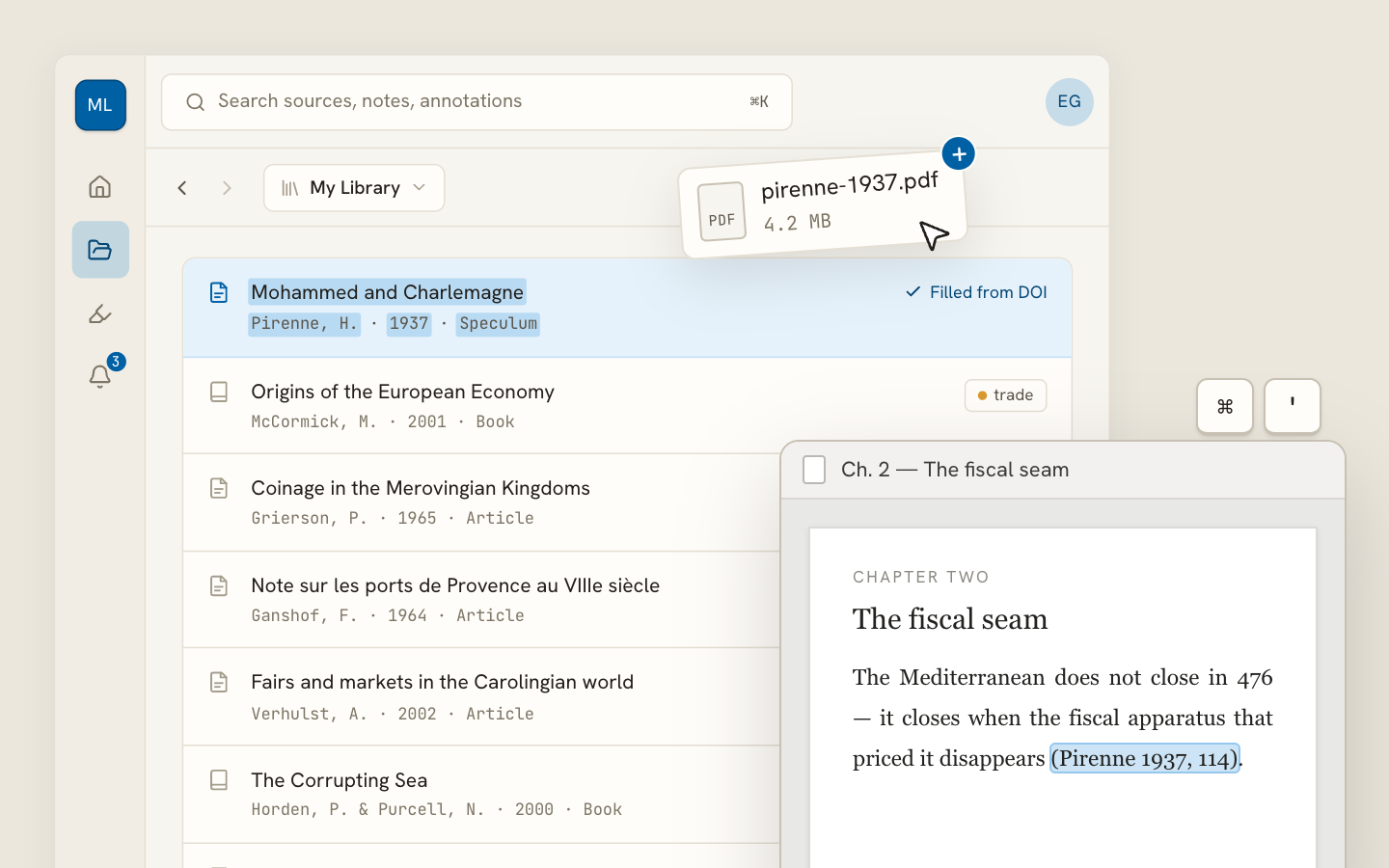
Archivero library view with a source list and an open PDF

Your weekly research workflow, in one email

One tested workflow, three links, no filler — every Tuesday.

Unsubscribe in one click. We never share your address.

Guides/Citations/APA Citation Style

How to Format Tables in APA

APA 7th edition table formatting rules, including table numbers, titles, notes, borders, and placement — with annotated examples.

5 min readAPA

Key Takeaways

  • Every APA table has four components in order: bold table number, italicized title, table body, and table note (optional).
  • The table number is bold and flush left (Table 1, Table 2, etc.). The title is italicized, flush left, and in title case.
  • Use horizontal lines only — at the top, below column headings, and at the bottom. Never use vertical lines or grid borders.
  • Table notes follow a specific hierarchy: general note (Note.), specific notes (superscript letters), and probability notes (asterisks).
  • Tables are numbered separately from figures in the order they appear in the text.
  • Always refer to tables by number in the text ("Table 2"), never by position ("the table below").
  • Tables can be embedded after the paragraph that first mentions them or placed after the reference list — check your instructor's preference.

On this page

1 of 16
Key TakeawaysTable StructureExample TableFormatting DetailsTable NotesNumbering TablesPlacement — Embedded vs. End of PaperOption 1: Embedded in the TextOption 2: After the Reference ListReferencing Tables in TextReproducing Tables From Other SourcesReprinted ExactlyAdapted From a SourceYour Own DataCommon Table MistakesWhat's Next
All APA guides →

APA tables present data in rows and columns — numbers, text, or both — and follow a strict four-part structure: a bold table number, an italicized title, the table body, and an optional table note. Every table uses horizontal lines only (no vertical borders), and each one must be referenced by number in the body of the paper.

Table Structure

Every APA table has the same four components, presented in this order:

  1. Table number — bold, flush left (e.g., Table 1)
  2. Table title — italicized, flush left, title case, one double-spaced line below the number
  3. Table body — the actual rows and columns of data
  4. Table note — flush left, below the table (optional, but common)

Example Table

Table 1

Mean Test Scores by Study Group and Time Point

GroupPretest M (SD)Posttest M (SD)Change
Intervention (n = 48)Pretest M (SD)62.3 (8.1)Posttest M (SD)78.9 (7.4)Change+16.6
Control (n = 45)Pretest M (SD)61.8 (7.9)Posttest M (SD)64.2 (8.0)Change+2.4

Note. Scores are based on a 100-point standardized assessment. The intervention group received 6 weeks of structured tutoring.

Formatting Details

  • The table number and title appear above the table, each on its own line.
  • The table number is bold and in plain text: Table 1, Table 2, etc.
  • The title is italicized and in title case — capitalize major words.
  • Column headings are centered and use sentence case.
  • The table body uses single-spacing or one-and-a-half spacing (the one exception to APA's double-spacing rule).
  • Horizontal lines (borders) appear at the top and bottom of the table, and below the column headings. Avoid vertical lines entirely.
  • Numbers should be aligned by decimal point when possible.

Table Notes

Table notes appear below the table and follow a specific hierarchy:

  1. General note — applies to the entire table. Starts with "Note." in italics.
  2. Specific note — explains a particular column, row, or cell. Uses superscript letters (ᵃ, ᵇ, ᶜ).
  3. Probability note — reports statistical significance. Uses asterisks (*p < .05, **p < .01, ***p < .001).

Note. Participants were recruited from introductory psychology courses.

ᵃ This group included 3 participants who withdrew before the posttest.

*p < .05. **p < .01.

All three types can appear together, in this order: general, specific, probability.

Numbering Tables

Tables are numbered separately from figures, in the order they appear in the text:

  • Tables: Table 1, Table 2, Table 3…
  • Figures: Figure 1, Figure 2, Figure 3…

You might have Table 1 on page 4, Figure 1 on page 5, and Table 2 on page 6. The numbering is independent — Table 2 doesn't become Table 3 because a figure appeared between them.

Never skip numbers or use suffixes like Table 3a or Table 2.1. Each table gets its own sequential number.

Placement — Embedded vs. End of Paper

APA 7th edition allows two placement options:

Option 1: Embedded in the Text

Place each table immediately after the paragraph that first mentions it — or at the top of the next page if it doesn't fit. This is the most reader-friendly approach and is what most instructors prefer.

Option 2: After the Reference List

Place all tables first (in order), then all figures (in order), each on its own page. This option is used primarily for manuscript submissions to journals, where typesetting will determine final placement.

Check with your instructor.Most student papers use embedded placement. Some instructors or journals prefer the end-of-paper approach.

Referencing Tables in Text

Every table must be mentioned in the body of your paper. Refer to them by their number — never by their position on the page:

Correct:

As shown in Table 2, the intervention group outperformed the control group at every time point.

Participants in the treatment condition reported higher satisfaction (see Table 1).

Incorrect:

As shown in the table below…

See the table on the next page…

Refer to tables by number because their position might change during editing or typesetting. "Table 2" always points to the same data; "the table below" might not.

Reproducing Tables From Other Sources

If you're reproducing a table from another source — copying it directly rather than creating your own — APA requires a copyright attribution in the table note.

Reprinted Exactly

Note. Reprinted from "Sleep Quality Among College Students: A National Survey," by R. K. Lawson and M. T. Chen, 2023, Journal of College Health, 71(4), p. 312 (https://doi.org/10.xxxx/jch.2023.0045). Copyright 2023 by Taylor & Francis. Reprinted with permission.

Adapted From a Source

If you modify the original (changing categories, reorganizing data), use "Adapted from":

Note. Adapted from Understanding Statistics for the Social Sciences (p. 89), by T. K. Park, 2021, Oxford University Press. Copyright 2021 by Oxford University Press.

Your Own Data

If you created the table from your own data or analysis, no copyright note is needed — just the regular table note.

Important:For published work, you may need formal permission from the copyright holder to reproduce tables. For student papers, the copyright note in the table note is usually sufficient.

Common Table Mistakes

  1. Using vertical lines. APA tables use horizontal lines only — at the top, below column headings, and at the bottom. No vertical lines, no grid borders.
  2. Placing the title below the table. APA 7th edition puts titles above the table.
  3. Referring to "the table below." Always use "Table 1" or "Table 2" — never positional language.
  4. Forgetting to mention the table in the text. Every table must be referenced by number somewhere in the body of your paper.
  5. Numbering tables and figures together. Tables and figures have separate numbering sequences.

What's Next

  • APA Figures — formatting rules for charts, graphs, photographs, and other visual elements
  • APA General Format — page layout, margins, and spacing

Archivero helps you focus on your research while keeping the formatting consistent — so you can spend your time presenting clear, well-organized data instead of worrying about border placement.

All APA guides →
← PreviousHow to Cite a Photograph in APA Format

More on APA style

The standard in psychology, education and the social sciences. The author–date system, reference-list formatting and what the 7th edition changed.

View all 34 guides →
8 sections·7 min readAPAAPA General Format9 sections·8 min readAPAAPA Title Page Format7 sections·6 min readAPAAPA Heading Levels7 sections·6 min readAPAHow to Write an APA Abstract

Your sources, PDFs and citations in one library

  • Import a Zotero, Mendeley or EndNote library — or a folder of PDFs
  • Highlight and annotate without leaving the source
  • Cite in any CSL style as you write, with one shared library for your lab
Request early accessSee the product →
Archivero library view with a source list and an open PDF

Your weekly research workflow, in one email

One tested workflow, three links, no filler — every Tuesday.

Unsubscribe in one click. We never share your address.