Archivero is in early access — your sources, PDFs and citations in one library.Request early access →
Archivero/guides/
APAMLAHarvardThesis writing
Subscribe
Archivero/guides/Request early access →

Guides

APA styleMLA styleHarvard referencingThesis writing

Compare

APA 6th vs 7thMLA 8th vs 9thHarvard vs APAThesis vs dissertation

Product

FeaturesEarly access

Resources

DocsCheat sheetsNewsletter

Company

ContactStatus ↗
© 2025–2026 Ernesto F. GonzálezGuidesDocsContactPrivacyTerms
Guides/Citations/APA Citation Style

APA General Format

Rules for page layout, title page, headings, and overall paper structure in APA 7th edition.

7 min readAPA

On this page

1 of 16
Page LayoutMarginsFontLine SpacingParagraph IndentationPage NumbersTitle PageStudent Paper Title PageProfessional Paper Title PageAbstractHeading LevelsCommon Heading Mistakes to AvoidRunning Head (Professional Papers Only)The Anatomy of an APA PaperSetting Up Your Document: A Quick WalkthroughNext Steps
All APA guides →

First impressions matter — even in academic writing. A cleanly formatted paper tells your reader (and your professor) that you take your work seriously. More importantly, consistent formatting makes your paper easier to read, which means the ideas you've worked so hard on actually get the attention they deserve.

The good news? APA's formatting rules are straightforward once you set them up. Most of the work happens before you write a single sentence — get the page layout right, and the rest flows naturally.

Page Layout

Think of these settings as your paper's foundation. Set them once in your word processor and you won't need to touch them again.

Margins

Use 1-inch (2.54 cm) margins on all four sides — top, bottom, left, and right. APA papers aren't designed for binding, so don't use mirrored or gutter margins.

Tip:In most word processors, 1-inch margins are the default. Double-check under Page Setup or Layout just to be safe.

Font

One of the nice changes in the 7th edition is that you're no longer locked into Times New Roman. Pick any of these and use it consistently throughout your entire paper:

FontSize
Times New Roman12 pt
Calibri11 pt
Arial11 pt
Lucida Sans Unicode10 pt
Georgia11 pt

Whatever you choose, stick with it everywhere — body text, headings, and reference list. The only exception is figures and tables, which can use a slightly smaller font (no less than 8 pt) if you need to fit more information.

Line Spacing

Double-space everything. The title page, abstract, body text, block quotes, references, appendices — all of it. Don't add extra blank lines before or after headings or between paragraphs. Just set your line spacing to 2.0 and let it ride.

Paragraph Indentation

Indent the first line of every paragraph by 0.5 inches (1.27 cm). Use the tab key or, better yet, set a first-line indent in your paragraph settings so it's automatic.

A few things are not indented:

  • The abstract paragraph
  • Block quotations (these are indented differently — more on that in In-Text Citations)
  • Titles and headings
  • Table and figure notes
  • Reference entries (these use a hanging indent, which is the opposite — first line flush left, subsequent lines indented)

Page Numbers

Place the page number in the top-right corner of every page, starting with the title page as page 1. Use the same font and size as the rest of your paper. Most word processors handle this automatically through the header/footer settings.

Title Page

APA treats student papers and professional papers (manuscripts submitted for publication) differently. The student version is simpler, so if you're writing for a class, you can breathe a little easier.

Student Paper Title Page

Center all of the following in the upper half of the page, each on its own line:

  1. Paper title — Bold, in title case. Keep it concise — one or two lines is ideal.
  2. Your name — First name, middle initial(s), last name.
  3. Institutional affiliation — Your department and university (e.g., "Department of Psychology, University of Michigan").
  4. Course information — Course number and name (e.g., "PSY 301: Research Methods").
  5. Instructor name — However your instructor prefers to be addressed.
  6. Due date — The assignment's due date.

No running head is required for student papers unless your instructor specifically asks for one.

Professional Paper Title Page

Professional manuscripts include a few additional elements:

  1. Running head — A shortened version of the title (50 characters max), in ALL CAPS, left-aligned in the page header. On the title page only, it's preceded by the label "Running head:".
  2. Paper title — Bold, title case, centered in the upper half.
  3. Author name(s) — Each author on a separate line if needed.
  4. Institutional affiliation(s) — Department and institution for each author.
  5. Author note — A paragraph containing ORCID iDs, disclosures, acknowledgments, and contact information.

Abstract

The abstract is a single paragraph of 150–250 words that gives readers a snapshot of your entire paper — the research question, method, key findings, and conclusions all compressed into one dense paragraph. It appears on its own page, right after the title page.

Here's how to format it:

  • Center the word Abstract in bold at the top of the page.
  • Write the abstract as a single block paragraph — do not indent the first line.
  • Optionally, add keywords on the next line. Indent the line 0.5 inches, italicize the label Keywords:, and then list 3–5 terms that capture the main topics of your paper, separated by commas.

Not every paper needs an abstract. Shorter essays and class assignments often don't require one — check your assignment guidelines or your journal's submission requirements.

Heading Levels

Headings give your paper structure and help readers navigate your argument. APA defines five levels, each with a distinct format. Use them in order — don't skip from Level 1 to Level 3.

LevelFormattingWhat It Looks Like
1FormattingCentered, Bold, Title CaseWhat It Looks LikeThe main sections of your paper (Method, Results, Discussion)
2FormattingLeft-Aligned, Bold, Title CaseWhat It Looks LikeMajor subsections within a Level 1 section
3FormattingLeft-Aligned, Bold Italic, Title CaseWhat It Looks LikeSub-subsections within a Level 2 section
4FormattingIndented, Bold, Title Case, ending with a period. Text begins on the same line.What It Looks LikeFurther divisions — used in longer, more complex papers
5FormattingIndented, Bold Italic, Title Case, ending with a period. Text begins on the same line.What It Looks LikeThe finest level of subdivision — rarely needed

Most papers you'll write only need Levels 1 through 3. Levels 4 and 5 come into play for dissertations, literature reviews, or other documents with very detailed structures.

Common Heading Mistakes to Avoid

  • Don't number your headings (1.0, 1.1, etc.) unless a journal specifically requires it.
  • Don't label the introduction with a heading. The paper title at the top of the first body page already serves as the introduction heading.
  • Use at least two headings at each level within a section. If you only have one Level 2 heading under a Level 1 section, you probably don't need to subdivide at all.

Running Head (Professional Papers Only)

If you're submitting a manuscript for publication, you'll need a running head — a shortened version of your title that appears in the page header on every page. The rules are simple:

  • All uppercase letters
  • Left-aligned in the header
  • 50 characters or fewer (including spaces)

On the title page, the running head is preceded by the label Running head: (only the "R" is capitalized). On all subsequent pages, just the running head appears by itself.

Example:Title page header: Running head: SLEEP AND ACADEMIC PERFORMANCE Subsequent pages: SLEEP AND ACADEMIC PERFORMANCE

If you're writing a student paper, you can skip this entirely unless your instructor says otherwise.

The Anatomy of an APA Paper

A standard APA research paper follows a predictable structure. Knowing the expected order helps you plan your writing and makes sure nothing gets left out:

  1. Title page — Your paper's front door.
  2. Abstract (if required) — The elevator pitch for your research.
  3. Body — Where the real work lives. Typically organized as:
    • Introduction — What you studied and why it matters.
    • Method — How you did it.
    • Results — What you found.
    • Discussion — What it means and why it matters.
  4. References — The complete list of every source you cited.
  5. Footnotes (if any) — Supplementary notes.
  6. Tables (if any) — Each on its own page.
  7. Figures (if any) — Each on its own page.
  8. Appendices (if any) — Supplementary materials.

Good to know:Some instructors and journals allow you to embed tables and figures directly within the body text instead of placing them at the end. This makes your paper easier to read. Always check the specific submission guidelines for your context.

Setting Up Your Document: A Quick Walkthrough

Here's a practical sequence for setting up your APA paper in any word processor:

  1. Set margins to 1 inch on all sides.
  2. Choose your font and set the size (e.g., 12 pt Times New Roman).
  3. Set line spacing to double (2.0) and remove any extra space before/after paragraphs.
  4. Configure the first-line indent to 0.5 inches in your paragraph settings.
  5. Insert a page number in the top-right corner of the header.
  6. Create your title page following the student or professional format above.
  7. Start your abstract (if needed) on page 2.
  8. Begin writing your paper on the next page.

Once your template is ready, save it — you can reuse the same setup for every APA paper you write.

Next Steps

With your paper set up and ready to go, check out these guides for a deeper dive into specific formatting topics:

  • APA Title Page Format — step-by-step guide to student and professional title pages, with copyable templates
  • APA Format Example Paper — a fully annotated sample paper you can use as a template

When you're ready to learn how to properly credit your sources as you write, head over to In-Text Citations to learn the author-date system that sits at the heart of APA style.
All APA guides →
Next →APA Title Page Format

More on APA style

The standard in psychology, education and the social sciences. The author–date system, reference-list formatting and what the 7th edition changed.

View all 34 guides →
9 sections·8 min readAPAAPA Title Page Format7 sections·6 min readAPAAPA Heading Levels7 sections·6 min readAPAHow to Write an APA Abstract7 sections·6 min readAPAAPA Running Head

Your sources, PDFs and citations in one library

  • Import a Zotero, Mendeley or EndNote library — or a folder of PDFs
  • Highlight and annotate without leaving the source
  • Cite in any CSL style as you write, with one shared library for your lab
Request early accessSee the product →
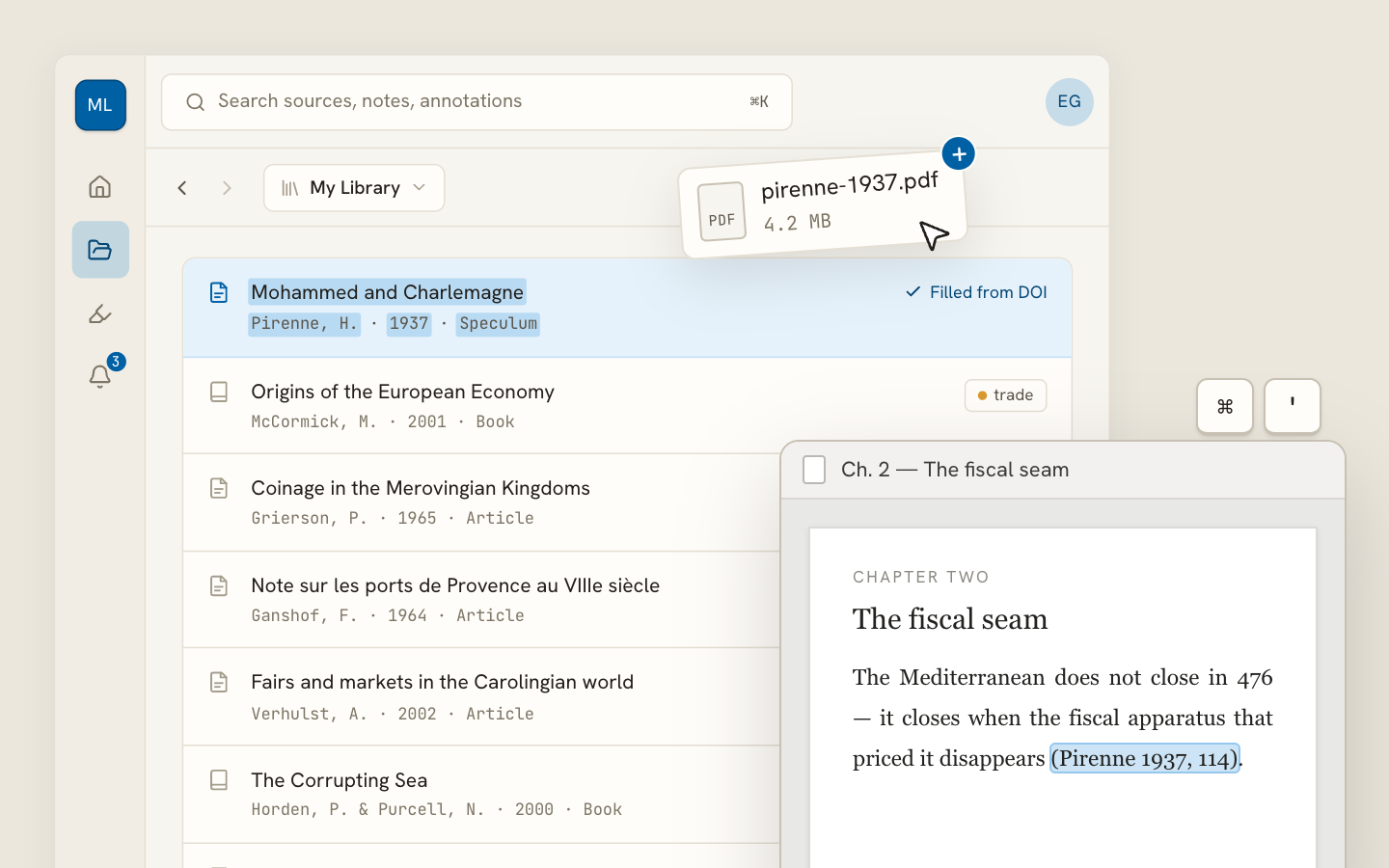
Archivero library view with a source list and an open PDF

Your weekly research workflow, in one email

One tested workflow, three links, no filler — every Tuesday.

Unsubscribe in one click. We never share your address.

Guides/Citations/APA Citation Style

APA General Format

Rules for page layout, title page, headings, and overall paper structure in APA 7th edition.

7 min readAPA

On this page

1 of 16
Page LayoutMarginsFontLine SpacingParagraph IndentationPage NumbersTitle PageStudent Paper Title PageProfessional Paper Title PageAbstractHeading LevelsCommon Heading Mistakes to AvoidRunning Head (Professional Papers Only)The Anatomy of an APA PaperSetting Up Your Document: A Quick WalkthroughNext Steps
All APA guides →

First impressions matter — even in academic writing. A cleanly formatted paper tells your reader (and your professor) that you take your work seriously. More importantly, consistent formatting makes your paper easier to read, which means the ideas you've worked so hard on actually get the attention they deserve.

The good news? APA's formatting rules are straightforward once you set them up. Most of the work happens before you write a single sentence — get the page layout right, and the rest flows naturally.

Page Layout

Think of these settings as your paper's foundation. Set them once in your word processor and you won't need to touch them again.

Margins

Use 1-inch (2.54 cm) margins on all four sides — top, bottom, left, and right. APA papers aren't designed for binding, so don't use mirrored or gutter margins.

Tip:In most word processors, 1-inch margins are the default. Double-check under Page Setup or Layout just to be safe.

Font

One of the nice changes in the 7th edition is that you're no longer locked into Times New Roman. Pick any of these and use it consistently throughout your entire paper:

FontSize
Times New Roman12 pt
Calibri11 pt
Arial11 pt
Lucida Sans Unicode10 pt
Georgia11 pt

Whatever you choose, stick with it everywhere — body text, headings, and reference list. The only exception is figures and tables, which can use a slightly smaller font (no less than 8 pt) if you need to fit more information.

Line Spacing

Double-space everything. The title page, abstract, body text, block quotes, references, appendices — all of it. Don't add extra blank lines before or after headings or between paragraphs. Just set your line spacing to 2.0 and let it ride.

Paragraph Indentation

Indent the first line of every paragraph by 0.5 inches (1.27 cm). Use the tab key or, better yet, set a first-line indent in your paragraph settings so it's automatic.

A few things are not indented:

  • The abstract paragraph
  • Block quotations (these are indented differently — more on that in In-Text Citations)
  • Titles and headings
  • Table and figure notes
  • Reference entries (these use a hanging indent, which is the opposite — first line flush left, subsequent lines indented)

Page Numbers

Place the page number in the top-right corner of every page, starting with the title page as page 1. Use the same font and size as the rest of your paper. Most word processors handle this automatically through the header/footer settings.

Title Page

APA treats student papers and professional papers (manuscripts submitted for publication) differently. The student version is simpler, so if you're writing for a class, you can breathe a little easier.

Student Paper Title Page

Center all of the following in the upper half of the page, each on its own line:

  1. Paper title — Bold, in title case. Keep it concise — one or two lines is ideal.
  2. Your name — First name, middle initial(s), last name.
  3. Institutional affiliation — Your department and university (e.g., "Department of Psychology, University of Michigan").
  4. Course information — Course number and name (e.g., "PSY 301: Research Methods").
  5. Instructor name — However your instructor prefers to be addressed.
  6. Due date — The assignment's due date.

No running head is required for student papers unless your instructor specifically asks for one.

Professional Paper Title Page

Professional manuscripts include a few additional elements:

  1. Running head — A shortened version of the title (50 characters max), in ALL CAPS, left-aligned in the page header. On the title page only, it's preceded by the label "Running head:".
  2. Paper title — Bold, title case, centered in the upper half.
  3. Author name(s) — Each author on a separate line if needed.
  4. Institutional affiliation(s) — Department and institution for each author.
  5. Author note — A paragraph containing ORCID iDs, disclosures, acknowledgments, and contact information.

Abstract

The abstract is a single paragraph of 150–250 words that gives readers a snapshot of your entire paper — the research question, method, key findings, and conclusions all compressed into one dense paragraph. It appears on its own page, right after the title page.

Here's how to format it:

  • Center the word Abstract in bold at the top of the page.
  • Write the abstract as a single block paragraph — do not indent the first line.
  • Optionally, add keywords on the next line. Indent the line 0.5 inches, italicize the label Keywords:, and then list 3–5 terms that capture the main topics of your paper, separated by commas.

Not every paper needs an abstract. Shorter essays and class assignments often don't require one — check your assignment guidelines or your journal's submission requirements.

Heading Levels

Headings give your paper structure and help readers navigate your argument. APA defines five levels, each with a distinct format. Use them in order — don't skip from Level 1 to Level 3.

LevelFormattingWhat It Looks Like
1FormattingCentered, Bold, Title CaseWhat It Looks LikeThe main sections of your paper (Method, Results, Discussion)
2FormattingLeft-Aligned, Bold, Title CaseWhat It Looks LikeMajor subsections within a Level 1 section
3FormattingLeft-Aligned, Bold Italic, Title CaseWhat It Looks LikeSub-subsections within a Level 2 section
4FormattingIndented, Bold, Title Case, ending with a period. Text begins on the same line.What It Looks LikeFurther divisions — used in longer, more complex papers
5FormattingIndented, Bold Italic, Title Case, ending with a period. Text begins on the same line.What It Looks LikeThe finest level of subdivision — rarely needed

Most papers you'll write only need Levels 1 through 3. Levels 4 and 5 come into play for dissertations, literature reviews, or other documents with very detailed structures.

Common Heading Mistakes to Avoid

  • Don't number your headings (1.0, 1.1, etc.) unless a journal specifically requires it.
  • Don't label the introduction with a heading. The paper title at the top of the first body page already serves as the introduction heading.
  • Use at least two headings at each level within a section. If you only have one Level 2 heading under a Level 1 section, you probably don't need to subdivide at all.

Running Head (Professional Papers Only)

If you're submitting a manuscript for publication, you'll need a running head — a shortened version of your title that appears in the page header on every page. The rules are simple:

  • All uppercase letters
  • Left-aligned in the header
  • 50 characters or fewer (including spaces)

On the title page, the running head is preceded by the label Running head: (only the "R" is capitalized). On all subsequent pages, just the running head appears by itself.

Example:Title page header: Running head: SLEEP AND ACADEMIC PERFORMANCE Subsequent pages: SLEEP AND ACADEMIC PERFORMANCE

If you're writing a student paper, you can skip this entirely unless your instructor says otherwise.

The Anatomy of an APA Paper

A standard APA research paper follows a predictable structure. Knowing the expected order helps you plan your writing and makes sure nothing gets left out:

  1. Title page — Your paper's front door.
  2. Abstract (if required) — The elevator pitch for your research.
  3. Body — Where the real work lives. Typically organized as:
    • Introduction — What you studied and why it matters.
    • Method — How you did it.
    • Results — What you found.
    • Discussion — What it means and why it matters.
  4. References — The complete list of every source you cited.
  5. Footnotes (if any) — Supplementary notes.
  6. Tables (if any) — Each on its own page.
  7. Figures (if any) — Each on its own page.
  8. Appendices (if any) — Supplementary materials.

Good to know:Some instructors and journals allow you to embed tables and figures directly within the body text instead of placing them at the end. This makes your paper easier to read. Always check the specific submission guidelines for your context.

Setting Up Your Document: A Quick Walkthrough

Here's a practical sequence for setting up your APA paper in any word processor:

  1. Set margins to 1 inch on all sides.
  2. Choose your font and set the size (e.g., 12 pt Times New Roman).
  3. Set line spacing to double (2.0) and remove any extra space before/after paragraphs.
  4. Configure the first-line indent to 0.5 inches in your paragraph settings.
  5. Insert a page number in the top-right corner of the header.
  6. Create your title page following the student or professional format above.
  7. Start your abstract (if needed) on page 2.
  8. Begin writing your paper on the next page.

Once your template is ready, save it — you can reuse the same setup for every APA paper you write.

Next Steps

With your paper set up and ready to go, check out these guides for a deeper dive into specific formatting topics:

  • APA Title Page Format — step-by-step guide to student and professional title pages, with copyable templates
  • APA Format Example Paper — a fully annotated sample paper you can use as a template

When you're ready to learn how to properly credit your sources as you write, head over to In-Text Citations to learn the author-date system that sits at the heart of APA style.

All APA guides →
Next →APA Title Page Format

More on APA style

The standard in psychology, education and the social sciences. The author–date system, reference-list formatting and what the 7th edition changed.

View all 34 guides →
9 sections·8 min readAPAAPA Title Page Format7 sections·6 min readAPAAPA Heading Levels7 sections·6 min readAPAHow to Write an APA Abstract7 sections·6 min readAPAAPA Running Head

Your sources, PDFs and citations in one library

  • Import a Zotero, Mendeley or EndNote library — or a folder of PDFs
  • Highlight and annotate without leaving the source
  • Cite in any CSL style as you write, with one shared library for your lab
Request early accessSee the product →
Archivero library view with a source list and an open PDF

Your weekly research workflow, in one email

One tested workflow, three links, no filler — every Tuesday.

Unsubscribe in one click. We never share your address.