Archivero is in early access — your sources, PDFs and citations in one library.Request early access →
Archivero/guides/
APAMLAHarvardThesis writing
Subscribe
Archivero/guides/Request early access →

Guides

APA styleMLA styleHarvard referencingThesis writing

Compare

APA 6th vs 7thMLA 8th vs 9thHarvard vs APAThesis vs dissertation

Product

FeaturesEarly access

Resources

DocsCheat sheetsNewsletter

Company

ContactStatus ↗
© 2025–2026 Ernesto F. GonzálezGuidesDocsContactPrivacyTerms
Guides/Citations/APA Citation Style

How to Cite a Website in APA Format

APA 7th edition formats for web pages, blog posts, and online content — including when to use a retrieval date.

7 min readAPA

On this page

1 of 14
The Basic FormatWeb Page With an Individual AuthorWeb Page With a Group or Organizational AuthorWhen the Author and Site Name Are the SameWeb Page With No AuthorWeb Page With No DateNo Author undefinedand No DateBlog PostsWhen to Include a Retrieval DateWikipedia and Wiki ArticlesOnline News ArticlesQuick-Reference TableCommon MistakesWhat's Next
All APA guides →

Websites are probably the most common source you'll need to cite — and the most inconsistent. Unlike journal articles or books, web pages vary wildly in how they present authorship, dates, and titles. Some have everything you need front and center; others make you hunt for a publication date buried in the page source.

The good news is that APA 7th edition simplified web citations significantly. The old "Retrieved from" formula is mostly gone, and the rules are more intuitive than they used to be. Let's walk through every scenario you're likely to encounter.

The Basic Format

Every website citation follows APA's universal four-part structure:

Author. (Date). Title of page. Site Name. URL

Here's a real-looking example:

Thompson, R. A. (2024, June 15). How early attachment shapes adult relationships. Greater Good Magazine. https://greatergood.berkeley.edu/article/item/how-early-attachment-shapes-adult-relationships

What to notice: The author's name is inverted (last name first). The date includes the year, month, and day when available. The page title is italicized and in sentence case. The site name follows in plain text. The URL sits at the end with no period after it.

Web Page With an Individual Author

This is the most straightforward case — a web page where a specific person is credited as the author.

Reference list:

Martinez, L. (2025, January 8). The hidden costs of multitasking in remote work. Harvard Business Review. https://hbr.org/2025/01/the-hidden-costs-of-multitasking

In-text citations:

Parenthetical:(Martinez, 2025)

Narrative:Martinez (2025) argues that…

If the page shows the author's full name, invert it to last-name-first format. Use initials for first and middle names, just like any other APA reference.

Web Page With a Group or Organizational Author

Many web pages — especially from government agencies, nonprofits, and universities — list an organization as the author rather than a person.

Reference list:

National Institute of Mental Health. (2024, April). Anxiety disorders. U.S. Department of Health and Human Services. https://www.nimh.nih.gov/health/topics/anxiety-disorders

In-text citations:

Parenthetical (first use):(National Institute of Mental Health [NIMH], 2024)

Parenthetical (subsequent):(NIMH, 2024)

Narrative:The National Institute of Mental Health (NIMH, 2024) notes that…

Write out the full organization name the first time. If the organization has a well-known abbreviation, introduce it in brackets on the first citation and use the abbreviation after that.

When the Author and Site Name Are the Same

This happens often with organizational authors. If the author's name and the site name are identical, omit the site name to avoid redundancy:

World Health Organization. (2024, March 1). Mental health: Strengthening our response. https://www.who.int/news-room/fact-sheets/detail/mental-health-strengthening-our-response

Notice there's no "World Health Organization" repeated as the site name — it goes straight from the title to the URL.

Web Page With No Author

Sometimes you simply can't identify who wrote a page. When that happens, move the title into the author position:

Reference list:

Understanding climate change adaptation strategies. (2023, October 20). Union of Concerned Scientists. https://www.ucsusa.org/resources/climate-change-adaptation

In-text citations:

Parenthetical:("Understanding Climate Change," 2023)

Narrative:The article "Understanding Climate Change Adaptation Strategies" (2023) outlines…

A few important details:

  • In the reference list, the title stays italicized (because it's a standalone web page).
  • In the in-text citation, use quotation marks around a shortened version of the title and switch to title case.
  • Shorten long titles to the first few words — enough to clearly identify the source.

Don't confuse "no author" with "organization author."If a web page is published by an organization and no individual name appears, the organization is usually the author — not "no author." Only use the title-as-author approach when you genuinely cannot identify any responsible party.

Web Page With No Date

If the page doesn't show a publication date (and you can't find one in the page metadata or source code), use n.d. (no date):

Reference list:

Chen, W. (n.d.). Principles of sustainable urban design. Urban Planning Institute. https://www.urbanplanning.org/sustainable-design-principles

In-text citations:

Parenthetical:(Chen, n.d.)

Narrative:Chen (n.d.) describes…

No Author and No Date

When both are missing, combine the two rules:

Reference list:

Water conservation tips for homeowners. (n.d.). Environmental Protection Agency. https://www.epa.gov/watersense/tips

In-text citations:

("Water Conservation Tips," n.d.)

Blog Posts

Blog posts follow the same basic format as web pages. The key difference is that a blog post is typically part of a larger blog — so the blog name serves as the site name:

Reference list:

Rivera, K. (2025, February 3). Why spaced repetition works better than cramming. The Learning Scientists Blog. https://www.learningscientists.org/blog/why-spaced-repetition-works

In-text citations:

(Rivera, 2025)

If the blog post has no identified author and the blog is maintained by an organization, use the organization as the author:

The Learning Scientists. (2025, February 3). Why spaced repetition works better than cramming. https://www.learningscientists.org/blog/why-spaced-repetition-works

Notice that when the author and the site name are the same, the site name is omitted — the same rule as with organizational authors above.

When to Include a Retrieval Date

For most web pages, you do not include a retrieval date. APA dropped the "Retrieved from" requirement in the 7th edition for sources with stable content.

However, you do need a retrieval date when the content is designed to change over time and there's no archived version. The most common examples:

  • Wikipedia articles — they're continuously edited
  • Social media profiles — the bio can change at any time
  • Dictionary or encyclopedia entries without a fixed publication date
  • Data dashboards that update regularly (like COVID trackers)

Format:

Cognitive load theory. (2025, January 10). In Wikipedia. Retrieved February 15, 2025, from https://en.wikipedia.org/wiki/Cognitive_load_theory

The retrieval date goes before the URL, introduced by "Retrieved [date], from."

Wikipedia and Wiki Articles

Wikipedia is a special case worth highlighting. Many instructors discourage citing Wikipedia directly, but APA does have an official format for it:

Reference list:

Cognitive load theory. (2025, January 10). In Wikipedia. Retrieved February 15, 2025, from https://en.wikipedia.org/wiki/Cognitive_load_theory

In-text citations:

("Cognitive Load Theory," 2025)

Key details:

  • The article title goes in the author position (no author for wiki articles).
  • The date is the date of the version you used — click "View history" on Wikipedia to find it.
  • "In Wikipedia" is the source, italicized because it's a reference work.
  • A retrieval date is required because the content can change at any time.
  • Link to the specific archived version if your instructor requires it — Wikipedia provides permanent links to each revision.

Online News Articles

News articles from websites like CNN, BBC, or The New York Times follow the same format as web pages, with the publication date:

Reference list:

Park, J. (2025, January 22). Universities rethink AI policies as students embrace new tools. The New York Times. https://www.nytimes.com/2025/01/22/education/universities-ai-policies

In-text citations:

(Park, 2025)

If the article has no individual byline, use the news organization as the author and omit the site name (since they'd be the same).

Quick-Reference Table

Here's a summary of every scenario covered on this page:

ScenarioAuthor PositionDateExample In-Text
Individual authorAuthor PositionLast, F. M.Date(Year, Month Day).Example In-Text(Martinez, 2025)
Group authorAuthor PositionOrganization Name.Date(Year, Month).Example In-Text(NIMH, 2024)
Author = Site nameAuthor PositionOrganization Name.Date(Year, Month Day).Example In-Text(WHO, 2024)
No authorAuthor PositionTitle of Page.Date(Year).Example In-Text("Title of Page," 2023)
No dateAuthor PositionLast, F. M.Date(n.d.).Example In-Text(Chen, n.d.)
No author + no dateAuthor PositionTitle of Page.Date(n.d.).Example In-Text("Title of Page," n.d.)
Blog postAuthor PositionLast, F. M.Date(Year, Month Day).Example In-Text(Rivera, 2025)
WikipediaAuthor PositionArticle Title.Date(Year, Month Day).Example In-Text("Article Title," 2025)
News articleAuthor PositionLast, F. M.Date(Year, Month Day).Example In-Text(Park, 2025)

Common Mistakes

These are the errors we see most often with website citations:

  1. Using the URL as the author. The URL is never the author — if you can't find an author, use the title.
  2. Forgetting to italicize the page title. Standalone web pages get italicized titles in the reference list.
  3. Putting a period after the URL. Don't — it could break the link and confuse readers.
  4. Listing "Google" or the search engine as the source. Cite the actual website you landed on, not how you found it.
  5. Adding "Retrieved from" when you don't need to. Only use retrieval dates for content that's designed to change (like Wikipedia).
  6. Citing the homepage instead of the specific page. Link to the exact page where the information appears, not the site's front page.

What's Next

Now that you know how to cite websites, you might want to explore:

  • How to cite a source with no author — deeper coverage of the no-author scenario for all source types
  • APA Reference List — the complete guide to formatting your reference list

If you're tired of formatting citations by hand, Archivero can automatically generate APA reference entries for any web page — just save the page to your library and the citation is ready to copy.
All APA guides →
← PreviousHow to Cite a Journal Article in APA FormatNext →How to Cite a Video in APA Format

More on APA style

The standard in psychology, education and the social sciences. The author–date system, reference-list formatting and what the 7th edition changed.

View all 34 guides →
11 sections·7 min readAPAHow to Cite a Video in APA Format13 sections·8 min readAPAHow to Cite Social Media in APA Format10 sections·7 min readAPAHow to Cite a Government Report in APA Format9 sections·6 min readAPAHow to Cite a Conference Paper in APA Format

Your sources, PDFs and citations in one library

  • Import a Zotero, Mendeley or EndNote library — or a folder of PDFs
  • Highlight and annotate without leaving the source
  • Cite in any CSL style as you write, with one shared library for your lab
Request early accessSee the product →
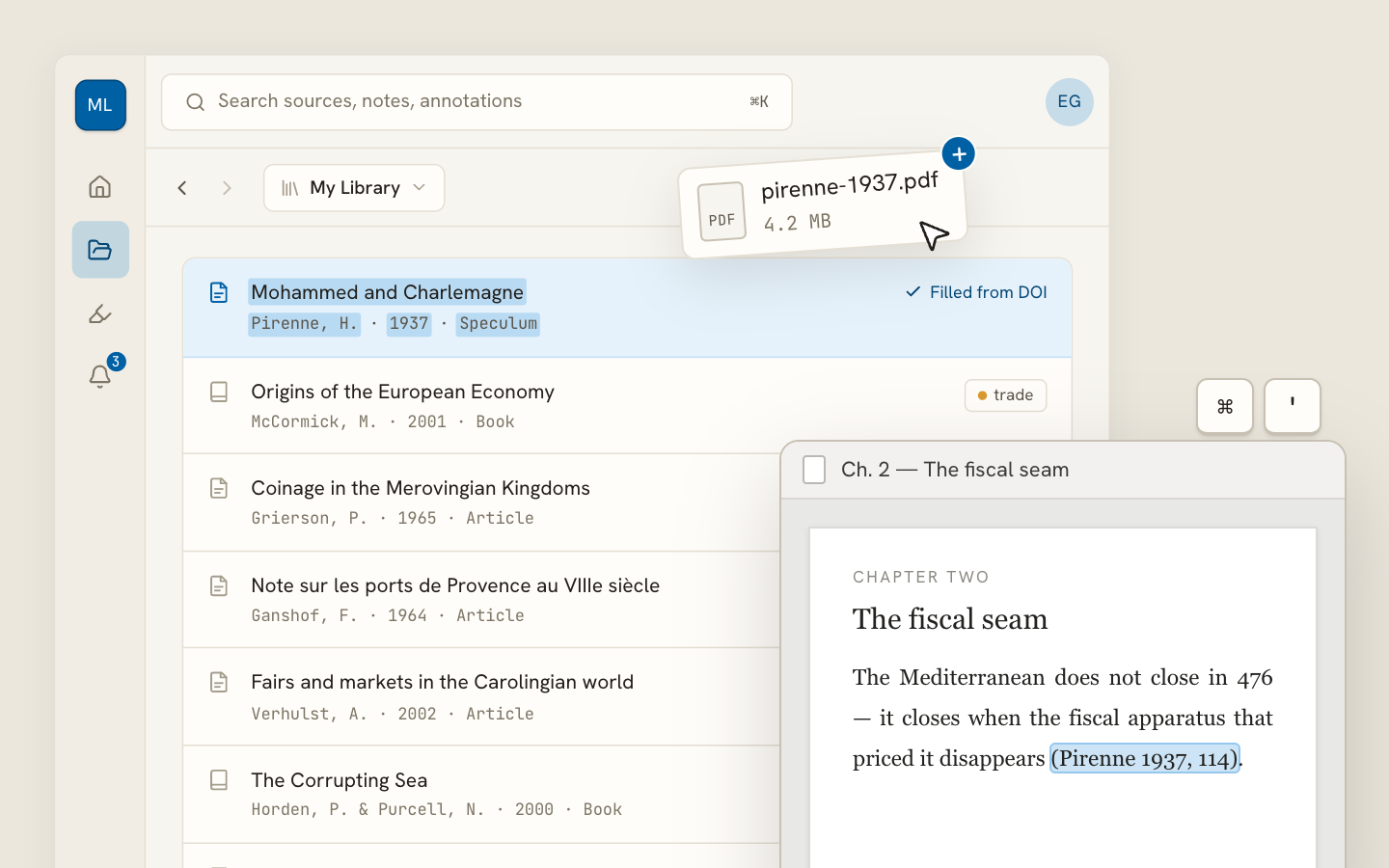
Archivero library view with a source list and an open PDF

Your weekly research workflow, in one email

One tested workflow, three links, no filler — every Tuesday.

Unsubscribe in one click. We never share your address.

Guides/Citations/APA Citation Style

How to Cite a Website in APA Format

APA 7th edition formats for web pages, blog posts, and online content — including when to use a retrieval date.

7 min readAPA

On this page

1 of 14
The Basic FormatWeb Page With an Individual AuthorWeb Page With a Group or Organizational AuthorWhen the Author and Site Name Are the SameWeb Page With No AuthorWeb Page With No DateNo Author undefinedand No DateBlog PostsWhen to Include a Retrieval DateWikipedia and Wiki ArticlesOnline News ArticlesQuick-Reference TableCommon MistakesWhat's Next
All APA guides →

Websites are probably the most common source you'll need to cite — and the most inconsistent. Unlike journal articles or books, web pages vary wildly in how they present authorship, dates, and titles. Some have everything you need front and center; others make you hunt for a publication date buried in the page source.

The good news is that APA 7th edition simplified web citations significantly. The old "Retrieved from" formula is mostly gone, and the rules are more intuitive than they used to be. Let's walk through every scenario you're likely to encounter.

The Basic Format

Every website citation follows APA's universal four-part structure:

Author. (Date). Title of page. Site Name. URL

Here's a real-looking example:

Thompson, R. A. (2024, June 15). How early attachment shapes adult relationships. Greater Good Magazine. https://greatergood.berkeley.edu/article/item/how-early-attachment-shapes-adult-relationships

What to notice: The author's name is inverted (last name first). The date includes the year, month, and day when available. The page title is italicized and in sentence case. The site name follows in plain text. The URL sits at the end with no period after it.

Web Page With an Individual Author

This is the most straightforward case — a web page where a specific person is credited as the author.

Reference list:

Martinez, L. (2025, January 8). The hidden costs of multitasking in remote work. Harvard Business Review. https://hbr.org/2025/01/the-hidden-costs-of-multitasking

In-text citations:

Parenthetical:(Martinez, 2025)

Narrative:Martinez (2025) argues that…

If the page shows the author's full name, invert it to last-name-first format. Use initials for first and middle names, just like any other APA reference.

Web Page With a Group or Organizational Author

Many web pages — especially from government agencies, nonprofits, and universities — list an organization as the author rather than a person.

Reference list:

National Institute of Mental Health. (2024, April). Anxiety disorders. U.S. Department of Health and Human Services. https://www.nimh.nih.gov/health/topics/anxiety-disorders

In-text citations:

Parenthetical (first use):(National Institute of Mental Health [NIMH], 2024)

Parenthetical (subsequent):(NIMH, 2024)

Narrative:The National Institute of Mental Health (NIMH, 2024) notes that…

Write out the full organization name the first time. If the organization has a well-known abbreviation, introduce it in brackets on the first citation and use the abbreviation after that.

When the Author and Site Name Are the Same

This happens often with organizational authors. If the author's name and the site name are identical, omit the site name to avoid redundancy:

World Health Organization. (2024, March 1). Mental health: Strengthening our response. https://www.who.int/news-room/fact-sheets/detail/mental-health-strengthening-our-response

Notice there's no "World Health Organization" repeated as the site name — it goes straight from the title to the URL.

Web Page With No Author

Sometimes you simply can't identify who wrote a page. When that happens, move the title into the author position:

Reference list:

Understanding climate change adaptation strategies. (2023, October 20). Union of Concerned Scientists. https://www.ucsusa.org/resources/climate-change-adaptation

In-text citations:

Parenthetical:("Understanding Climate Change," 2023)

Narrative:The article "Understanding Climate Change Adaptation Strategies" (2023) outlines…

A few important details:

  • In the reference list, the title stays italicized (because it's a standalone web page).
  • In the in-text citation, use quotation marks around a shortened version of the title and switch to title case.
  • Shorten long titles to the first few words — enough to clearly identify the source.

Don't confuse "no author" with "organization author."If a web page is published by an organization and no individual name appears, the organization is usually the author — not "no author." Only use the title-as-author approach when you genuinely cannot identify any responsible party.

Web Page With No Date

If the page doesn't show a publication date (and you can't find one in the page metadata or source code), use n.d. (no date):

Reference list:

Chen, W. (n.d.). Principles of sustainable urban design. Urban Planning Institute. https://www.urbanplanning.org/sustainable-design-principles

In-text citations:

Parenthetical:(Chen, n.d.)

Narrative:Chen (n.d.) describes…

No Author and No Date

When both are missing, combine the two rules:

Reference list:

Water conservation tips for homeowners. (n.d.). Environmental Protection Agency. https://www.epa.gov/watersense/tips

In-text citations:

("Water Conservation Tips," n.d.)

Blog Posts

Blog posts follow the same basic format as web pages. The key difference is that a blog post is typically part of a larger blog — so the blog name serves as the site name:

Reference list:

Rivera, K. (2025, February 3). Why spaced repetition works better than cramming. The Learning Scientists Blog. https://www.learningscientists.org/blog/why-spaced-repetition-works

In-text citations:

(Rivera, 2025)

If the blog post has no identified author and the blog is maintained by an organization, use the organization as the author:

The Learning Scientists. (2025, February 3). Why spaced repetition works better than cramming. https://www.learningscientists.org/blog/why-spaced-repetition-works

Notice that when the author and the site name are the same, the site name is omitted — the same rule as with organizational authors above.

When to Include a Retrieval Date

For most web pages, you do not include a retrieval date. APA dropped the "Retrieved from" requirement in the 7th edition for sources with stable content.

However, you do need a retrieval date when the content is designed to change over time and there's no archived version. The most common examples:

  • Wikipedia articles — they're continuously edited
  • Social media profiles — the bio can change at any time
  • Dictionary or encyclopedia entries without a fixed publication date
  • Data dashboards that update regularly (like COVID trackers)

Format:

Cognitive load theory. (2025, January 10). In Wikipedia. Retrieved February 15, 2025, from https://en.wikipedia.org/wiki/Cognitive_load_theory

The retrieval date goes before the URL, introduced by "Retrieved [date], from."

Wikipedia and Wiki Articles

Wikipedia is a special case worth highlighting. Many instructors discourage citing Wikipedia directly, but APA does have an official format for it:

Reference list:

Cognitive load theory. (2025, January 10). In Wikipedia. Retrieved February 15, 2025, from https://en.wikipedia.org/wiki/Cognitive_load_theory

In-text citations:

("Cognitive Load Theory," 2025)

Key details:

  • The article title goes in the author position (no author for wiki articles).
  • The date is the date of the version you used — click "View history" on Wikipedia to find it.
  • "In Wikipedia" is the source, italicized because it's a reference work.
  • A retrieval date is required because the content can change at any time.
  • Link to the specific archived version if your instructor requires it — Wikipedia provides permanent links to each revision.

Online News Articles

News articles from websites like CNN, BBC, or The New York Times follow the same format as web pages, with the publication date:

Reference list:

Park, J. (2025, January 22). Universities rethink AI policies as students embrace new tools. The New York Times. https://www.nytimes.com/2025/01/22/education/universities-ai-policies

In-text citations:

(Park, 2025)

If the article has no individual byline, use the news organization as the author and omit the site name (since they'd be the same).

Quick-Reference Table

Here's a summary of every scenario covered on this page:

ScenarioAuthor PositionDateExample In-Text
Individual authorAuthor PositionLast, F. M.Date(Year, Month Day).Example In-Text(Martinez, 2025)
Group authorAuthor PositionOrganization Name.Date(Year, Month).Example In-Text(NIMH, 2024)
Author = Site nameAuthor PositionOrganization Name.Date(Year, Month Day).Example In-Text(WHO, 2024)
No authorAuthor PositionTitle of Page.Date(Year).Example In-Text("Title of Page," 2023)
No dateAuthor PositionLast, F. M.Date(n.d.).Example In-Text(Chen, n.d.)
No author + no dateAuthor PositionTitle of Page.Date(n.d.).Example In-Text("Title of Page," n.d.)
Blog postAuthor PositionLast, F. M.Date(Year, Month Day).Example In-Text(Rivera, 2025)
WikipediaAuthor PositionArticle Title.Date(Year, Month Day).Example In-Text("Article Title," 2025)
News articleAuthor PositionLast, F. M.Date(Year, Month Day).Example In-Text(Park, 2025)

Common Mistakes

These are the errors we see most often with website citations:

  1. Using the URL as the author. The URL is never the author — if you can't find an author, use the title.
  2. Forgetting to italicize the page title. Standalone web pages get italicized titles in the reference list.
  3. Putting a period after the URL. Don't — it could break the link and confuse readers.
  4. Listing "Google" or the search engine as the source. Cite the actual website you landed on, not how you found it.
  5. Adding "Retrieved from" when you don't need to. Only use retrieval dates for content that's designed to change (like Wikipedia).
  6. Citing the homepage instead of the specific page. Link to the exact page where the information appears, not the site's front page.

What's Next

Now that you know how to cite websites, you might want to explore:

  • How to cite a source with no author — deeper coverage of the no-author scenario for all source types
  • APA Reference List — the complete guide to formatting your reference list

If you're tired of formatting citations by hand, Archivero can automatically generate APA reference entries for any web page — just save the page to your library and the citation is ready to copy.

All APA guides →
← PreviousHow to Cite a Journal Article in APA FormatNext →How to Cite a Video in APA Format

More on APA style

The standard in psychology, education and the social sciences. The author–date system, reference-list formatting and what the 7th edition changed.

View all 34 guides →
11 sections·7 min readAPAHow to Cite a Video in APA Format13 sections·8 min readAPAHow to Cite Social Media in APA Format10 sections·7 min readAPAHow to Cite a Government Report in APA Format9 sections·6 min readAPAHow to Cite a Conference Paper in APA Format

Your sources, PDFs and citations in one library

  • Import a Zotero, Mendeley or EndNote library — or a folder of PDFs
  • Highlight and annotate without leaving the source
  • Cite in any CSL style as you write, with one shared library for your lab
Request early accessSee the product →
Archivero library view with a source list and an open PDF

Your weekly research workflow, in one email

One tested workflow, three links, no filler — every Tuesday.

Unsubscribe in one click. We never share your address.