Archivero is in early access — your sources, PDFs and citations in one library.Request early access →
Archivero/guides/
APAMLAHarvardThesis writing
Subscribe
Archivero/guides/Request early access →

Guides

APA styleMLA styleHarvard referencingThesis writing

Compare

APA 6th vs 7thMLA 8th vs 9thHarvard vs APAThesis vs dissertation

Product

FeaturesEarly access

Resources

DocsCheat sheetsNewsletter

Company

ContactStatus ↗
© 2025–2026 Ernesto F. GonzálezGuidesDocsContactPrivacyTerms
Guides/Citations/Harvard Referencing Style

How to Reference a Lecture in Harvard Style

Harvard referencing formats for lecture slides, lecture notes, guest lectures, and conference presentations.

6 min readHarvard

Key Takeaways

  • Lecture references follow the pattern: Lecturer (Year) 'Lecture title' [Format]. Module Name. Institution. Day Month.
  • Identify the format in square brackets: [Lecture], [Lecture slides], [Lecture notes], [Guest lecture], [Lecture recording].
  • Include the module name and code, the institution, and the date the lecture was delivered.
  • If the lecture slides are available on a VLE (Blackboard, Moodle, Canvas), add Available at: with the URL and an access date.
  • For guest lectures, the guest speaker is the author — not the module leader.
  • Some lecturers and institutions prefer you cite the original published source rather than lecture slides — check your module handbook.
  • Lecture recordings (video or audio) follow the same format with [Lecture recording] as the format identifier.
  • Conference presentations use a slightly different format — see the dedicated section below.

On this page

1 of 13
Key TakeawaysPublished Lecture Slides (on a VLE)Key ElementsLecture You Attended (Unpublished)Lecture NotesGuest Lecture or Invited TalkLecture Recording (Video or Audio)Conference PresentationConference Presentation Available OnlinePowerPoint or Slide DeckSummary: Lecture and Presentation Reference Formats at a GlanceCommon Mistakes With Lecture CitationsWhat's Next?
All Harvard guides →

Lectures in Harvard referencing are treated as unpublished or internally distributed sources — they are typically available only to students enrolled in a module, not to the general public. The reference list entry identifies the lecturer, the year, the lecture title, the format (e.g., lecture slides, lecture notes), the module name, the institution, and the date the lecture was delivered. Because lectures are not widely accessible, some markers prefer that you cite the published source the lecturer drew from rather than the lecture itself.

Published Lecture Slides (on a VLE)

When lecture slides are uploaded to a Virtual Learning Environment (VLE) such as Blackboard, Moodle, or Canvas, they have a URL — but it is usually behind a login wall, so only enrolled students can access it.

Reference list:

Ahmed, S. (2025) 'Week 3: Supply and demand' [Lecture slides]. EC1010: Introduction to Economics. University of Leeds. 28 January. Available at: https://minerva.leeds.ac.uk/ec1010/week3 (Accessed: 2 February 2025).

In-text citations:

Parenthetical:(Ahmed, 2025)

Narrative:Ahmed (2025) identifies three conditions under which demand curves shift…

Key Elements

ElementWhat to Include
AuthorLecturer's surname and initials
YearYear the lecture was delivered
TitleLecture title in single quotation marks
Format[Lecture slides] in square brackets
ModuleModule code and name
InstitutionUniversity or college name
DateDay and month the lecture was delivered
URLVLE link (if available)
Access dateWhen you accessed the slides

Lecture You Attended (Unpublished)

If you attended a lecture but no slides or notes were distributed, treat it as an unpublished source. The reference list entry is similar but omits the URL:

Reference list:

Fernandez, R. (2025) 'Cognitive biases in decision-making' [Lecture]. PS2040: Cognitive Psychology. University of Manchester. 14 February.

In-text citations:

Parenthetical:(Fernandez, 2025)

Narrative:Fernandez (2025) outlined five cognitive biases that affect everyday judgement…

Tip:If the lecture drew on published research, consider citing the original study instead of (or in addition to) the lecture. This gives your reader access to a verifiable source and demonstrates deeper engagement with the literature.

Lecture Notes

Lecture notes — whether distributed as a handout, uploaded as a PDF, or written by the lecturer as a companion to the slides — are referenced with the format identifier [Lecture notes]:

Reference list:

Chen, L. (2025) 'Introduction to qualitative research methods' [Lecture notes]. RS3010: Research Skills. University of Bristol. 6 March. Available at: https://blackboard.bristol.ac.uk/rs3010/notes (Accessed: 10 March 2025).

In-text:

(Chen, 2025)

Guest Lecture or Invited Talk

When a guest speaker delivers a lecture in your module, the guest speaker is the author — not the module leader who invited them.

Reference list:

Okafor, D. (2025) 'Data ethics in healthcare AI' [Guest lecture]. CS3050: Artificial Intelligence. King's College London. 20 March.

In-text citations:

Parenthetical:(Okafor, 2025)

Narrative:Okafor (2025) argued that algorithmic bias in healthcare AI disproportionately affects marginalised communities…

If the guest speaker's affiliation is different from the host institution, you may note this in the text for clarity — but the reference list entry stays with the host institution and module.

Lecture Recording (Video or Audio)

Many lectures are recorded and made available through the VLE or a lecture capture system (e.g., Panopto, Echo360). Reference them with [Lecture recording]:

Reference list:

Torres, M. (2025) 'Week 7: Climate policy and international agreements' [Lecture recording]. GG2020: Global Environmental Change. University of Edinburgh. 10 March. Available at: https://echo360.ed.ac.uk/gg2020/week7 (Accessed: 15 March 2025).

In-text citations:

Parenthetical:(Torres, 2025)

With a timestamp:(Torres, 2025, 23:15)

Use a timestamp instead of a page number when referring to a specific moment in a recorded lecture.

Conference Presentation

Conference presentations differ from lectures because they are delivered to a professional or academic audience, not to students in a module. The reference identifies the speaker, the presentation title, the conference name, and the location and date.

Reference list:

Patel, N. (2024) 'Reimagining urban green spaces for mental health', British Psychological Society Annual Conference. Nottingham, 15–17 May.

In-text citations:

Parenthetical:(Patel, 2024)

Narrative:Patel (2024) presented preliminary findings suggesting that access to urban green space was positively correlated with…

Conference Presentation Available Online

If the presentation or its slides are available online, add the URL and an access date:

Patel, N. (2024) 'Reimagining urban green spaces for mental health', British Psychological Society Annual Conference. Nottingham, 15–17 May. Available at: https://www.bps.org.uk/conference2024/patel (Accessed: 22 June 2025).

Note:If a conference paper is published in proceedings, it follows a different format — see How to Reference a Conference Paper in Harvard Style.

PowerPoint or Slide Deck

Sometimes you need to cite a slide deck that is not tied to a specific lecture — for example, a set of slides shared by a colleague or downloaded from an organisation's website.

Reference list:

World Health Organization (2024) Global health priorities 2025–2030 [PowerPoint presentation]. Available at: https://www.who.int/publications/slides/global-health-priorities (Accessed: 8 January 2025).

In-text:

(World Health Organization, 2024)

For slide decks that are part of a module, use the lecture slides format described above.

Summary: Lecture and Presentation Reference Formats at a Glance

Source TypeReference List Format
Lecture slides (VLE)Lecturer (Year) 'Title' [Lecture slides]. Module. Institution. Day Month. Available at: URL (Accessed: Date).
Lecture (unpublished)Lecturer (Year) 'Title' [Lecture]. Module. Institution. Day Month.
Lecture notesLecturer (Year) 'Title' [Lecture notes]. Module. Institution. Day Month. Available at: URL (Accessed: Date).
Guest lectureSpeaker (Year) 'Title' [Guest lecture]. Module. Institution. Day Month.
Lecture recordingLecturer (Year) 'Title' [Lecture recording]. Module. Institution. Day Month. Available at: URL (Accessed: Date).
Conference presentationSpeaker (Year) 'Title', Conference Name. Location, Day–Day Month.
Slide deck (online)Author/Organisation (Year) Title [PowerPoint presentation]. Available at: URL (Accessed: Date).

Common Mistakes With Lecture Citations

MistakeWhy It's WrongCorrect Approach
Citing the module leader for a guest lectureWhy It's WrongThe guest speaker is the author of their own presentationCorrect ApproachUse the guest speaker as the author
Omitting the module name and institutionWhy It's WrongThe reader needs context to identify the sourceCorrect ApproachAlways include the module name/code and institution
Using the lecture date as the yearWhy It's WrongThe year goes in parentheses after the author; the full date appears later in the entryCorrect ApproachInclude the year after the author and the day/month at the end
Not including a format identifierWhy It's WrongWithout [Lecture slides], [Lecture], etc., the source type is unclearCorrect ApproachAlways add the format in square brackets
Citing lecture slides when a published source existsWhy It's WrongLecturers often summarise published research — the original is more authoritativeCorrect ApproachCite the published source whenever possible

What's Next?

Now that you know how to reference lectures and presentations, explore these related guides:

  • How to Reference a Conference Paper in Harvard Style — formats for published proceedings and presented papers
  • How to Reference a Video in Harvard Style — formats for recorded talks, TED Talks, and other audiovisual sources
  • Harvard Format Paper — page layout, headings, and overall paper formatting
  • Harvard Reference List — the complete guide to formatting your reference list
All Harvard guides →
← PreviousHow to Cite a Source With No Date in HarvardNext →How to Reference a Government Report in Harvard Style

More on Harvard referencing

The dominant system in British, Australian and international universities. In-text citations, reference lists and the local conventions that vary by department.

View all 26 guides →
11 sections·6 min readHarvardHow to Reference a Government Report in Harvard Style9 sections·6 min readHarvardHow to Reference a Conference Paper in Harvard Style9 sections·6 min readHarvardHow to Reference a Dissertation or Thesis in Harvard Style10 sections·6 min readHarvardHow to Reference a Newspaper Article in Harvard Style

Your sources, PDFs and citations in one library

  • Import a Zotero, Mendeley or EndNote library — or a folder of PDFs
  • Highlight and annotate without leaving the source
  • Cite in any CSL style as you write, with one shared library for your lab
Request early accessSee the product →
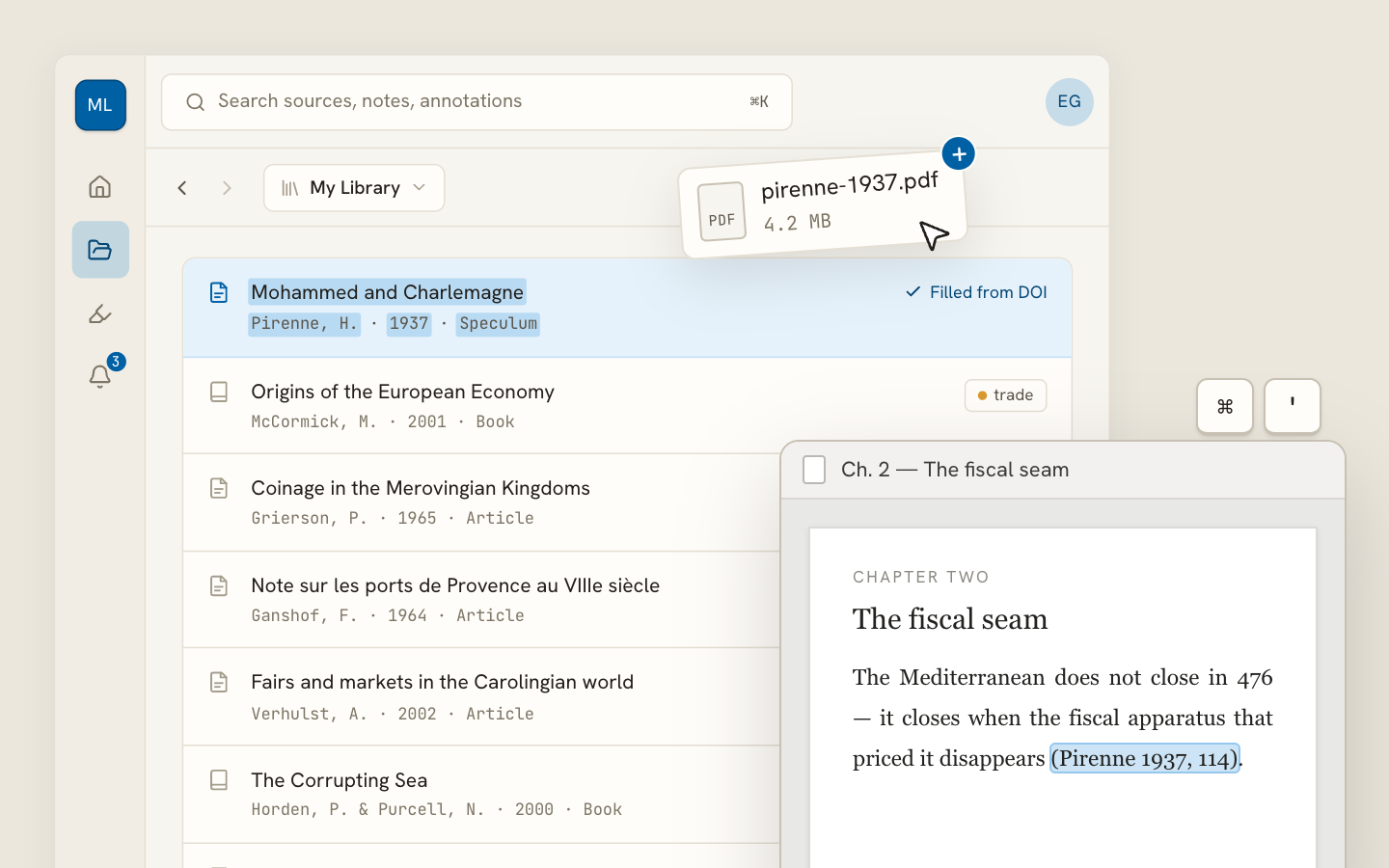
Archivero library view with a source list and an open PDF

Your weekly research workflow, in one email

One tested workflow, three links, no filler — every Tuesday.

Unsubscribe in one click. We never share your address.

Guides/Citations/Harvard Referencing Style

How to Reference a Lecture in Harvard Style

Harvard referencing formats for lecture slides, lecture notes, guest lectures, and conference presentations.

6 min readHarvard

Key Takeaways

  • Lecture references follow the pattern: Lecturer (Year) 'Lecture title' [Format]. Module Name. Institution. Day Month.
  • Identify the format in square brackets: [Lecture], [Lecture slides], [Lecture notes], [Guest lecture], [Lecture recording].
  • Include the module name and code, the institution, and the date the lecture was delivered.
  • If the lecture slides are available on a VLE (Blackboard, Moodle, Canvas), add Available at: with the URL and an access date.
  • For guest lectures, the guest speaker is the author — not the module leader.
  • Some lecturers and institutions prefer you cite the original published source rather than lecture slides — check your module handbook.
  • Lecture recordings (video or audio) follow the same format with [Lecture recording] as the format identifier.
  • Conference presentations use a slightly different format — see the dedicated section below.

On this page

1 of 13
Key TakeawaysPublished Lecture Slides (on a VLE)Key ElementsLecture You Attended (Unpublished)Lecture NotesGuest Lecture or Invited TalkLecture Recording (Video or Audio)Conference PresentationConference Presentation Available OnlinePowerPoint or Slide DeckSummary: Lecture and Presentation Reference Formats at a GlanceCommon Mistakes With Lecture CitationsWhat's Next?
All Harvard guides →

Lectures in Harvard referencing are treated as unpublished or internally distributed sources — they are typically available only to students enrolled in a module, not to the general public. The reference list entry identifies the lecturer, the year, the lecture title, the format (e.g., lecture slides, lecture notes), the module name, the institution, and the date the lecture was delivered. Because lectures are not widely accessible, some markers prefer that you cite the published source the lecturer drew from rather than the lecture itself.

Published Lecture Slides (on a VLE)

When lecture slides are uploaded to a Virtual Learning Environment (VLE) such as Blackboard, Moodle, or Canvas, they have a URL — but it is usually behind a login wall, so only enrolled students can access it.

Reference list:

Ahmed, S. (2025) 'Week 3: Supply and demand' [Lecture slides]. EC1010: Introduction to Economics. University of Leeds. 28 January. Available at: https://minerva.leeds.ac.uk/ec1010/week3 (Accessed: 2 February 2025).

In-text citations:

Parenthetical:(Ahmed, 2025)

Narrative:Ahmed (2025) identifies three conditions under which demand curves shift…

Key Elements

ElementWhat to Include
AuthorLecturer's surname and initials
YearYear the lecture was delivered
TitleLecture title in single quotation marks
Format[Lecture slides] in square brackets
ModuleModule code and name
InstitutionUniversity or college name
DateDay and month the lecture was delivered
URLVLE link (if available)
Access dateWhen you accessed the slides

Lecture You Attended (Unpublished)

If you attended a lecture but no slides or notes were distributed, treat it as an unpublished source. The reference list entry is similar but omits the URL:

Reference list:

Fernandez, R. (2025) 'Cognitive biases in decision-making' [Lecture]. PS2040: Cognitive Psychology. University of Manchester. 14 February.

In-text citations:

Parenthetical:(Fernandez, 2025)

Narrative:Fernandez (2025) outlined five cognitive biases that affect everyday judgement…

Tip:If the lecture drew on published research, consider citing the original study instead of (or in addition to) the lecture. This gives your reader access to a verifiable source and demonstrates deeper engagement with the literature.

Lecture Notes

Lecture notes — whether distributed as a handout, uploaded as a PDF, or written by the lecturer as a companion to the slides — are referenced with the format identifier [Lecture notes]:

Reference list:

Chen, L. (2025) 'Introduction to qualitative research methods' [Lecture notes]. RS3010: Research Skills. University of Bristol. 6 March. Available at: https://blackboard.bristol.ac.uk/rs3010/notes (Accessed: 10 March 2025).

In-text:

(Chen, 2025)

Guest Lecture or Invited Talk

When a guest speaker delivers a lecture in your module, the guest speaker is the author — not the module leader who invited them.

Reference list:

Okafor, D. (2025) 'Data ethics in healthcare AI' [Guest lecture]. CS3050: Artificial Intelligence. King's College London. 20 March.

In-text citations:

Parenthetical:(Okafor, 2025)

Narrative:Okafor (2025) argued that algorithmic bias in healthcare AI disproportionately affects marginalised communities…

If the guest speaker's affiliation is different from the host institution, you may note this in the text for clarity — but the reference list entry stays with the host institution and module.

Lecture Recording (Video or Audio)

Many lectures are recorded and made available through the VLE or a lecture capture system (e.g., Panopto, Echo360). Reference them with [Lecture recording]:

Reference list:

Torres, M. (2025) 'Week 7: Climate policy and international agreements' [Lecture recording]. GG2020: Global Environmental Change. University of Edinburgh. 10 March. Available at: https://echo360.ed.ac.uk/gg2020/week7 (Accessed: 15 March 2025).

In-text citations:

Parenthetical:(Torres, 2025)

With a timestamp:(Torres, 2025, 23:15)

Use a timestamp instead of a page number when referring to a specific moment in a recorded lecture.

Conference Presentation

Conference presentations differ from lectures because they are delivered to a professional or academic audience, not to students in a module. The reference identifies the speaker, the presentation title, the conference name, and the location and date.

Reference list:

Patel, N. (2024) 'Reimagining urban green spaces for mental health', British Psychological Society Annual Conference. Nottingham, 15–17 May.

In-text citations:

Parenthetical:(Patel, 2024)

Narrative:Patel (2024) presented preliminary findings suggesting that access to urban green space was positively correlated with…

Conference Presentation Available Online

If the presentation or its slides are available online, add the URL and an access date:

Patel, N. (2024) 'Reimagining urban green spaces for mental health', British Psychological Society Annual Conference. Nottingham, 15–17 May. Available at: https://www.bps.org.uk/conference2024/patel (Accessed: 22 June 2025).

Note:If a conference paper is published in proceedings, it follows a different format — see How to Reference a Conference Paper in Harvard Style.

PowerPoint or Slide Deck

Sometimes you need to cite a slide deck that is not tied to a specific lecture — for example, a set of slides shared by a colleague or downloaded from an organisation's website.

Reference list:

World Health Organization (2024) Global health priorities 2025–2030 [PowerPoint presentation]. Available at: https://www.who.int/publications/slides/global-health-priorities (Accessed: 8 January 2025).

In-text:

(World Health Organization, 2024)

For slide decks that are part of a module, use the lecture slides format described above.

Summary: Lecture and Presentation Reference Formats at a Glance

Source TypeReference List Format
Lecture slides (VLE)Lecturer (Year) 'Title' [Lecture slides]. Module. Institution. Day Month. Available at: URL (Accessed: Date).
Lecture (unpublished)Lecturer (Year) 'Title' [Lecture]. Module. Institution. Day Month.
Lecture notesLecturer (Year) 'Title' [Lecture notes]. Module. Institution. Day Month. Available at: URL (Accessed: Date).
Guest lectureSpeaker (Year) 'Title' [Guest lecture]. Module. Institution. Day Month.
Lecture recordingLecturer (Year) 'Title' [Lecture recording]. Module. Institution. Day Month. Available at: URL (Accessed: Date).
Conference presentationSpeaker (Year) 'Title', Conference Name. Location, Day–Day Month.
Slide deck (online)Author/Organisation (Year) Title [PowerPoint presentation]. Available at: URL (Accessed: Date).

Common Mistakes With Lecture Citations

MistakeWhy It's WrongCorrect Approach
Citing the module leader for a guest lectureWhy It's WrongThe guest speaker is the author of their own presentationCorrect ApproachUse the guest speaker as the author
Omitting the module name and institutionWhy It's WrongThe reader needs context to identify the sourceCorrect ApproachAlways include the module name/code and institution
Using the lecture date as the yearWhy It's WrongThe year goes in parentheses after the author; the full date appears later in the entryCorrect ApproachInclude the year after the author and the day/month at the end
Not including a format identifierWhy It's WrongWithout [Lecture slides], [Lecture], etc., the source type is unclearCorrect ApproachAlways add the format in square brackets
Citing lecture slides when a published source existsWhy It's WrongLecturers often summarise published research — the original is more authoritativeCorrect ApproachCite the published source whenever possible

What's Next?

Now that you know how to reference lectures and presentations, explore these related guides:

  • How to Reference a Conference Paper in Harvard Style — formats for published proceedings and presented papers
  • How to Reference a Video in Harvard Style — formats for recorded talks, TED Talks, and other audiovisual sources
  • Harvard Format Paper — page layout, headings, and overall paper formatting
  • Harvard Reference List — the complete guide to formatting your reference list
All Harvard guides →
← PreviousHow to Cite a Source With No Date in HarvardNext →How to Reference a Government Report in Harvard Style

More on Harvard referencing

The dominant system in British, Australian and international universities. In-text citations, reference lists and the local conventions that vary by department.

View all 26 guides →
11 sections·6 min readHarvardHow to Reference a Government Report in Harvard Style9 sections·6 min readHarvardHow to Reference a Conference Paper in Harvard Style9 sections·6 min readHarvardHow to Reference a Dissertation or Thesis in Harvard Style10 sections·6 min readHarvardHow to Reference a Newspaper Article in Harvard Style

Your sources, PDFs and citations in one library

  • Import a Zotero, Mendeley or EndNote library — or a folder of PDFs
  • Highlight and annotate without leaving the source
  • Cite in any CSL style as you write, with one shared library for your lab
Request early accessSee the product →
Archivero library view with a source list and an open PDF

Your weekly research workflow, in one email

One tested workflow, three links, no filler — every Tuesday.

Unsubscribe in one click. We never share your address.