Archivero is in early access — your sources, PDFs and citations in one library.Request early access →
Archivero/guides/
APAMLAHarvardThesis writing
Subscribe
Archivero/guides/Request early access →

Guides

APA styleMLA styleHarvard referencingThesis writing

Compare

APA 6th vs 7thMLA 8th vs 9thHarvard vs APAThesis vs dissertation

Product

FeaturesEarly access

Resources

DocsCheat sheetsNewsletter

Company

ContactStatus ↗
© 2025–2026 Ernesto F. GonzálezGuidesDocsContactPrivacyTerms
Guides/Citations/Harvard Referencing Style

How to Cite a Source With No Date in Harvard

How to handle missing publication dates in Harvard referencing — using "n.d." in in-text citations and reference list entries.

6 min readHarvard

Key Takeaways

  • When no publication date is available, use n.d. (no date) in place of the year.
  • In-text citation format:
    • (Pemberton, n.d.)
  • Reference list format:
    • Pemberton, R. (n.d.) Title of work. Place: Publisher.
  • Before using "n.d.," check the source for hidden dates — footers, copyright notices, metadata, "last updated" stamps, and the Wayback Machine.
  • For an approximate date, some guides allow [ca. 2020] — but many institutions prefer n.d. unless you can verify the date.
  • When a source has no date and no author, combine both rules:
    • ('Title of work', n.d.)
  • For web pages, include an access date — this is especially important when the publication date is missing.
  • Multiple works by the same author with no date are distinguished with letter suffixes: n.d.-a, n.d.-b.

On this page

1 of 22
Key TakeawaysWhen Does "No Date" Apply?Finding Hidden DatesIn-Text Citation FormatWith a Page NumberWith a Corporate AuthorMultiple No-Date Works by the Same AuthorReference List FormatWeb PageBook or ReportCorporate AuthorEstimating Approximate DatesNo Date + No AuthorWhen to Include an Access DateExamples by Source TypeWeb Page — No DateGovernment Web Page — No DateOrganisational Report — No DateImage or Infographic — No DateWiki Article — No DateCommon Mistakes With No-Date CitationsWhat's Next?
All Harvard guides →

When a source has no identifiable publication date, Harvard referencing replaces the year with n.d. — an abbreviation of the Latin no date. The abbreviation appears in both the in-text citation and the reference list entry, in the same position the year would normally occupy. Before defaulting to "n.d.," always check the source thoroughly — dates are often hidden in footers, metadata, or "last updated" notices.

When Does "No Date" Apply?

A source qualifies as "no date" when you cannot determine when it was published, last updated, or produced. This is most common with:

  • Web pages that lack a publication or "last updated" date
  • Organisational documents circulated without a date
  • Older printed material where the publication year has been lost or omitted
  • Undated images, pamphlets, or ephemera

In practice, most published books, journal articles, and reports include a date. "No date" is most frequently encountered with web content.

Finding Hidden Dates

Before using "n.d.," exhaust these options:

  1. Check the byline or header. Many articles include a date near the author's name.
  2. Look at the footer. Copyright notices often include a year (e.g., "© 2023").
  3. Inspect the URL. Some URLs contain date fragments: example.com/2023/05/article-title.
  4. View the page source or metadata. Right-click the page, select "View Page Source," and search for datePublished, dateModified, or og:updated_time.
  5. Check the Wayback Machine. The Internet Archive (web.archive.org) records when a page was first captured — this gives you at least an approximate date.
  6. Look at the PDF properties. For undated PDFs, the "Created" or "Modified" date in the file properties may indicate when the document was produced.

If you find a date through any of these methods, use it as the publication year — you no longer need "n.d."

In-Text Citation Format

Replace the year with n.d. in the standard author-date position:

Parenthetical:

(Pemberton, n.d.)

Narrative:

Pemberton (n.d.) argues that…

With a Page Number

(Pemberton, n.d., p. 12)

With a Corporate Author

(National Health Service, n.d.)

Multiple No-Date Works by the Same Author

If you cite more than one undated work by the same author, add letter suffixes to distinguish them — just as you would for multiple works in the same year:

(Pemberton, n.d.-a)

(Pemberton, n.d.-b)

Assign the suffixes alphabetically based on the title of each work. The first title alphabetically gets "a," the next gets "b," and so on.

Reference List Format

The reference list entry follows the standard Harvard structure, with n.d. replacing the year:

General pattern:

Author (n.d.) Title. Place: Publisher.

Web Page

Pemberton, R. (n.d.) Effective study strategies for mature students. Available at: https://www.example.com/study-strategies (Accessed: 14 January 2025).

Book or Report

Harrison, T. (n.d.) Community health assessment: a practical guide. Bristol: Community Health Press.

Corporate Author

National Health Service (n.d.) Mental health support for young people. Available at: https://www.nhs.uk/mental-health/young-people (Accessed: 22 March 2025).

Estimating Approximate Dates

Some Harvard guides allow you to estimate an approximate date using [ca. Year] (from the Latin circa, meaning "around"):

(Pemberton, [ca. 2020])

Reference list:

Pemberton, R. ([ca. 2020]) Effective study strategies for mature students. Available at: https://www.example.com/study-strategies (Accessed: 14 January 2025).

Use this only when you have strong evidence for the approximate date — for example, a Wayback Machine capture from 2020 or contextual clues in the content. Many institutions prefer n.d. unless the date can be confirmed, so check your guide before using the circa convention.

No Date + No Author

When a source has neither an author nor a date, combine both rules: the title replaces the author, and n.d. replaces the year.

In-text citation:

('Student support services', n.d.)

For standalone works (books, reports, whole websites), italicise the title:

(Community engagement toolkit, n.d.)

Reference list:

'Student support services' (n.d.) University of Bristol. Available at: https://www.bristol.ac.uk/students/support (Accessed: 5 April 2025).

For detailed guidance on no-author citations, see How to Cite a Source With No Author in Harvard.

When to Include an Access Date

An access date is always recommended for online sources in Harvard referencing, but it is especially important when the publication date is missing. The access date tells your reader when the content was available — if the page changes or disappears, the access date provides a reference point.

Format:

Available at: URL (Accessed: Day Month Year).

Example:

(Accessed: 14 January 2025)

Examples by Source Type

Web Page — No Date

Williams, K. (n.d.) Academic writing: a guide for beginners. Available at: https://www.example.com/academic-writing (Accessed: 10 February 2025).

(Williams, n.d.)

Government Web Page — No Date

Department for Education (n.d.) School admissions criteria. Available at: https://www.gov.uk/school-admissions (Accessed: 3 March 2025).

(Department for Education, n.d.)

Organisational Report — No Date

Amnesty International (n.d.) Freedom of expression: global trends and challenges. London: Amnesty International.

(Amnesty International, n.d.)

Image or Infographic — No Date

Public Health England (n.d.) Sugar content in common breakfast cereals [Infographic]. Available at: https://www.example.com/sugar-infographic (Accessed: 18 April 2025).

(Public Health England, n.d.)

Wiki Article — No Date

'Climate change mitigation' (n.d.) Wikipedia. Available at: https://en.wikipedia.org/wiki/Climate_change_mitigation (Accessed: 22 March 2025).

('Climate change mitigation', n.d.)

Common Mistakes With No-Date Citations

MistakeWhy It's WrongCorrect Approach
Using "no date" or "N.D." instead of "n.d."Why It's WrongHarvard uses the lowercase abbreviationCorrect ApproachAlways write n.d. in lowercase
Leaving the year blankWhy It's WrongAn empty space is ambiguous — did you forget the date or is there no date?Correct ApproachUse n.d. explicitly
Using a copyright year as the publication yearWhy It's WrongA copyright notice may not correspond to the content's publication dateCorrect ApproachOnly use it if no other date is available and note the limitation
Omitting the access date for online sourcesWhy It's WrongWithout a publication date, the access date is the reader's only temporal referenceCorrect ApproachAlways include (Accessed: Day Month Year)
Not checking for hidden datesWhy It's WrongMany "no date" sources actually have dates in their metadata or URLCorrect ApproachInspect footers, metadata, URLs, and the Wayback Machine before defaulting to n.d.
Confusing n.d. with n.p.Why It's Wrong"n.d." means no date; "n.p." means no place or no publisher — they are differentCorrect ApproachUse n.d. for missing dates only

What's Next?

Now that you know how to handle missing dates, explore these related guides:

  • How to Cite a Source With No Author in Harvard — handling sources with no identifiable author
  • How to Reference a Website in Harvard Style — access dates, corporate authors, and URL formatting
  • Harvard In-Text Citations — the complete guide to all in-text citation formats
All Harvard guides →
← PreviousHow to Cite a Secondary Source in HarvardNext →How to Reference a Lecture in Harvard Style

More on Harvard referencing

The dominant system in British, Australian and international universities. In-text citations, reference lists and the local conventions that vary by department.

View all 26 guides →
10 sections·6 min readHarvardHow to Reference a Lecture in Harvard Style11 sections·6 min readHarvardHow to Reference a Government Report in Harvard Style9 sections·6 min readHarvardHow to Reference a Conference Paper in Harvard Style9 sections·6 min readHarvardHow to Reference a Dissertation or Thesis in Harvard Style

Your sources, PDFs and citations in one library

  • Import a Zotero, Mendeley or EndNote library — or a folder of PDFs
  • Highlight and annotate without leaving the source
  • Cite in any CSL style as you write, with one shared library for your lab
Request early accessSee the product →
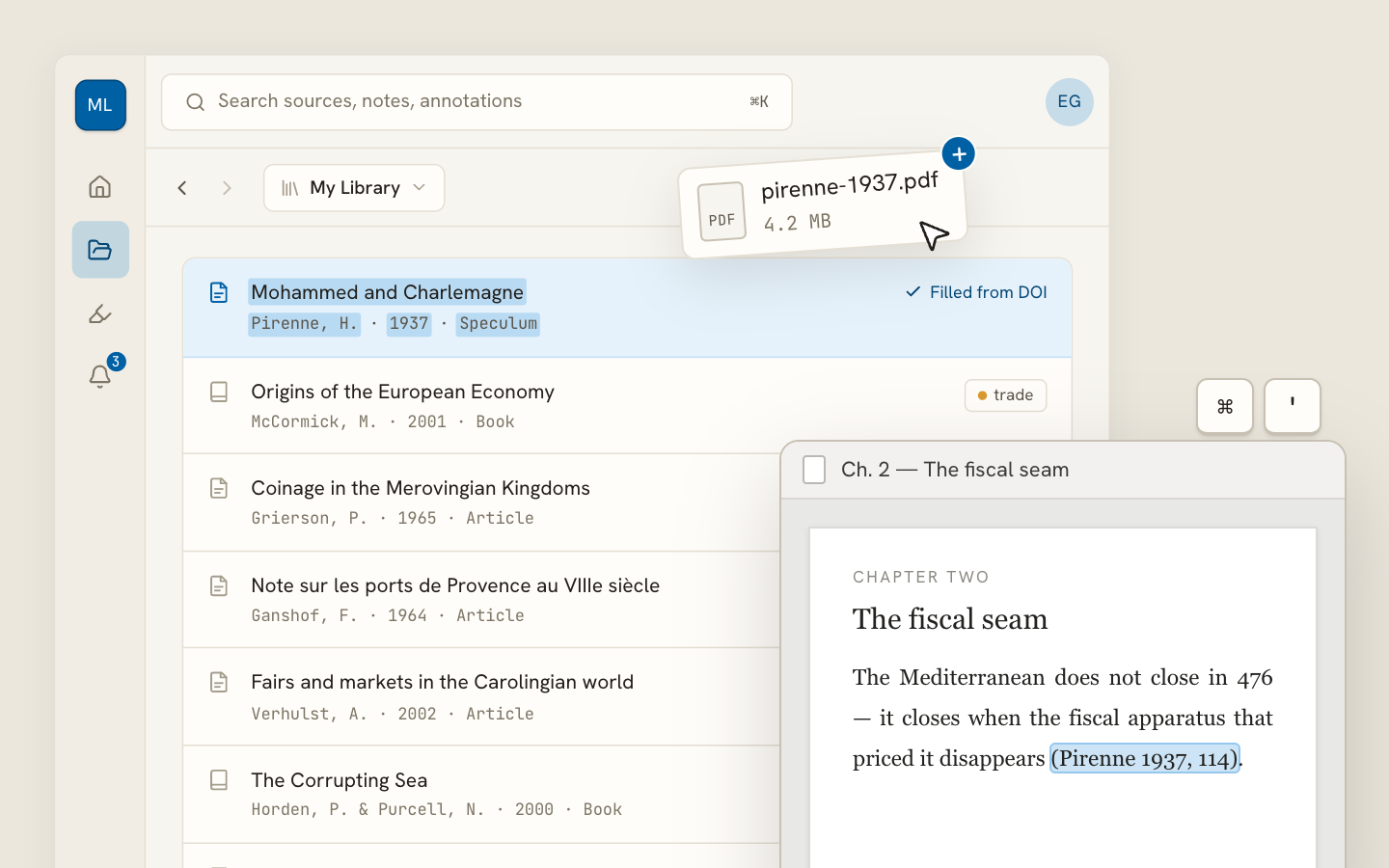
Archivero library view with a source list and an open PDF

Your weekly research workflow, in one email

One tested workflow, three links, no filler — every Tuesday.

Unsubscribe in one click. We never share your address.

Guides/Citations/Harvard Referencing Style

How to Cite a Source With No Date in Harvard

How to handle missing publication dates in Harvard referencing — using "n.d." in in-text citations and reference list entries.

6 min readHarvard

Key Takeaways

  • When no publication date is available, use n.d. (no date) in place of the year.
  • In-text citation format:
    • (Pemberton, n.d.)
  • Reference list format:
    • Pemberton, R. (n.d.) Title of work. Place: Publisher.
  • Before using "n.d.," check the source for hidden dates — footers, copyright notices, metadata, "last updated" stamps, and the Wayback Machine.
  • For an approximate date, some guides allow [ca. 2020] — but many institutions prefer n.d. unless you can verify the date.
  • When a source has no date and no author, combine both rules:
    • ('Title of work', n.d.)
  • For web pages, include an access date — this is especially important when the publication date is missing.
  • Multiple works by the same author with no date are distinguished with letter suffixes: n.d.-a, n.d.-b.

On this page

1 of 22
Key TakeawaysWhen Does "No Date" Apply?Finding Hidden DatesIn-Text Citation FormatWith a Page NumberWith a Corporate AuthorMultiple No-Date Works by the Same AuthorReference List FormatWeb PageBook or ReportCorporate AuthorEstimating Approximate DatesNo Date + No AuthorWhen to Include an Access DateExamples by Source TypeWeb Page — No DateGovernment Web Page — No DateOrganisational Report — No DateImage or Infographic — No DateWiki Article — No DateCommon Mistakes With No-Date CitationsWhat's Next?
All Harvard guides →

When a source has no identifiable publication date, Harvard referencing replaces the year with n.d. — an abbreviation of the Latin no date. The abbreviation appears in both the in-text citation and the reference list entry, in the same position the year would normally occupy. Before defaulting to "n.d.," always check the source thoroughly — dates are often hidden in footers, metadata, or "last updated" notices.

When Does "No Date" Apply?

A source qualifies as "no date" when you cannot determine when it was published, last updated, or produced. This is most common with:

  • Web pages that lack a publication or "last updated" date
  • Organisational documents circulated without a date
  • Older printed material where the publication year has been lost or omitted
  • Undated images, pamphlets, or ephemera

In practice, most published books, journal articles, and reports include a date. "No date" is most frequently encountered with web content.

Finding Hidden Dates

Before using "n.d.," exhaust these options:

  1. Check the byline or header. Many articles include a date near the author's name.
  2. Look at the footer. Copyright notices often include a year (e.g., "© 2023").
  3. Inspect the URL. Some URLs contain date fragments: example.com/2023/05/article-title.
  4. View the page source or metadata. Right-click the page, select "View Page Source," and search for datePublished, dateModified, or og:updated_time.
  5. Check the Wayback Machine. The Internet Archive (web.archive.org) records when a page was first captured — this gives you at least an approximate date.
  6. Look at the PDF properties. For undated PDFs, the "Created" or "Modified" date in the file properties may indicate when the document was produced.

If you find a date through any of these methods, use it as the publication year — you no longer need "n.d."

In-Text Citation Format

Replace the year with n.d. in the standard author-date position:

Parenthetical:

(Pemberton, n.d.)

Narrative:

Pemberton (n.d.) argues that…

With a Page Number

(Pemberton, n.d., p. 12)

With a Corporate Author

(National Health Service, n.d.)

Multiple No-Date Works by the Same Author

If you cite more than one undated work by the same author, add letter suffixes to distinguish them — just as you would for multiple works in the same year:

(Pemberton, n.d.-a)

(Pemberton, n.d.-b)

Assign the suffixes alphabetically based on the title of each work. The first title alphabetically gets "a," the next gets "b," and so on.

Reference List Format

The reference list entry follows the standard Harvard structure, with n.d. replacing the year:

General pattern:

Author (n.d.) Title. Place: Publisher.

Web Page

Pemberton, R. (n.d.) Effective study strategies for mature students. Available at: https://www.example.com/study-strategies (Accessed: 14 January 2025).

Book or Report

Harrison, T. (n.d.) Community health assessment: a practical guide. Bristol: Community Health Press.

Corporate Author

National Health Service (n.d.) Mental health support for young people. Available at: https://www.nhs.uk/mental-health/young-people (Accessed: 22 March 2025).

Estimating Approximate Dates

Some Harvard guides allow you to estimate an approximate date using [ca. Year] (from the Latin circa, meaning "around"):

(Pemberton, [ca. 2020])

Reference list:

Pemberton, R. ([ca. 2020]) Effective study strategies for mature students. Available at: https://www.example.com/study-strategies (Accessed: 14 January 2025).

Use this only when you have strong evidence for the approximate date — for example, a Wayback Machine capture from 2020 or contextual clues in the content. Many institutions prefer n.d. unless the date can be confirmed, so check your guide before using the circa convention.

No Date + No Author

When a source has neither an author nor a date, combine both rules: the title replaces the author, and n.d. replaces the year.

In-text citation:

('Student support services', n.d.)

For standalone works (books, reports, whole websites), italicise the title:

(Community engagement toolkit, n.d.)

Reference list:

'Student support services' (n.d.) University of Bristol. Available at: https://www.bristol.ac.uk/students/support (Accessed: 5 April 2025).

For detailed guidance on no-author citations, see How to Cite a Source With No Author in Harvard.

When to Include an Access Date

An access date is always recommended for online sources in Harvard referencing, but it is especially important when the publication date is missing. The access date tells your reader when the content was available — if the page changes or disappears, the access date provides a reference point.

Format:

Available at: URL (Accessed: Day Month Year).

Example:

(Accessed: 14 January 2025)

Examples by Source Type

Web Page — No Date

Williams, K. (n.d.) Academic writing: a guide for beginners. Available at: https://www.example.com/academic-writing (Accessed: 10 February 2025).

(Williams, n.d.)

Government Web Page — No Date

Department for Education (n.d.) School admissions criteria. Available at: https://www.gov.uk/school-admissions (Accessed: 3 March 2025).

(Department for Education, n.d.)

Organisational Report — No Date

Amnesty International (n.d.) Freedom of expression: global trends and challenges. London: Amnesty International.

(Amnesty International, n.d.)

Image or Infographic — No Date

Public Health England (n.d.) Sugar content in common breakfast cereals [Infographic]. Available at: https://www.example.com/sugar-infographic (Accessed: 18 April 2025).

(Public Health England, n.d.)

Wiki Article — No Date

'Climate change mitigation' (n.d.) Wikipedia. Available at: https://en.wikipedia.org/wiki/Climate_change_mitigation (Accessed: 22 March 2025).

('Climate change mitigation', n.d.)

Common Mistakes With No-Date Citations

MistakeWhy It's WrongCorrect Approach
Using "no date" or "N.D." instead of "n.d."Why It's WrongHarvard uses the lowercase abbreviationCorrect ApproachAlways write n.d. in lowercase
Leaving the year blankWhy It's WrongAn empty space is ambiguous — did you forget the date or is there no date?Correct ApproachUse n.d. explicitly
Using a copyright year as the publication yearWhy It's WrongA copyright notice may not correspond to the content's publication dateCorrect ApproachOnly use it if no other date is available and note the limitation
Omitting the access date for online sourcesWhy It's WrongWithout a publication date, the access date is the reader's only temporal referenceCorrect ApproachAlways include (Accessed: Day Month Year)
Not checking for hidden datesWhy It's WrongMany "no date" sources actually have dates in their metadata or URLCorrect ApproachInspect footers, metadata, URLs, and the Wayback Machine before defaulting to n.d.
Confusing n.d. with n.p.Why It's Wrong"n.d." means no date; "n.p." means no place or no publisher — they are differentCorrect ApproachUse n.d. for missing dates only

What's Next?

Now that you know how to handle missing dates, explore these related guides:

  • How to Cite a Source With No Author in Harvard — handling sources with no identifiable author
  • How to Reference a Website in Harvard Style — access dates, corporate authors, and URL formatting
  • Harvard In-Text Citations — the complete guide to all in-text citation formats
All Harvard guides →
← PreviousHow to Cite a Secondary Source in HarvardNext →How to Reference a Lecture in Harvard Style

More on Harvard referencing

The dominant system in British, Australian and international universities. In-text citations, reference lists and the local conventions that vary by department.

View all 26 guides →
10 sections·6 min readHarvardHow to Reference a Lecture in Harvard Style11 sections·6 min readHarvardHow to Reference a Government Report in Harvard Style9 sections·6 min readHarvardHow to Reference a Conference Paper in Harvard Style9 sections·6 min readHarvardHow to Reference a Dissertation or Thesis in Harvard Style

Your sources, PDFs and citations in one library

  • Import a Zotero, Mendeley or EndNote library — or a folder of PDFs
  • Highlight and annotate without leaving the source
  • Cite in any CSL style as you write, with one shared library for your lab
Request early accessSee the product →
Archivero library view with a source list and an open PDF

Your weekly research workflow, in one email

One tested workflow, three links, no filler — every Tuesday.

Unsubscribe in one click. We never share your address.