Archivero is in early access — your sources, PDFs and citations in one library.Request early access →
Archivero/guides/
APAMLAHarvardThesis writing
Subscribe
Archivero/guides/Request early access →

Guides

APA styleMLA styleHarvard referencingThesis writing

Compare

APA 6th vs 7thMLA 8th vs 9thHarvard vs APAThesis vs dissertation

Product

FeaturesEarly access

Resources

DocsCheat sheetsNewsletter

Company

ContactStatus ↗
© 2025–2026 Ernesto F. GonzálezGuidesDocsContactPrivacyTerms
Guides/Citations/MLA Citation Style

MLA Images, Tables & Figures

How to label, caption, and cite images, tables, and figures in MLA 9th edition papers.

7 min readMLA

Key Takeaways

  • MLA distinguishes between tables (data in rows and columns) and figures (all other visuals — images, charts, maps, graphs).
  • Tables are labeled above with "Table 1," "Table 2," etc., followed by a descriptive title. Source information goes in a note below the table.
  • Figures are labeled below with "Fig. 1," "Fig. 2," etc., followed by a caption and source information on the same line.
  • Number tables and figures sequentially throughout your paper (Table 1, Table 2… / Fig. 1, Fig. 2…).
  • Always cite the source both in the caption/note and on the Works Cited page — a caption alone is not enough.
  • Place the visual as close as possible to the text that discusses it — ideally immediately after the paragraph that first refers to it.
  • Refer to every visual in your text by its label:
    • As shown in fig. 1, …
    • (see table 2)

On this page

1 of 23
Key TakeawaysTables vs. Figures — The MLA DistinctionTable FormattingStructureExampleTables You Created YourselfFigure FormattingStructureExampleFigure from a WebsiteChart or Graph You CreatedPlacing Visuals in Your PaperHow to Reference Visuals in TextCiting the Source on the Works Cited PageImage from a BookImage from a WebsiteImage from a Museum or ArchivePhotograph You TookCopyright and Fair UseArtworks and ReproductionsQuick-Reference TableCommon MistakesWhat's Next
All MLA guides →

MLA divides visual elements into two categories: tables (rows and columns of data) and figures (everything else — photographs, charts, maps, graphs, drawings, and musical scores). Each type has its own labeling and formatting rules, and whenever a visual comes from an outside source, you must cite it both in the caption and on the Works Cited page.

Visual elements can strengthen a humanities paper — a photograph of a historical artifact, a reproduction of a painting, a chart of survey results, a map of migration routes. But they need to be formatted and cited correctly. MLA treats visuals as evidence, not decoration, and expects you to integrate them into your argument with proper labels, captions, and source attributions.

Tables vs. Figures — The MLA Distinction

Before you format anything, determine which category your visual falls into:

CategoryWhat it includesLabel format
TableWhat it includesData arranged in rows and columnsLabel formatTable 1, Table 2, Table 3…
FigureWhat it includesPhotographs, paintings, charts, graphs, maps, drawings, diagrams, musical scoresLabel formatFig. 1, Fig. 2, Fig. 3…

Tables and figures are numbered in separate sequences. Your paper might contain Table 1, Table 2, Fig. 1, Fig. 2, and Table 3 — each sequence is independent.

Table Formatting

Tables present structured data. They have a label and title above the table and source information below it.

Structure

  1. Label and title — on the line above the table, flush left. The label ("Table 1") is followed by a space and a descriptive title.
  2. The table itself — rows and columns of data.
  3. Source note — below the table, preceded by "Source:" followed by the citation information.

Example

Table 1 Survey Responses on Reading Habits by Age Group

Age GroupDaily readersWeekly readersNon-readers
18–24Daily readers22%Weekly readers45%Non-readers33%
25–34Daily readers31%Weekly readers41%Non-readers28%
35–44Daily readers38%Weekly readers39%Non-readers23%
45+Daily readers47%Weekly readers35%Non-readers18%

Source: Adapted from Nakamura, Lisa. "Digital Reading Trends in America." Journal of Cultural Analytics, vol. 4, no. 2, 2024, p. 87.

What to notice:

  • The label and title sit above the table, not below
  • The title is descriptive but concise
  • The source note gives a full citation below the table
  • If you adapted or modified the data, say "Adapted from"

Tables You Created Yourself

If you collected the data yourself (e.g., from a survey you conducted), you don't need a source note. The label and title are still required.

Figure Formatting

Figures encompass all non-tabular visuals. They have a label, caption, and source information below the image.

Structure

  1. The image itself — placed in the paper at the appropriate location.
  2. Label and caption — below the image. The label ("Fig. 1") is followed by a period, a space, and then a caption that describes the image and attributes the source.

Example

[Image of a daguerreotype portrait]

Fig. 1. Daguerreotype of Frederick Douglass, c. 1855; from Stauffer, John. Picturing Frederick Douglass. Liveright, 2015, p. 42.

What to notice:

  • "Fig." is abbreviated (not "Figure")
  • The label, caption, and source form one continuous block below the image
  • The source information follows the same format as a Works Cited entry, but it's integrated into the caption

Figure from a Website

[Image of Frida Kahlo's The Two Fridas]

Fig. 2. Kahlo, Frida. The Two Fridas. 1939. Museo de Arte Moderno, Mexico City. Google Arts & Culture, https://artsandculture.google.com/asset/the-two-fridas/XQFbMIyUCufCAg.

Chart or Graph You Created

If you created a chart from data you gathered, you still label it as a figure but you don't need a source attribution:

Fig. 3. Frequency of metaphor usage across five novels in the study.

Placing Visuals in Your Paper

MLA doesn't prescribe exact placement, but follow these principles:

  1. Place the visual as close as possible to the text that first discusses it — ideally right after the paragraph that mentions it.
  2. Refer to every visual in your text by its label. Don't just insert an image and hope the reader notices.
  3. Introduce the visual in context — explain what the reader should look for.

How to Reference Visuals in Text

Use lowercase when referring to a figure or table in a sentence:

As shown in fig. 1, Douglass often chose a stern, confrontational posture in his portraits.

Table 2 summarizes the survey results across all age groups.

When the reference is in parentheses, also use lowercase:

Douglass chose confrontational postures in most of his portraits (see fig. 1).

Citing the Source on the Works Cited Page

A caption or source note is not a substitute for a Works Cited entry. If the visual comes from an outside source, it must appear on your Works Cited page as well.

Image from a Book

Works Cited:

Stauffer, John. Picturing Frederick Douglass. Liveright, 2015.

In-text citation:

(Stauffer 42)

Image from a Website

Works Cited:

Kahlo, Frida. The Two Fridas. 1939. Museo de Arte Moderno, Mexico City. Google Arts & Culture, https://artsandculture.google.com/asset/the-two-fridas/XQFbMIyUCufCAg.

In-text citation:

(Kahlo)

Image from a Museum or Archive

Works Cited:

Lange, Dorothea. Migrant Mother. 1936. Library of Congress, Washington, D.C. Library of Congress Prints and Photographs Division, https://www.loc.gov/pictures/item/2017762891/.

In-text citation:

(Lange)

Photograph You Took

If you took the photograph yourself, you are the author. You don't need a Works Cited entry for your own original work, but label it as a figure with a descriptive caption:

Fig. 4. Graffiti mural on the east wall of the Broad Street underpass, Philadelphia. Photograph by the author.

Copyright and Fair Use

Including images in an academic paper submitted for a class generally falls under fair use, but if you're publishing your work, the rules change:

  • Classroom papers: You can usually reproduce images for educational analysis under fair use. Always credit the source.
  • Published or public work: You may need permission from the copyright holder. Contact the rights holder or use images with permissive licenses (Creative Commons, public domain).
  • Images from the internet: A Google Image search is not a source. Trace the image back to its original creator or repository and cite that.

Always err on the side of full attribution, even when you believe fair use applies.

Artworks and Reproductions

Artworks follow the figure format, with the artist as author and the work's title in italics:

Works Cited:

Basquiat, Jean-Michel. Untitled (Skull). 1981. Broad Museum, Los Angeles.

Figure caption:

Fig. 5. Basquiat, Jean-Michel. Untitled (Skull). 1981. Broad Museum, Los Angeles.

If you accessed a reproduction online, add the website as a second container:

Works Cited:

Basquiat, Jean-Michel. Untitled (Skull). 1981. Broad Museum, Los Angeles. The Broad, https://www.thebroad.org/art/jean-michel-basquiat/untitled.

Quick-Reference Table

Visual TypeLabelCaption/Source PositionWorks Cited Needed?
Table (your data)LabelTable 1, Table 2…Caption/Source PositionAbove (label/title)Works Cited Needed?No
Table (outside data)LabelTable 1, Table 2…Caption/Source PositionAbove (label/title) + source note belowWorks Cited Needed?Yes
Photo / Artwork (yours)LabelFig. 1, Fig. 2…Caption/Source PositionBelowWorks Cited Needed?No
Photo / Artwork (outside)LabelFig. 1, Fig. 2…Caption/Source PositionBelow (with source)Works Cited Needed?Yes
Chart / Graph (your data)LabelFig. 1, Fig. 2…Caption/Source PositionBelowWorks Cited Needed?No
Chart / Graph (outside)LabelFig. 1, Fig. 2…Caption/Source PositionBelow (with source)Works Cited Needed?Yes
MapLabelFig. 1, Fig. 2…Caption/Source PositionBelow (with source)Works Cited Needed?Yes

Common Mistakes

  1. Putting the table label below the table. Table labels and titles go above the table. Figure labels go below. Mixing them up is the most common visual formatting error.
  2. Labeling a chart as a table. Charts, graphs, and diagrams are figures, not tables — even if they display numerical data. Only rows-and-columns data qualifies as a table.
  3. Forgetting the Works Cited entry. A caption gives immediate attribution, but MLA also requires a corresponding entry on the Works Cited page for any outside source.
  4. Writing "Figure" instead of "Fig." MLA abbreviates it. Use "Fig. 1," not "Figure 1."
  5. Not referring to the visual in your text. Every table and figure needs to be referenced in the body of your paper. If you never mention it, it shouldn't be there.
  6. Using images without tracing the original source. Don't cite Google Images or Pinterest. Find the original creator or repository.

What's Next

Now that you know how to format images, tables, and figures, explore related guides:

  • MLA Format Paper — the complete paper layout guide
  • MLA Format Example Paper — see tables and figures in context within a full paper
  • MLA Works Cited Page — how to build entries for every source type

Archivero can help you organize and cite your visual sources — save an image or artwork page to your library, and the Works Cited entry is generated with the creator, title, date, and location automatically.
All MLA guides →
← PreviousHow to Cite Social Media in MLA FormatNext →MLA Header & Page Numbers

More on MLA style

The standard in literature, the humanities and cultural studies. The author–page system, Works Cited entries and the 9th edition's container model.

View all 27 guides →
9 sections·6 min readMLAMLA Header & Page Numbers6 sections·6 min readMLAMLA Title Page & First Page Format11 sections·7 min readMLAHow to Cite a Poem or Song in MLA Format10 sections·10 min readMLAHow to Cite a Play in MLA Format

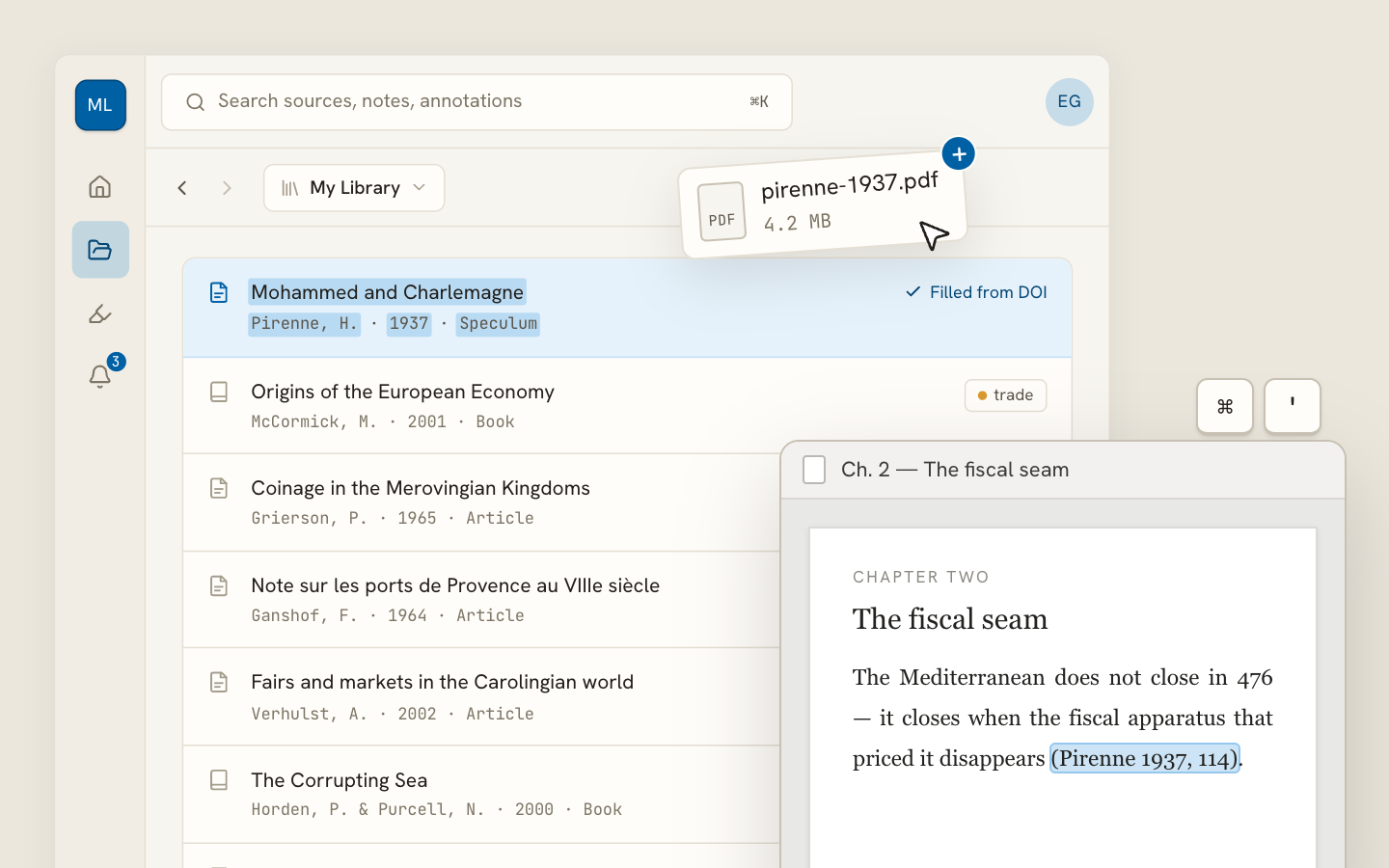
Your sources, PDFs and citations in one library

  • Import a Zotero, Mendeley or EndNote library — or a folder of PDFs
  • Highlight and annotate without leaving the source
  • Cite in any CSL style as you write, with one shared library for your lab
Request early accessSee the product →
Archivero library view with a source list and an open PDF

Your weekly research workflow, in one email

One tested workflow, three links, no filler — every Tuesday.

Unsubscribe in one click. We never share your address.

Guides/Citations/MLA Citation Style

MLA Images, Tables & Figures

How to label, caption, and cite images, tables, and figures in MLA 9th edition papers.

7 min readMLA

Key Takeaways

  • MLA distinguishes between tables (data in rows and columns) and figures (all other visuals — images, charts, maps, graphs).
  • Tables are labeled above with "Table 1," "Table 2," etc., followed by a descriptive title. Source information goes in a note below the table.
  • Figures are labeled below with "Fig. 1," "Fig. 2," etc., followed by a caption and source information on the same line.
  • Number tables and figures sequentially throughout your paper (Table 1, Table 2… / Fig. 1, Fig. 2…).
  • Always cite the source both in the caption/note and on the Works Cited page — a caption alone is not enough.
  • Place the visual as close as possible to the text that discusses it — ideally immediately after the paragraph that first refers to it.
  • Refer to every visual in your text by its label:
    • As shown in fig. 1, …
    • (see table 2)

On this page

1 of 23
Key TakeawaysTables vs. Figures — The MLA DistinctionTable FormattingStructureExampleTables You Created YourselfFigure FormattingStructureExampleFigure from a WebsiteChart or Graph You CreatedPlacing Visuals in Your PaperHow to Reference Visuals in TextCiting the Source on the Works Cited PageImage from a BookImage from a WebsiteImage from a Museum or ArchivePhotograph You TookCopyright and Fair UseArtworks and ReproductionsQuick-Reference TableCommon MistakesWhat's Next
All MLA guides →

MLA divides visual elements into two categories: tables (rows and columns of data) and figures (everything else — photographs, charts, maps, graphs, drawings, and musical scores). Each type has its own labeling and formatting rules, and whenever a visual comes from an outside source, you must cite it both in the caption and on the Works Cited page.

Visual elements can strengthen a humanities paper — a photograph of a historical artifact, a reproduction of a painting, a chart of survey results, a map of migration routes. But they need to be formatted and cited correctly. MLA treats visuals as evidence, not decoration, and expects you to integrate them into your argument with proper labels, captions, and source attributions.

Tables vs. Figures — The MLA Distinction

Before you format anything, determine which category your visual falls into:

CategoryWhat it includesLabel format
TableWhat it includesData arranged in rows and columnsLabel formatTable 1, Table 2, Table 3…
FigureWhat it includesPhotographs, paintings, charts, graphs, maps, drawings, diagrams, musical scoresLabel formatFig. 1, Fig. 2, Fig. 3…

Tables and figures are numbered in separate sequences. Your paper might contain Table 1, Table 2, Fig. 1, Fig. 2, and Table 3 — each sequence is independent.

Table Formatting

Tables present structured data. They have a label and title above the table and source information below it.

Structure

  1. Label and title — on the line above the table, flush left. The label ("Table 1") is followed by a space and a descriptive title.
  2. The table itself — rows and columns of data.
  3. Source note — below the table, preceded by "Source:" followed by the citation information.

Example

Table 1 Survey Responses on Reading Habits by Age Group

Age GroupDaily readersWeekly readersNon-readers
18–24Daily readers22%Weekly readers45%Non-readers33%
25–34Daily readers31%Weekly readers41%Non-readers28%
35–44Daily readers38%Weekly readers39%Non-readers23%
45+Daily readers47%Weekly readers35%Non-readers18%

Source: Adapted from Nakamura, Lisa. "Digital Reading Trends in America." Journal of Cultural Analytics, vol. 4, no. 2, 2024, p. 87.

What to notice:

  • The label and title sit above the table, not below
  • The title is descriptive but concise
  • The source note gives a full citation below the table
  • If you adapted or modified the data, say "Adapted from"

Tables You Created Yourself

If you collected the data yourself (e.g., from a survey you conducted), you don't need a source note. The label and title are still required.

Figure Formatting

Figures encompass all non-tabular visuals. They have a label, caption, and source information below the image.

Structure

  1. The image itself — placed in the paper at the appropriate location.
  2. Label and caption — below the image. The label ("Fig. 1") is followed by a period, a space, and then a caption that describes the image and attributes the source.

Example

[Image of a daguerreotype portrait]

Fig. 1. Daguerreotype of Frederick Douglass, c. 1855; from Stauffer, John. Picturing Frederick Douglass. Liveright, 2015, p. 42.

What to notice:

  • "Fig." is abbreviated (not "Figure")
  • The label, caption, and source form one continuous block below the image
  • The source information follows the same format as a Works Cited entry, but it's integrated into the caption

Figure from a Website

[Image of Frida Kahlo's The Two Fridas]

Fig. 2. Kahlo, Frida. The Two Fridas. 1939. Museo de Arte Moderno, Mexico City. Google Arts & Culture, https://artsandculture.google.com/asset/the-two-fridas/XQFbMIyUCufCAg.

Chart or Graph You Created

If you created a chart from data you gathered, you still label it as a figure but you don't need a source attribution:

Fig. 3. Frequency of metaphor usage across five novels in the study.

Placing Visuals in Your Paper

MLA doesn't prescribe exact placement, but follow these principles:

  1. Place the visual as close as possible to the text that first discusses it — ideally right after the paragraph that mentions it.
  2. Refer to every visual in your text by its label. Don't just insert an image and hope the reader notices.
  3. Introduce the visual in context — explain what the reader should look for.

How to Reference Visuals in Text

Use lowercase when referring to a figure or table in a sentence:

As shown in fig. 1, Douglass often chose a stern, confrontational posture in his portraits.

Table 2 summarizes the survey results across all age groups.

When the reference is in parentheses, also use lowercase:

Douglass chose confrontational postures in most of his portraits (see fig. 1).

Citing the Source on the Works Cited Page

A caption or source note is not a substitute for a Works Cited entry. If the visual comes from an outside source, it must appear on your Works Cited page as well.

Image from a Book

Works Cited:

Stauffer, John. Picturing Frederick Douglass. Liveright, 2015.

In-text citation:

(Stauffer 42)

Image from a Website

Works Cited:

Kahlo, Frida. The Two Fridas. 1939. Museo de Arte Moderno, Mexico City. Google Arts & Culture, https://artsandculture.google.com/asset/the-two-fridas/XQFbMIyUCufCAg.

In-text citation:

(Kahlo)

Image from a Museum or Archive

Works Cited:

Lange, Dorothea. Migrant Mother. 1936. Library of Congress, Washington, D.C. Library of Congress Prints and Photographs Division, https://www.loc.gov/pictures/item/2017762891/.

In-text citation:

(Lange)

Photograph You Took

If you took the photograph yourself, you are the author. You don't need a Works Cited entry for your own original work, but label it as a figure with a descriptive caption:

Fig. 4. Graffiti mural on the east wall of the Broad Street underpass, Philadelphia. Photograph by the author.

Copyright and Fair Use

Including images in an academic paper submitted for a class generally falls under fair use, but if you're publishing your work, the rules change:

  • Classroom papers: You can usually reproduce images for educational analysis under fair use. Always credit the source.
  • Published or public work: You may need permission from the copyright holder. Contact the rights holder or use images with permissive licenses (Creative Commons, public domain).
  • Images from the internet: A Google Image search is not a source. Trace the image back to its original creator or repository and cite that.

Always err on the side of full attribution, even when you believe fair use applies.

Artworks and Reproductions

Artworks follow the figure format, with the artist as author and the work's title in italics:

Works Cited:

Basquiat, Jean-Michel. Untitled (Skull). 1981. Broad Museum, Los Angeles.

Figure caption:

Fig. 5. Basquiat, Jean-Michel. Untitled (Skull). 1981. Broad Museum, Los Angeles.

If you accessed a reproduction online, add the website as a second container:

Works Cited:

Basquiat, Jean-Michel. Untitled (Skull). 1981. Broad Museum, Los Angeles. The Broad, https://www.thebroad.org/art/jean-michel-basquiat/untitled.

Quick-Reference Table

Visual TypeLabelCaption/Source PositionWorks Cited Needed?
Table (your data)LabelTable 1, Table 2…Caption/Source PositionAbove (label/title)Works Cited Needed?No
Table (outside data)LabelTable 1, Table 2…Caption/Source PositionAbove (label/title) + source note belowWorks Cited Needed?Yes
Photo / Artwork (yours)LabelFig. 1, Fig. 2…Caption/Source PositionBelowWorks Cited Needed?No
Photo / Artwork (outside)LabelFig. 1, Fig. 2…Caption/Source PositionBelow (with source)Works Cited Needed?Yes
Chart / Graph (your data)LabelFig. 1, Fig. 2…Caption/Source PositionBelowWorks Cited Needed?No
Chart / Graph (outside)LabelFig. 1, Fig. 2…Caption/Source PositionBelow (with source)Works Cited Needed?Yes
MapLabelFig. 1, Fig. 2…Caption/Source PositionBelow (with source)Works Cited Needed?Yes

Common Mistakes

  1. Putting the table label below the table. Table labels and titles go above the table. Figure labels go below. Mixing them up is the most common visual formatting error.
  2. Labeling a chart as a table. Charts, graphs, and diagrams are figures, not tables — even if they display numerical data. Only rows-and-columns data qualifies as a table.
  3. Forgetting the Works Cited entry. A caption gives immediate attribution, but MLA also requires a corresponding entry on the Works Cited page for any outside source.
  4. Writing "Figure" instead of "Fig." MLA abbreviates it. Use "Fig. 1," not "Figure 1."
  5. Not referring to the visual in your text. Every table and figure needs to be referenced in the body of your paper. If you never mention it, it shouldn't be there.
  6. Using images without tracing the original source. Don't cite Google Images or Pinterest. Find the original creator or repository.

What's Next

Now that you know how to format images, tables, and figures, explore related guides:

  • MLA Format Paper — the complete paper layout guide
  • MLA Format Example Paper — see tables and figures in context within a full paper
  • MLA Works Cited Page — how to build entries for every source type

Archivero can help you organize and cite your visual sources — save an image or artwork page to your library, and the Works Cited entry is generated with the creator, title, date, and location automatically.

All MLA guides →
← PreviousHow to Cite Social Media in MLA FormatNext →MLA Header & Page Numbers

More on MLA style

The standard in literature, the humanities and cultural studies. The author–page system, Works Cited entries and the 9th edition's container model.

View all 27 guides →
9 sections·6 min readMLAMLA Header & Page Numbers6 sections·6 min readMLAMLA Title Page & First Page Format11 sections·7 min readMLAHow to Cite a Poem or Song in MLA Format10 sections·10 min readMLAHow to Cite a Play in MLA Format

Your sources, PDFs and citations in one library

  • Import a Zotero, Mendeley or EndNote library — or a folder of PDFs
  • Highlight and annotate without leaving the source
  • Cite in any CSL style as you write, with one shared library for your lab
Request early accessSee the product →
Archivero library view with a source list and an open PDF

Your weekly research workflow, in one email

One tested workflow, three links, no filler — every Tuesday.

Unsubscribe in one click. We never share your address.