Archivero is in early access — your sources, PDFs and citations in one library.Request early access →
Archivero/guides/
APAMLAHarvardThesis writing
Subscribe
Archivero/guides/Request early access →

Guides

APA styleMLA styleHarvard referencingThesis writing

Compare

APA 6th vs 7thMLA 8th vs 9thHarvard vs APAThesis vs dissertation

Product

FeaturesEarly access

Resources

DocsCheat sheetsNewsletter

Company

ContactStatus ↗
© 2025–2026 Ernesto F. GonzálezGuidesDocsContactPrivacyTerms
Guides/Citations/MLA Citation Style

MLA Title Page & First Page Format

MLA doesn't require a title page — learn how to format the standard first page header and when a separate cover page may be needed.

6 min readMLA

Key Takeaways

  • MLA does not require a title page. The standard format uses a heading block on the first page.
  • The heading block is double-spaced, left-aligned, and appears in this order:
    • Your name
    • Instructor's name
    • Course name and number
    • Date (day month year format)
  • The title is centered on the line after the date — no bold, no underline, no larger font, no quotation marks (unless the title contains the title of another work).
  • If your instructor requires a separate cover page, center all information vertically and horizontally — but this is not standard MLA.
  • The running header (last name + page number) still appears on the first page in the upper-right corner.
  • Use title case for the title — capitalize all principal words.

On this page

1 of 16
Key TakeawaysThe Standard MLA First PageRunning HeaderHeading BlockTitleBody TextTitle Formatting — Special CasesTitle Contains Another Work's TitleTitle Contains a QuotationSubtitleTitle Is a QuestionWhen Your Instructor Requires a Title PageTitle Page for a Group ProjectStudent Paper vs. Published WorkCommon First-Page MistakesWhat's Next
All MLA guides →

MLA style does not require a title page. Instead, the first page of your paper opens with a heading block — your name, instructor's name, course title, and date — followed by the centered title and then the body text. This format is one of the clearest differences between MLA and styles like APA or Chicago, which use separate title pages.

Students often search for "MLA title page" because they confuse MLA's format with APA's — or because their instructor has requested a cover page that deviates from MLA's standard. This guide covers both the standard first-page format and the non-standard title page, so you're prepared either way.

The Standard MLA First Page

MLA's default first page includes everything on a single page — no separate cover sheet. Here is the standard layout from top to bottom:

Running Header

In the upper-right corner, 0.5 inches from the top:

González 1

Your last name and the page number, right-aligned, in the same font as the body text. For detailed instructions on setting this up, see MLA Header & Page Numbers.

Heading Block

Starting at the top-left margin (1 inch from the top, 1 inch from the left), double-spaced:

Elena González

Professor Whitfield

English 102

15 April 2026

Format rules:

  • Left-aligned — not centered, not indented
  • Double-spaced — same spacing as the rest of the paper
  • Same font and size as the body text
  • Date format: Day Month Year (not Month Day, Year). Write "15 April 2026," not "April 15, 2026"
  • Instructor's name: Use the title they prefer — "Professor," "Dr.," "Ms.," "Mr." — followed by their last name

Title

Centered on the line immediately after the date:

The Architecture of Memory in Toni Morrison's Beloved

Title rules:

  • Centered on the page
  • Title case — capitalize all principal words (nouns, verbs, adjectives, adverbs). Don't capitalize articles, prepositions, or conjunctions unless they're the first word.
  • Same font and size as the body text — no bold, no larger type, no underline
  • No quotation marks around your own title (unless your title itself contains a quoted title)
  • Italicize titles of other works within your title: Beloved, Hamlet, The New York Times
  • No period at the end of the title

Body Text

The body text begins on the next double-spaced line after the title. Indent the first line of each paragraph 0.5 inches.

Title Formatting — Special Cases

Title Contains Another Work's Title

If your paper's title includes the title of a book, film, or other work, format the embedded title in italics:

Racial Identity and Self-Discovery in The Bluest Eye

If it includes a short work title (poem, short story, article), use quotation marks:

Metaphor and Mortality in Keats's "Ode to a Nightingale"

Title Contains a Quotation

If your title includes a direct quotation, enclose the quoted portion in quotation marks:

"A Room of One's Own" and the Economics of Creative Freedom

Subtitle

Separate a title and subtitle with a colon and a space. Capitalize the first word of the subtitle:

Sound and Silence: The Role of Music in Morrison's Fiction

Title Is a Question

End with a question mark — no period after it:

Can Literature Change Political Attitudes?

When Your Instructor Requires a Title Page

MLA's handbook does not prescribe a title page format, so if your instructor requires one, follow their specific guidelines. If they simply say "include a title page" without further guidance, a standard academic cover page looks like this:

  1. Center all text vertically and horizontally on the page
  2. The content typically includes:

Your Paper Title

Your Name

Instructor's Name

Course Name and Number

Date

  1. Double-space all lines
  2. Same font and size as the body text
  3. Do not number this page — page 1 starts on the next page (the first page of body text)

Title Page for a Group Project

Group projects sometimes require a title page listing all members. Center the elements and list each group member's name on a separate line:

Narrative Voice in Postcolonial Fiction

Elena González

Marcus Chen

Priya Nair

Professor Whitfield

English 250

15 April 2026

Student Paper vs. Published Work

MLA doesn't formally distinguish "student" and "professional" papers the way APA does. However, there are practical differences:

ElementStudent paperPublished work (article, chapter)
First page formatStudent paperHeading block with instructor, course, datePublished work (article, chapter)Varies by publisher
Title pageStudent paperNot standard (unless instructor requires)Published work (article, chapter)Varies by publisher
Running headerStudent paperLast name + page numberPublished work (article, chapter)Varies by publisher
BylineStudent paperIn heading blockPublished work (article, chapter)Under the title or at end of article

If you're submitting to a journal or publication, follow the publisher's submission guidelines — not MLA's student paper format.

Common First-Page Mistakes

  1. Adding a separate title page when MLA doesn't require one. Unless your instructor asks for it, don't include one. MLA's standard format is the heading block on page 1.
  2. Wrong order in the heading block. It's always: your name → instructor's name → course → date. Switching the instructor and course is a common error.
  3. Wrong date format. MLA uses day-month-year: "15 April 2026," not "April 15, 2026."
  4. Bolding or enlarging the title. Your title should be in the same font and size as the body text. Don't make it bold, don't increase the font size, and don't underline it.
  5. Putting quotation marks around the title. Unless the title itself contains a quoted phrase or short work title, it should not be in quotation marks.
  6. Forgetting the running header on page 1. Your last name and page number appear in the upper-right corner on every page — including the first.
  7. Skipping the heading block when using a title page. If your instructor requires a title page, you typically omit the heading block from the body text page — but check with your instructor, because practices vary.

What's Next

Now that your first page is formatted correctly, make sure the rest of your paper follows MLA standards:

  • MLA Header & Page Numbers — step-by-step setup in Word and Google Docs
  • MLA Format Paper — the complete layout guide for margins, spacing, and body text
  • MLA Format Example Paper — see the first page in context within a full annotated paper

With Archivero, you can concentrate on writing your argument instead of formatting — add sources to your library, and MLA Works Cited entries are generated automatically, ready to paste into your paper.
All MLA guides →
← PreviousMLA Header & Page NumbersNext →How to Cite a Poem or Song in MLA Format

More on MLA style

The standard in literature, the humanities and cultural studies. The author–page system, Works Cited entries and the 9th edition's container model.

View all 27 guides →
11 sections·7 min readMLAHow to Cite a Poem or Song in MLA Format10 sections·10 min readMLAHow to Cite a Play in MLA Format8 sections·6 min readMLAHow to Cite an Indirect Source in MLA11 sections·7 min readMLAHow to Cite Government & Legal Sources in MLA Format

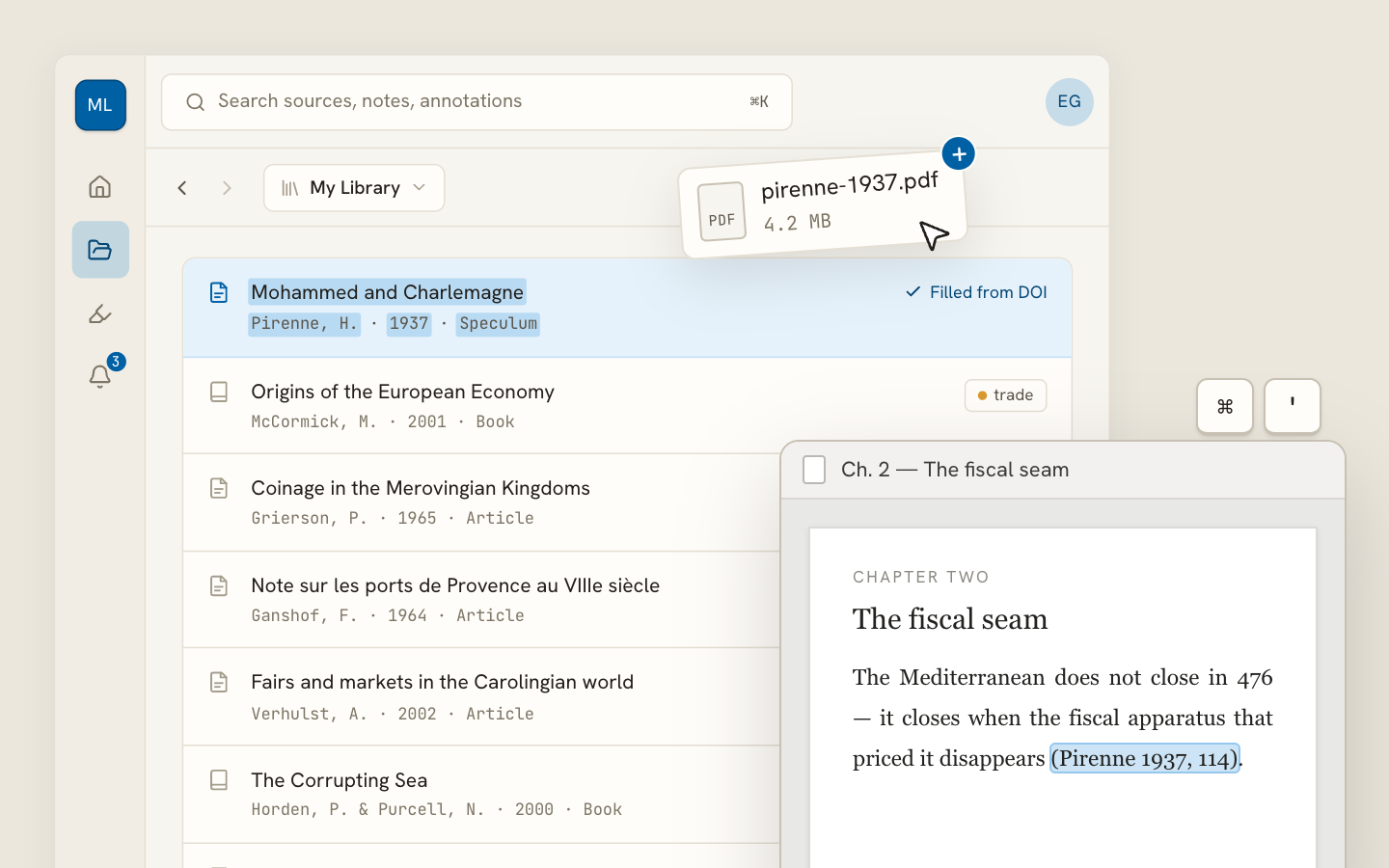
Your sources, PDFs and citations in one library

  • Import a Zotero, Mendeley or EndNote library — or a folder of PDFs
  • Highlight and annotate without leaving the source
  • Cite in any CSL style as you write, with one shared library for your lab
Request early accessSee the product →
Archivero library view with a source list and an open PDF

Your weekly research workflow, in one email

One tested workflow, three links, no filler — every Tuesday.

Unsubscribe in one click. We never share your address.

Guides/Citations/MLA Citation Style

MLA Title Page & First Page Format

MLA doesn't require a title page — learn how to format the standard first page header and when a separate cover page may be needed.

6 min readMLA

Key Takeaways

  • MLA does not require a title page. The standard format uses a heading block on the first page.
  • The heading block is double-spaced, left-aligned, and appears in this order:
    • Your name
    • Instructor's name
    • Course name and number
    • Date (day month year format)
  • The title is centered on the line after the date — no bold, no underline, no larger font, no quotation marks (unless the title contains the title of another work).
  • If your instructor requires a separate cover page, center all information vertically and horizontally — but this is not standard MLA.
  • The running header (last name + page number) still appears on the first page in the upper-right corner.
  • Use title case for the title — capitalize all principal words.

On this page

1 of 16
Key TakeawaysThe Standard MLA First PageRunning HeaderHeading BlockTitleBody TextTitle Formatting — Special CasesTitle Contains Another Work's TitleTitle Contains a QuotationSubtitleTitle Is a QuestionWhen Your Instructor Requires a Title PageTitle Page for a Group ProjectStudent Paper vs. Published WorkCommon First-Page MistakesWhat's Next
All MLA guides →

MLA style does not require a title page. Instead, the first page of your paper opens with a heading block — your name, instructor's name, course title, and date — followed by the centered title and then the body text. This format is one of the clearest differences between MLA and styles like APA or Chicago, which use separate title pages.

Students often search for "MLA title page" because they confuse MLA's format with APA's — or because their instructor has requested a cover page that deviates from MLA's standard. This guide covers both the standard first-page format and the non-standard title page, so you're prepared either way.

The Standard MLA First Page

MLA's default first page includes everything on a single page — no separate cover sheet. Here is the standard layout from top to bottom:

Running Header

In the upper-right corner, 0.5 inches from the top:

González 1

Your last name and the page number, right-aligned, in the same font as the body text. For detailed instructions on setting this up, see MLA Header & Page Numbers.

Heading Block

Starting at the top-left margin (1 inch from the top, 1 inch from the left), double-spaced:

Elena González

Professor Whitfield

English 102

15 April 2026

Format rules:

  • Left-aligned — not centered, not indented
  • Double-spaced — same spacing as the rest of the paper
  • Same font and size as the body text
  • Date format: Day Month Year (not Month Day, Year). Write "15 April 2026," not "April 15, 2026"
  • Instructor's name: Use the title they prefer — "Professor," "Dr.," "Ms.," "Mr." — followed by their last name

Title

Centered on the line immediately after the date:

The Architecture of Memory in Toni Morrison's Beloved

Title rules:

  • Centered on the page
  • Title case — capitalize all principal words (nouns, verbs, adjectives, adverbs). Don't capitalize articles, prepositions, or conjunctions unless they're the first word.
  • Same font and size as the body text — no bold, no larger type, no underline
  • No quotation marks around your own title (unless your title itself contains a quoted title)
  • Italicize titles of other works within your title: Beloved, Hamlet, The New York Times
  • No period at the end of the title

Body Text

The body text begins on the next double-spaced line after the title. Indent the first line of each paragraph 0.5 inches.

Title Formatting — Special Cases

Title Contains Another Work's Title

If your paper's title includes the title of a book, film, or other work, format the embedded title in italics:

Racial Identity and Self-Discovery in The Bluest Eye

If it includes a short work title (poem, short story, article), use quotation marks:

Metaphor and Mortality in Keats's "Ode to a Nightingale"

Title Contains a Quotation

If your title includes a direct quotation, enclose the quoted portion in quotation marks:

"A Room of One's Own" and the Economics of Creative Freedom

Subtitle

Separate a title and subtitle with a colon and a space. Capitalize the first word of the subtitle:

Sound and Silence: The Role of Music in Morrison's Fiction

Title Is a Question

End with a question mark — no period after it:

Can Literature Change Political Attitudes?

When Your Instructor Requires a Title Page

MLA's handbook does not prescribe a title page format, so if your instructor requires one, follow their specific guidelines. If they simply say "include a title page" without further guidance, a standard academic cover page looks like this:

  1. Center all text vertically and horizontally on the page
  2. The content typically includes:

Your Paper Title

Your Name

Instructor's Name

Course Name and Number

Date

  1. Double-space all lines
  2. Same font and size as the body text
  3. Do not number this page — page 1 starts on the next page (the first page of body text)

Title Page for a Group Project

Group projects sometimes require a title page listing all members. Center the elements and list each group member's name on a separate line:

Narrative Voice in Postcolonial Fiction

Elena González

Marcus Chen

Priya Nair

Professor Whitfield

English 250

15 April 2026

Student Paper vs. Published Work

MLA doesn't formally distinguish "student" and "professional" papers the way APA does. However, there are practical differences:

ElementStudent paperPublished work (article, chapter)
First page formatStudent paperHeading block with instructor, course, datePublished work (article, chapter)Varies by publisher
Title pageStudent paperNot standard (unless instructor requires)Published work (article, chapter)Varies by publisher
Running headerStudent paperLast name + page numberPublished work (article, chapter)Varies by publisher
BylineStudent paperIn heading blockPublished work (article, chapter)Under the title or at end of article

If you're submitting to a journal or publication, follow the publisher's submission guidelines — not MLA's student paper format.

Common First-Page Mistakes

  1. Adding a separate title page when MLA doesn't require one. Unless your instructor asks for it, don't include one. MLA's standard format is the heading block on page 1.
  2. Wrong order in the heading block. It's always: your name → instructor's name → course → date. Switching the instructor and course is a common error.
  3. Wrong date format. MLA uses day-month-year: "15 April 2026," not "April 15, 2026."
  4. Bolding or enlarging the title. Your title should be in the same font and size as the body text. Don't make it bold, don't increase the font size, and don't underline it.
  5. Putting quotation marks around the title. Unless the title itself contains a quoted phrase or short work title, it should not be in quotation marks.
  6. Forgetting the running header on page 1. Your last name and page number appear in the upper-right corner on every page — including the first.
  7. Skipping the heading block when using a title page. If your instructor requires a title page, you typically omit the heading block from the body text page — but check with your instructor, because practices vary.

What's Next

Now that your first page is formatted correctly, make sure the rest of your paper follows MLA standards:

  • MLA Header & Page Numbers — step-by-step setup in Word and Google Docs
  • MLA Format Paper — the complete layout guide for margins, spacing, and body text
  • MLA Format Example Paper — see the first page in context within a full annotated paper

With Archivero, you can concentrate on writing your argument instead of formatting — add sources to your library, and MLA Works Cited entries are generated automatically, ready to paste into your paper.

All MLA guides →
← PreviousMLA Header & Page NumbersNext →How to Cite a Poem or Song in MLA Format

More on MLA style

The standard in literature, the humanities and cultural studies. The author–page system, Works Cited entries and the 9th edition's container model.

View all 27 guides →
11 sections·7 min readMLAHow to Cite a Poem or Song in MLA Format10 sections·10 min readMLAHow to Cite a Play in MLA Format8 sections·6 min readMLAHow to Cite an Indirect Source in MLA11 sections·7 min readMLAHow to Cite Government & Legal Sources in MLA Format

Your sources, PDFs and citations in one library

  • Import a Zotero, Mendeley or EndNote library — or a folder of PDFs
  • Highlight and annotate without leaving the source
  • Cite in any CSL style as you write, with one shared library for your lab
Request early accessSee the product →
Archivero library view with a source list and an open PDF

Your weekly research workflow, in one email

One tested workflow, three links, no filler — every Tuesday.

Unsubscribe in one click. We never share your address.