Archivero is in early access — your sources, PDFs and citations in one library.Request early access →
Archivero/guides/
APAMLAHarvardThesis writing
Subscribe
Archivero/guides/Request early access →

Guides

APA styleMLA styleHarvard referencingThesis writing

Compare

APA 6th vs 7thMLA 8th vs 9thHarvard vs APAThesis vs dissertation

Product

FeaturesEarly access

Resources

DocsCheat sheetsNewsletter

Company

ContactStatus ↗
© 2025–2026 Ernesto F. GonzálezGuidesDocsContactPrivacyTerms
Guides/Citations/MLA Citation Style

MLA Works Cited Page

How to format a Works Cited page in MLA 9th edition — core elements, the container system, and annotated examples for every source type.

9 min readMLA

On this page

1 of 26
Works Cited vs. Bibliography — What's the Difference?Page FormattingSetting Up the Hanging IndentThe Nine Core Elements1. Author2. Title of Source3. Title of Container4. Other Contributors5. Version6. Number7. Publisher8. Publication Date9. LocationThe Container System ExplainedOne ContainerTwo ContainersHow to Identify ContainersOptional ElementsDate of AccessCity of PublicationOriginal Publication DateAlphabetical Ordering RulesMultiple Works by the Same AuthorExamples for Common Source TypesCommon MistakesWhat's Next
All MLA guides →

The Works Cited page is where you give your reader the full details for every source you referenced in your paper. If an in-text citation is a pointer — "this idea came from there" — the Works Cited entry is the complete address that lets your reader find the source themselves.

Every source you cited in the body of your paper gets an entry here. Nothing more, nothing less. If you read something but didn't cite it, it doesn't go on the Works Cited page. (That would be a bibliography, which is a different thing.)

Works Cited vs. Bibliography — What's the Difference?

This is one of the most common points of confusion:

Works CitedBibliography
ScopeWorks CitedOnly sources you cited in your paperBibliographyEverything you consulted, whether cited or not
Required by MLA?Works CitedYesBibliographyNo (unless your instructor asks for one)
Heading usedWorks Cited"Works Cited"Bibliography"Bibliography" or "Works Consulted"

MLA calls it "Works Cited" — not "References" (that's APA) and not "Bibliography" (unless your instructor specifically requests one). Use the right heading.

Page Formatting

The Works Cited page has a few specific formatting rules:

  1. Start on a new page after the last page of your essay
  2. Continue the running header — your last name and the page number should appear in the upper-right corner, continuing the numbering from the body of your paper
  3. Center the title "Works Cited" at the top of the page — same font and size as the rest of your paper. Don't make it bold, underlined, larger, or in quotation marks
  4. Double-space everything — within entries and between entries. No extra space between entries
  5. Use a hanging indent — the first line of each entry sits flush against the left margin. Every subsequent line is indented 0.5 inches (1.27 cm). This is the opposite of a regular paragraph indent, and it makes the list easy to scan
  6. Alphabetize entries by the first element — usually the author's last name. If there's no author, alphabetize by the first significant word of the title (skip "A," "An," "The")

Setting Up the Hanging Indent

In Microsoft Word:

  1. Select all your Works Cited entries
  2. Go to Format → Paragraph (or right-click → Paragraph)
  3. Under "Special," select Hanging and set the indent to 0.5 inches
  4. Click OK

In Google Docs:

  1. Select all your Works Cited entries
  2. Go to Format → Align & indent → Indentation options
  3. Under "Special indent," select Hanging and set it to 0.5 inches (1.27 cm)
  4. Click Apply

The Nine Core Elements

This is the heart of MLA's citation system. Every Works Cited entry is built from the same set of nine elements, always in the same order. Not every element will apply to every source — you simply skip the ones that don't.

1. Author. 2. Title of source. 3. Title of container, 4. Other contributors, 5. Version, 6. Number, 7. Publisher, 8. Publication date, 9. Location.

Let's break each one down.

1. Author

The person or organization primarily responsible for creating the source.

  • One author: Last name, First name. → Morrison, Toni.
  • Two authors: Last name, First name, and First name Last name. → Gilbert, Sandra M., and Susan Gubar.
  • Three or more authors: First author, et al. → Rabinowitz, Peter J., et al.
  • Corporate author: Name of Organization. → United Nations.
  • No author: Skip this element and begin with the title.

Notice the pattern:Only the first author's name is inverted (last name first). The second author is in normal order. For three or more authors, use "et al." after the first author.

2. Title of Source

The title of the specific work you're citing.

  • Italicize titles of standalone works (books, films, websites, albums, journals): Beloved
  • Use quotation marks for titles of works within a larger whole (articles, chapters, poems, episodes, web pages): "The Eating of the Soul"
  • Use title case — capitalize the first word, the last word, and all principal words

3. Title of Container

The larger work that "contains" your source. A journal contains articles. A website contains web pages. A database contains journals.

  • Always italicized: Representations, JSTOR, Netflix
  • Followed by a comma

If a source has two containers (e.g., a journal article accessed through a database), you close the first container's elements and then start a new container sequence:

Greenblatt, Stephen. "The Eating of the Soul." Representations, vol. 48, 1994, pp. 97–116. JSTOR, https://www.jstor.org/stable/2928699.

4. Other Contributors

People who played a role besides authoring — translators, editors, directors, performers, narrators, illustrators.

  • Preceded by a description of the role: translated by, edited by, directed by, performance by
  • Example: translated by Gregory Rabassa,

5. Version

If the source is one of multiple editions or versions:

  • Examples: 2nd ed., revised ed., expanded ed., Kindle ed., director's cut
  • Abbreviate "edition" as "ed."

6. Number

Volume and issue numbers for periodicals, or volume numbers for multivolume works:

  • Abbreviate as vol. and no.: vol. 48, no. 3,

7. Publisher

The organization responsible for producing or distributing the source:

  • Books: the publishing company → Vintage Books,
  • Websites: the sponsoring organization (if different from the author/site name)
  • Journals: skip the publisher if the journal title is sufficient
  • Abbreviate "University Press" as "UP": Oxford UP, MIT P

8. Publication Date

When the work was published.

  • Books: year only → 2004,
  • Journal articles: year, or season + year → 2023, or Spring 2024,
  • Web pages: day month year → 15 Jan. 2025,
  • Abbreviate all months except May, June, and July → Jan., Feb., Mar., Apr., Aug., Sept., Oct., Nov., Dec.

9. Location

Where to find the source within its container.

  • Page numbers: pp. 97–116.
  • URLs: https://www.example.com/article (no angle brackets, no "Accessed" unless content may change)
  • DOIs: https://doi.org/10.xxxx/xxxxx

Note:MLA 9th edition omits "Accessed" dates for most sources. Include one only if the content is likely to change over time (e.g., a wiki article) or if your instructor requires it.

The Container System Explained

The container system is MLA's most powerful idea. Instead of memorizing a different citation format for every source type, you learn to identify two things:

  1. What is the source? (the article, the poem, the video)
  2. What contains it? (the journal, the anthology, the website, the database)

Then you apply the nine core elements to each container.

One Container

A print book has no container — it's a standalone work:

Morrison, Toni. Beloved. Vintage Books, 2004.

Two Containers

A journal article accessed through a database has two containers — the journal and the database:

Greenblatt, Stephen. "The Eating of the Soul." Representations, vol. 48, 1994, pp. 97–116. JSTOR, https://www.jstor.org/stable/2928699.

  • Container 1: Representations (the journal) — with volume, year, and page numbers
  • Container 2: JSTOR (the database) — with a URL

How to Identify Containers

Ask yourself: "Where did I find this source?" If the answer is "inside something else," that something else is a container. Keep asking the question until you run out of containers.

SourceContainer 1Container 2
Journal article (print)Container 1JournalContainer 2—
Journal article (database)Container 1JournalContainer 2Database
Chapter in edited bookContainer 1BookContainer 2—
Poem in anthologyContainer 1AnthologyContainer 2—
Web pageContainer 1WebsiteContainer 2—
Article on website via databaseContainer 1WebsiteContainer 2Database
TV episode (streaming)Container 1TV seriesContainer 2Streaming platform

Optional Elements

A few additional elements appear in MLA entries when relevant:

Date of Access

Include an access date only when the source content is likely to change (e.g., a wiki, a live-updated data dashboard). Format: Accessed 12 Mar. 2026.

City of Publication

Generally omitted in MLA 9th edition. Include only if the publisher might be confused with another or if it's relevant to the source (e.g., a local newspaper).

Original Publication Date

For reprinted or re-published works, you may include the original date at the end:

Shelley, Mary. Frankenstein. Edited by J. Paul Hunter, 2nd ed., W. W. Norton, 2012. Originally published 1818.

Alphabetical Ordering Rules

Ordering your Works Cited entries is usually straightforward — alphabetize by the first word of each entry. But a few situations need special handling:

ScenarioRuleExample
Single authorRuleAlphabetize by last nameExampleAusten, Jane.
Multiple works, same authorRuleAlphabetize by title (after the author's name)ExampleMorrison, Toni. Beloved. … / Morrison, Toni. Song of Solomon. …
No authorRuleAlphabetize by the first significant word of the titleExample"Endangered Species Act." …
Numbers in titlesRuleAlphabetize as if spelled outExample1984 files under "N" (nineteen)
"A," "An," "The" at startRuleSkip the article, alphabetize by the next wordExampleThe Great Gatsby files under "G"

Multiple Works by the Same Author

When your Works Cited page lists two or more works by the same author, replace the author's name with three em dashes (———) followed by a period in the second and subsequent entries:

Morrison, Toni. Beloved. Vintage Books, 2004.

———. Song of Solomon. Vintage International, 2004.

———. "Rootedness: The Ancestor as Foundation." Black Women Writers (1950–1980), edited by Mari Evans, Anchor Books, 1984, pp. 339–45.

Alphabetize these entries by title. Use the three-em-dash rule only when the authorship is exactly the same — if one entry has a co-author, spell out the full author list.

Examples for Common Source Types

Here's a quick-reference table showing what standard entries look like for the most common source types:

Source TypeWorks Cited Entry
BookMorrison, Toni. Beloved. Vintage Books, 2004.
Journal article (print)Greenblatt, Stephen. "The Eating of the Soul." Representations, vol. 48, 1994, pp. 97–116.
Journal article (database)Greenblatt, Stephen. "The Eating of the Soul." Representations, vol. 48, 1994, pp. 97–116. JSTOR, https://www.jstor.org/stable/2928699.
WebsiteLundgren, Sarah. "The Rise of Autofiction." Literary Hub, 22 Sept. 2024, https://lithub.com/the-rise-of-autofiction.
Web page (organizational author)World Health Organization. "Mental Health." WHO, 2024, https://www.who.int/health-topics/mental-health.

For detailed guidance on citing specific source types, see:

  • How to Cite a Book in MLA Format
  • How to Cite a Journal Article in MLA Format
  • How to Cite a Website in MLA Format

Common Mistakes

These are the errors we see most often on Works Cited pages:

  1. Calling it "References" or "Bibliography." MLA uses "Works Cited" — not the APA heading.
  2. Forgetting the hanging indent. Each entry's first line should be flush left, with subsequent lines indented 0.5 inches.
  3. Adding extra space between entries. Double-space within and between entries — no extra blank lines.
  4. Using sentence case for titles. MLA uses title case in Works Cited entries. Capitalize all principal words. (Sentence case is APA's convention.)
  5. Listing the author's full first name inconsistently. MLA uses the author's full name as it appears on the source — not just initials (unlike APA).
  6. Putting a period after a URL. Don't — it could be mistaken as part of the URL. The URL is the last element, and the entry simply ends.
  7. Including sources you didn't cite. The Works Cited page is a direct mirror of your in-text citations. If you didn't cite it in the paper, it doesn't belong here.
  8. Confusing containers. Make sure you distinguish the source from its container. The article title goes in quotation marks; the journal title is italicized.

What's Next

Now that you know how to format your Works Cited page, explore:

  • MLA In-Text Citations — make sure your in-text citations correctly point to these entries
  • MLA General Format — ensure the rest of your paper's layout is right

Or dive into source-specific guides:

  • How to Cite a Website in MLA Format — the most common source type students need to cite
  • How to Cite a Book in MLA Format — the foundational source type for humanities research
  • How to Cite a Journal Article in MLA Format — essential for academic research papers

If you're tired of assembling Works Cited entries by hand, Archivero can automatically generate properly formatted MLA entries for any source in your library — save the source and the citation is ready to copy.
All MLA guides →
← PreviousMLA In-Text CitationsNext →How to Cite a Website in MLA Format

More on MLA style

The standard in literature, the humanities and cultural studies. The author–page system, Works Cited entries and the 9th edition's container model.

View all 27 guides →
14 sections·7 min readMLAHow to Cite a Website in MLA Format17 sections·8 min readMLAHow to Cite a Book in MLA Format12 sections·7 min readMLAHow to Cite a Journal Article in MLA Format7 sections·7 min readMLAMLA Format Example Paper

Your sources, PDFs and citations in one library

  • Import a Zotero, Mendeley or EndNote library — or a folder of PDFs
  • Highlight and annotate without leaving the source
  • Cite in any CSL style as you write, with one shared library for your lab
Request early accessSee the product →
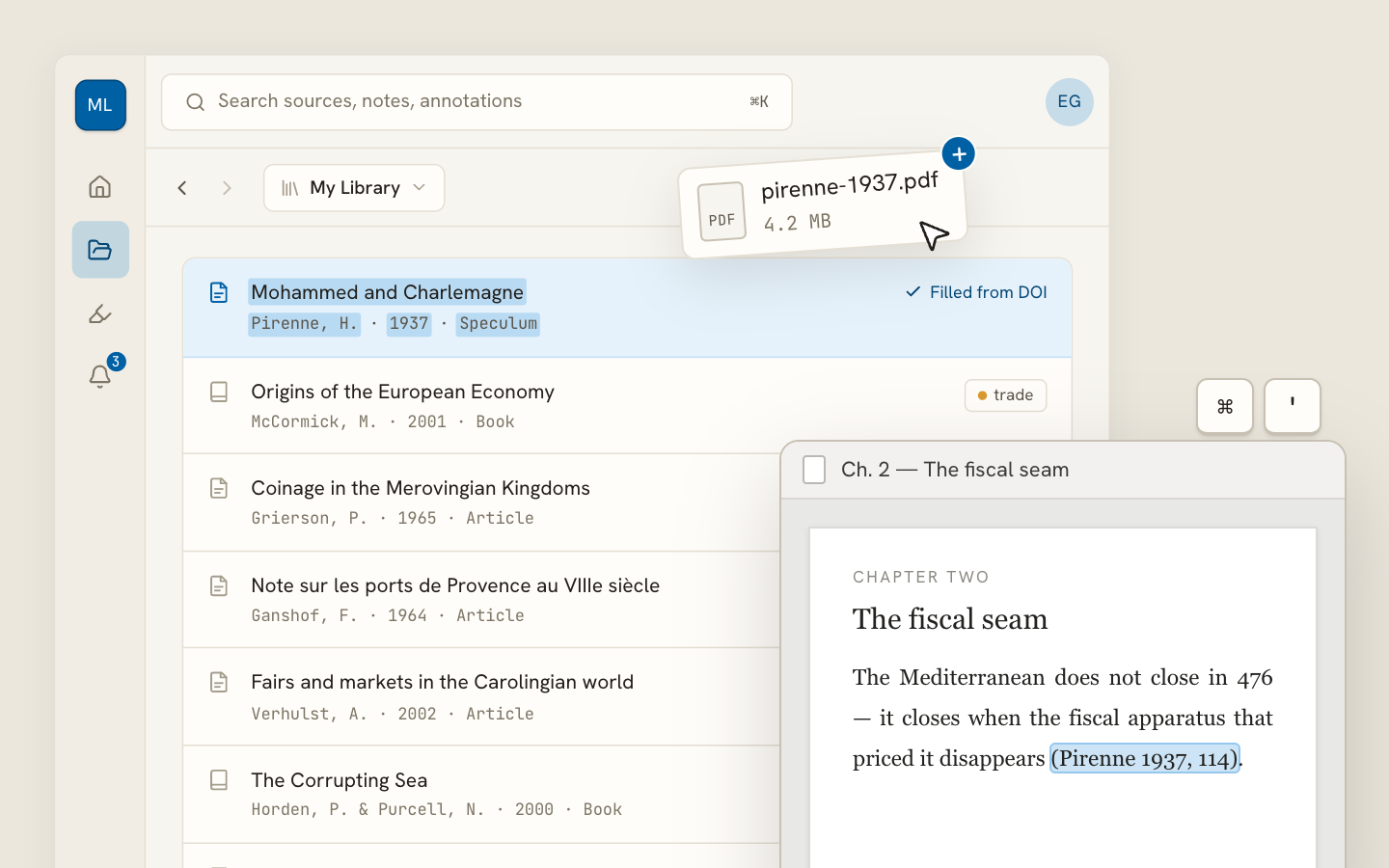
Archivero library view with a source list and an open PDF

Your weekly research workflow, in one email

One tested workflow, three links, no filler — every Tuesday.

Unsubscribe in one click. We never share your address.

Guides/Citations/MLA Citation Style

MLA Works Cited Page

How to format a Works Cited page in MLA 9th edition — core elements, the container system, and annotated examples for every source type.

9 min readMLA

On this page

1 of 26
Works Cited vs. Bibliography — What's the Difference?Page FormattingSetting Up the Hanging IndentThe Nine Core Elements1. Author2. Title of Source3. Title of Container4. Other Contributors5. Version6. Number7. Publisher8. Publication Date9. LocationThe Container System ExplainedOne ContainerTwo ContainersHow to Identify ContainersOptional ElementsDate of AccessCity of PublicationOriginal Publication DateAlphabetical Ordering RulesMultiple Works by the Same AuthorExamples for Common Source TypesCommon MistakesWhat's Next
All MLA guides →

The Works Cited page is where you give your reader the full details for every source you referenced in your paper. If an in-text citation is a pointer — "this idea came from there" — the Works Cited entry is the complete address that lets your reader find the source themselves.

Every source you cited in the body of your paper gets an entry here. Nothing more, nothing less. If you read something but didn't cite it, it doesn't go on the Works Cited page. (That would be a bibliography, which is a different thing.)

Works Cited vs. Bibliography — What's the Difference?

This is one of the most common points of confusion:

Works CitedBibliography
ScopeWorks CitedOnly sources you cited in your paperBibliographyEverything you consulted, whether cited or not
Required by MLA?Works CitedYesBibliographyNo (unless your instructor asks for one)
Heading usedWorks Cited"Works Cited"Bibliography"Bibliography" or "Works Consulted"

MLA calls it "Works Cited" — not "References" (that's APA) and not "Bibliography" (unless your instructor specifically requests one). Use the right heading.

Page Formatting

The Works Cited page has a few specific formatting rules:

  1. Start on a new page after the last page of your essay
  2. Continue the running header — your last name and the page number should appear in the upper-right corner, continuing the numbering from the body of your paper
  3. Center the title "Works Cited" at the top of the page — same font and size as the rest of your paper. Don't make it bold, underlined, larger, or in quotation marks
  4. Double-space everything — within entries and between entries. No extra space between entries
  5. Use a hanging indent — the first line of each entry sits flush against the left margin. Every subsequent line is indented 0.5 inches (1.27 cm). This is the opposite of a regular paragraph indent, and it makes the list easy to scan
  6. Alphabetize entries by the first element — usually the author's last name. If there's no author, alphabetize by the first significant word of the title (skip "A," "An," "The")

Setting Up the Hanging Indent

In Microsoft Word:

  1. Select all your Works Cited entries
  2. Go to Format → Paragraph (or right-click → Paragraph)
  3. Under "Special," select Hanging and set the indent to 0.5 inches
  4. Click OK

In Google Docs:

  1. Select all your Works Cited entries
  2. Go to Format → Align & indent → Indentation options
  3. Under "Special indent," select Hanging and set it to 0.5 inches (1.27 cm)
  4. Click Apply

The Nine Core Elements

This is the heart of MLA's citation system. Every Works Cited entry is built from the same set of nine elements, always in the same order. Not every element will apply to every source — you simply skip the ones that don't.

1. Author. 2. Title of source. 3. Title of container, 4. Other contributors, 5. Version, 6. Number, 7. Publisher, 8. Publication date, 9. Location.

Let's break each one down.

1. Author

The person or organization primarily responsible for creating the source.

  • One author: Last name, First name. → Morrison, Toni.
  • Two authors: Last name, First name, and First name Last name. → Gilbert, Sandra M., and Susan Gubar.
  • Three or more authors: First author, et al. → Rabinowitz, Peter J., et al.
  • Corporate author: Name of Organization. → United Nations.
  • No author: Skip this element and begin with the title.

Notice the pattern:Only the first author's name is inverted (last name first). The second author is in normal order. For three or more authors, use "et al." after the first author.

2. Title of Source

The title of the specific work you're citing.

  • Italicize titles of standalone works (books, films, websites, albums, journals): Beloved
  • Use quotation marks for titles of works within a larger whole (articles, chapters, poems, episodes, web pages): "The Eating of the Soul"
  • Use title case — capitalize the first word, the last word, and all principal words

3. Title of Container

The larger work that "contains" your source. A journal contains articles. A website contains web pages. A database contains journals.

  • Always italicized: Representations, JSTOR, Netflix
  • Followed by a comma

If a source has two containers (e.g., a journal article accessed through a database), you close the first container's elements and then start a new container sequence:

Greenblatt, Stephen. "The Eating of the Soul." Representations, vol. 48, 1994, pp. 97–116. JSTOR, https://www.jstor.org/stable/2928699.

4. Other Contributors

People who played a role besides authoring — translators, editors, directors, performers, narrators, illustrators.

  • Preceded by a description of the role: translated by, edited by, directed by, performance by
  • Example: translated by Gregory Rabassa,

5. Version

If the source is one of multiple editions or versions:

  • Examples: 2nd ed., revised ed., expanded ed., Kindle ed., director's cut
  • Abbreviate "edition" as "ed."

6. Number

Volume and issue numbers for periodicals, or volume numbers for multivolume works:

  • Abbreviate as vol. and no.: vol. 48, no. 3,

7. Publisher

The organization responsible for producing or distributing the source:

  • Books: the publishing company → Vintage Books,
  • Websites: the sponsoring organization (if different from the author/site name)
  • Journals: skip the publisher if the journal title is sufficient
  • Abbreviate "University Press" as "UP": Oxford UP, MIT P

8. Publication Date

When the work was published.

  • Books: year only → 2004,
  • Journal articles: year, or season + year → 2023, or Spring 2024,
  • Web pages: day month year → 15 Jan. 2025,
  • Abbreviate all months except May, June, and July → Jan., Feb., Mar., Apr., Aug., Sept., Oct., Nov., Dec.

9. Location

Where to find the source within its container.

  • Page numbers: pp. 97–116.
  • URLs: https://www.example.com/article (no angle brackets, no "Accessed" unless content may change)
  • DOIs: https://doi.org/10.xxxx/xxxxx

Note:MLA 9th edition omits "Accessed" dates for most sources. Include one only if the content is likely to change over time (e.g., a wiki article) or if your instructor requires it.

The Container System Explained

The container system is MLA's most powerful idea. Instead of memorizing a different citation format for every source type, you learn to identify two things:

  1. What is the source? (the article, the poem, the video)
  2. What contains it? (the journal, the anthology, the website, the database)

Then you apply the nine core elements to each container.

One Container

A print book has no container — it's a standalone work:

Morrison, Toni. Beloved. Vintage Books, 2004.

Two Containers

A journal article accessed through a database has two containers — the journal and the database:

Greenblatt, Stephen. "The Eating of the Soul." Representations, vol. 48, 1994, pp. 97–116. JSTOR, https://www.jstor.org/stable/2928699.

  • Container 1: Representations (the journal) — with volume, year, and page numbers
  • Container 2: JSTOR (the database) — with a URL

How to Identify Containers

Ask yourself: "Where did I find this source?" If the answer is "inside something else," that something else is a container. Keep asking the question until you run out of containers.

SourceContainer 1Container 2
Journal article (print)Container 1JournalContainer 2—
Journal article (database)Container 1JournalContainer 2Database
Chapter in edited bookContainer 1BookContainer 2—
Poem in anthologyContainer 1AnthologyContainer 2—
Web pageContainer 1WebsiteContainer 2—
Article on website via databaseContainer 1WebsiteContainer 2Database
TV episode (streaming)Container 1TV seriesContainer 2Streaming platform

Optional Elements

A few additional elements appear in MLA entries when relevant:

Date of Access

Include an access date only when the source content is likely to change (e.g., a wiki, a live-updated data dashboard). Format: Accessed 12 Mar. 2026.

City of Publication

Generally omitted in MLA 9th edition. Include only if the publisher might be confused with another or if it's relevant to the source (e.g., a local newspaper).

Original Publication Date

For reprinted or re-published works, you may include the original date at the end:

Shelley, Mary. Frankenstein. Edited by J. Paul Hunter, 2nd ed., W. W. Norton, 2012. Originally published 1818.

Alphabetical Ordering Rules

Ordering your Works Cited entries is usually straightforward — alphabetize by the first word of each entry. But a few situations need special handling:

ScenarioRuleExample
Single authorRuleAlphabetize by last nameExampleAusten, Jane.
Multiple works, same authorRuleAlphabetize by title (after the author's name)ExampleMorrison, Toni. Beloved. … / Morrison, Toni. Song of Solomon. …
No authorRuleAlphabetize by the first significant word of the titleExample"Endangered Species Act." …
Numbers in titlesRuleAlphabetize as if spelled outExample1984 files under "N" (nineteen)
"A," "An," "The" at startRuleSkip the article, alphabetize by the next wordExampleThe Great Gatsby files under "G"

Multiple Works by the Same Author

When your Works Cited page lists two or more works by the same author, replace the author's name with three em dashes (———) followed by a period in the second and subsequent entries:

Morrison, Toni. Beloved. Vintage Books, 2004.

———. Song of Solomon. Vintage International, 2004.

———. "Rootedness: The Ancestor as Foundation." Black Women Writers (1950–1980), edited by Mari Evans, Anchor Books, 1984, pp. 339–45.

Alphabetize these entries by title. Use the three-em-dash rule only when the authorship is exactly the same — if one entry has a co-author, spell out the full author list.

Examples for Common Source Types

Here's a quick-reference table showing what standard entries look like for the most common source types:

Source TypeWorks Cited Entry
BookMorrison, Toni. Beloved. Vintage Books, 2004.
Journal article (print)Greenblatt, Stephen. "The Eating of the Soul." Representations, vol. 48, 1994, pp. 97–116.
Journal article (database)Greenblatt, Stephen. "The Eating of the Soul." Representations, vol. 48, 1994, pp. 97–116. JSTOR, https://www.jstor.org/stable/2928699.
WebsiteLundgren, Sarah. "The Rise of Autofiction." Literary Hub, 22 Sept. 2024, https://lithub.com/the-rise-of-autofiction.
Web page (organizational author)World Health Organization. "Mental Health." WHO, 2024, https://www.who.int/health-topics/mental-health.

For detailed guidance on citing specific source types, see:

  • How to Cite a Book in MLA Format
  • How to Cite a Journal Article in MLA Format
  • How to Cite a Website in MLA Format

Common Mistakes

These are the errors we see most often on Works Cited pages:

  1. Calling it "References" or "Bibliography." MLA uses "Works Cited" — not the APA heading.
  2. Forgetting the hanging indent. Each entry's first line should be flush left, with subsequent lines indented 0.5 inches.
  3. Adding extra space between entries. Double-space within and between entries — no extra blank lines.
  4. Using sentence case for titles. MLA uses title case in Works Cited entries. Capitalize all principal words. (Sentence case is APA's convention.)
  5. Listing the author's full first name inconsistently. MLA uses the author's full name as it appears on the source — not just initials (unlike APA).
  6. Putting a period after a URL. Don't — it could be mistaken as part of the URL. The URL is the last element, and the entry simply ends.
  7. Including sources you didn't cite. The Works Cited page is a direct mirror of your in-text citations. If you didn't cite it in the paper, it doesn't belong here.
  8. Confusing containers. Make sure you distinguish the source from its container. The article title goes in quotation marks; the journal title is italicized.

What's Next

Now that you know how to format your Works Cited page, explore:

  • MLA In-Text Citations — make sure your in-text citations correctly point to these entries
  • MLA General Format — ensure the rest of your paper's layout is right

Or dive into source-specific guides:

  • How to Cite a Website in MLA Format — the most common source type students need to cite
  • How to Cite a Book in MLA Format — the foundational source type for humanities research
  • How to Cite a Journal Article in MLA Format — essential for academic research papers

If you're tired of assembling Works Cited entries by hand, Archivero can automatically generate properly formatted MLA entries for any source in your library — save the source and the citation is ready to copy.

All MLA guides →
← PreviousMLA In-Text CitationsNext →How to Cite a Website in MLA Format

More on MLA style

The standard in literature, the humanities and cultural studies. The author–page system, Works Cited entries and the 9th edition's container model.

View all 27 guides →
14 sections·7 min readMLAHow to Cite a Website in MLA Format17 sections·8 min readMLAHow to Cite a Book in MLA Format12 sections·7 min readMLAHow to Cite a Journal Article in MLA Format7 sections·7 min readMLAMLA Format Example Paper

Your sources, PDFs and citations in one library

  • Import a Zotero, Mendeley or EndNote library — or a folder of PDFs
  • Highlight and annotate without leaving the source
  • Cite in any CSL style as you write, with one shared library for your lab
Request early accessSee the product →
Archivero library view with a source list and an open PDF

Your weekly research workflow, in one email

One tested workflow, three links, no filler — every Tuesday.

Unsubscribe in one click. We never share your address.