Archivero is in early access — your sources, PDFs and citations in one library.Request early access →
Archivero/guides/
APAMLAHarvardThesis writing
Subscribe
Archivero/guides/Request early access →

Guides

APA styleMLA styleHarvard referencingThesis writing

Compare

APA 6th vs 7thMLA 8th vs 9thHarvard vs APAThesis vs dissertation

Product

FeaturesEarly access

Resources

DocsCheat sheetsNewsletter

Company

ContactStatus ↗
© 2025–2026 Ernesto F. GonzálezGuidesDocsContactPrivacyTerms
Guides/Citations/MLA Citation Style

How to Cite a Journal Article in MLA Format

MLA 9th edition formats for journal articles accessed in print, through databases, or online — with DOI and URL guidance.

7 min readMLA

On this page

1 of 19
The Standard FormatArticle Accessed in PrintArticle From a DatabaseWhen to Include the Database NameArticle Accessed Online With a DOIHow to Find the DOIArticle Accessed Online With a URLArticle With No DOI or Stable URLReview or Editorial in a JournalTitled ReviewUntitled ReviewNewspaper and Magazine ArticlesNewspaper ArticleMagazine Article (Print)Magazine Article (Online)In-Text Citation ExamplesQuick-Reference TableCommon MistakesWhat's Next
All MLA guides →

Journal articles are essential to academic research — and in the humanities, they're where much of the serious scholarly conversation happens. Whether you're citing a literary analysis from PMLA, a cultural studies piece from Representations, or a linguistics article from Language, the basic MLA format stays the same.

MLA's container system makes journal citations particularly intuitive. The article is the source, the journal is the first container, and if you accessed it through a database, that's a second container. Let's walk through every scenario.

The Standard Format

Every journal article citation follows this structure:

Author. "Title of Article." Journal Title, vol. X, no. X, Year, pp. X–X.

Here's a complete example:

Greenblatt, Stephen. "The Eating of the Soul." Representations, vol. 48, 1994, pp. 97–116.

What to notice:

  • The author's name is inverted (last name, first name)
  • The article title goes in quotation marks and in title case — it's part of a larger work (the journal)
  • The journal title is italicized and in title case — it's the container
  • Volume and issue numbers are abbreviated as "vol." and "no."
  • Page numbers use an en dash (–), not a hyphen (-)
  • The page range uses "pp." (unlike in-text citations, which omit "pp.")

Article Accessed in Print

If you read the article in a physical print journal, the basic format is all you need:

Works Cited:

Said, Edward W. "Reflections on Exile." Granta, vol. 13, 1984, pp. 159–72.

In-text citations:

Parenthetical:(Said 162)

Signal phrase:Said argues that exile produces "an unhealable rift" between the self and its true home (162).

Include the specific page number in your in-text citation — this is one of MLA's great advantages over author-date systems, as it points the reader to the exact passage.

Article From a Database

This is the most common scenario today. You find the article through a university library database like JSTOR, EBSCOhost, Project MUSE, or ProQuest. The database becomes a second container:

Works Cited:

Greenblatt, Stephen. "The Eating of the Soul." Representations, vol. 48, 1994, pp. 97–116. JSTOR, https://www.jstor.org/stable/2928699.

In-text citations:

(Greenblatt 104)

What to notice:

  • The first container (Representations) gets volume, issue, year, and page numbers
  • The second container (JSTOR) gets a URL
  • The database name is italicized — it's a container, just like the journal
  • You don't need "Accessed" dates for stable database content

When to Include the Database Name

Include the database name when you accessed the article through that database. If you accessed the article directly from the journal's own website, the database container isn't needed — just include the URL or DOI after the page range.

Article Accessed Online With a DOI

A DOI (Digital Object Identifier) is a permanent link that always resolves to the article, regardless of which database or website you found it on. Always use the DOI when one is available — it's more reliable than a regular URL.

Works Cited:

Moretti, Franco. "Conjectures on World Literature." New Left Review, vol. 1, Jan.–Feb. 2000, pp. 54–68. https://doi.org/10.1215/01011562-12-2-1.

In-text citations:

(Moretti 57)

Format the DOI as a full URL: https://doi.org/10.xxxx/xxxxx. Don't use the older "doi:" prefix, and don't put a period after the URL.

How to Find the DOI

  • Look on the first page of the article (often near the header or footer)
  • Check the article's landing page on the journal's website
  • Search on Crossref using the article's title and author

If an article has both a DOI and a database URL, prefer the DOI.

Article Accessed Online With a URL

If the article doesn't have a DOI but is available online (either on the journal's website or through an open-access repository), include the URL:

Works Cited:

Torres, Ana. "Translation as Cultural Resistance in the Caribbean." Journal of Postcolonial Writing, vol. 58, no. 3, 2022, pp. 301–18. https://www.tandfonline.com/doi/full/10.1080/example.

In-text citations:

(Torres 310)

Use the most stable and specific URL you can find — ideally the article's landing page on the journal's website, not a search results page or a library proxy URL.

Article With No DOI or Stable URL

Some older print articles haven't been digitized or assigned DOIs. If you read the physical print version and there's no online equivalent:

Works Cited:

Brooks, Cleanth. "The Formalist Critics." The Kenyon Review, vol. 13, no. 1, 1951, pp. 72–81.

In-text citations:

(Brooks 75)

This is perfectly valid — not every source needs a URL. The volume, issue, and page numbers give the reader enough information to find the article.

Review or Editorial in a Journal

Reviews and editorials follow the same basic format, with the review title in quotation marks. If the review has a specific title, use it. If not, describe the reviewed work:

Titled Review

Works Cited:

Cusk, Rachel. "Making House: Notes on Domesticity." The New York Times Book Review, 14 May 2023, pp. 12–13.

Untitled Review

Works Cited:

Menand, Louis. Review of The Swerve: How the World Became Modern, by Stephen Greenblatt. The New Yorker, 26 Sept. 2011, https://www.newyorker.com/magazine/2011/09/26/the-swerve.

In-text citation:

(Menand)

Newspaper and Magazine Articles

Newspaper and magazine articles are similar to journal articles but with a few differences:

Newspaper Article

Works Cited:

Smith, Zadie. "On Optimism and Despair." The Guardian, 21 Nov. 2016, https://www.theguardian.com/books/2016/nov/21/zadie-smith-optimism-and-despair.

Magazine Article (Print)

Works Cited:

Kolbert, Elizabeth. "The Sixth Extinction?" The New Yorker, 25 May 2009, pp. 53–63.

Magazine Article (Online)

Works Cited:

Solnit, Rebecca. "The Myth of Bootstrapping." Harper's Magazine, Jan. 2024, https://harpers.org/archive/2024/01/the-myth-of-bootstrapping.

Key differences from journal articles:

  • Newspapers and magazines use specific dates (day-month-year) rather than volume/issue numbers
  • Page numbers may be continuous (pp. 53–63) or discontinuous (p. 15+, meaning it starts on page 15 and continues on non-consecutive pages)
  • You typically omit volume and issue numbers for newspapers and popular magazines

In-Text Citation Examples

Source TypeWorks Cited Starts WithIn-Text Citation
Print journal articleWorks Cited Starts WithGreenblatt, Stephen.In-Text Citation(Greenblatt 104)
Article from databaseWorks Cited Starts WithGreenblatt, Stephen.In-Text Citation(Greenblatt 104)
Article with DOIWorks Cited Starts WithMoretti, Franco.In-Text Citation(Moretti 57)
Article with URL onlyWorks Cited Starts WithTorres, Ana.In-Text Citation(Torres 310)
No DOI or URL (print only)Works Cited Starts WithBrooks, Cleanth.In-Text Citation(Brooks 75)
ReviewWorks Cited Starts WithMenand, Louis.In-Text Citation(Menand)
Newspaper articleWorks Cited Starts WithSmith, Zadie.In-Text Citation(Smith)
Magazine articleWorks Cited Starts WithKolbert, Elizabeth.In-Text Citation(Kolbert 55)

Remember: MLA in-text citations use author and page number. Include the page number whenever the source has one — it points the reader to the exact passage you're referencing.

Quick-Reference Table

ScenarioWorks Cited Entry
Print journalAuthor. "Article Title." Journal, vol. X, no. X, Year, pp. X–X.
Journal via databaseAuthor. "Article Title." Journal, vol. X, no. X, Year, pp. X–X. Database, URL.
Journal with DOIAuthor. "Article Title." Journal, vol. X, no. X, Year, pp. X–X. DOI.
Journal with URLAuthor. "Article Title." Journal, vol. X, no. X, Year, pp. X–X. URL.
NewspaperAuthor. "Article Title." Newspaper, Day Month Year, pp. X–X. or URL.
Magazine (print)Author. "Article Title." Magazine, Day Month Year, pp. X–X.
Magazine (online)Author. "Article Title." Magazine, Day Month Year, URL.

Common Mistakes

These are the errors we see most often with journal article citations:

  1. Italicizing the article title. The article title goes in quotation marks, not italics. Only the journal title (the container) is italicized.
  2. Using sentence case for the article title. MLA uses title case — capitalize all principal words. (Sentence case is APA's convention.)
  3. Forgetting the second container for database articles. If you found the article through JSTOR, EBSCOhost, or another database, include the database name (italicized) and URL.
  4. Including the database for an article accessed directly from the journal website. If you went to the journal's own site, the database isn't involved — just include the DOI or URL after the page range.
  5. Using "p." or "pp." in in-text citations. In your Works Cited entry, use "pp." for page ranges. But in in-text citations, MLA uses just the number: (Greenblatt 104), not (Greenblatt p. 104).
  6. Putting a period after the URL or DOI. Don't — the URL or DOI is the last element, and a trailing period could be mistaken as part of the link.
  7. Omitting page numbers when they're available. Both in the Works Cited entry and in your in-text citations, include page numbers whenever the source provides them.

What's Next

Now that you know how to cite journal articles, you might want to explore:

  • How to Cite a Website in MLA Format — the other source type students cite most often
  • How to Cite a Book in MLA Format — essential for humanities research
  • MLA Works Cited Page — the complete guide to the container system and formatting

If you're tired of tracking down volume numbers, issue numbers, and DOIs, Archivero can automatically generate MLA Works Cited entries for journal articles — just save the article to your library and the citation is ready to copy.
All MLA guides →
← PreviousHow to Cite a Book in MLA FormatNext →MLA Format Example Paper

More on MLA style

The standard in literature, the humanities and cultural studies. The author–page system, Works Cited entries and the 9th edition's container model.

View all 27 guides →
7 sections·7 min readMLAMLA Format Example Paper8 sections·9 min readMLAHow to Use Block Quotes in MLA Format9 sections·6 min readMLAMLA Citation With Multiple Authors11 sections·8 min readMLAHow to Cite ChatGPT & AI-Generated Content in MLA

Your sources, PDFs and citations in one library

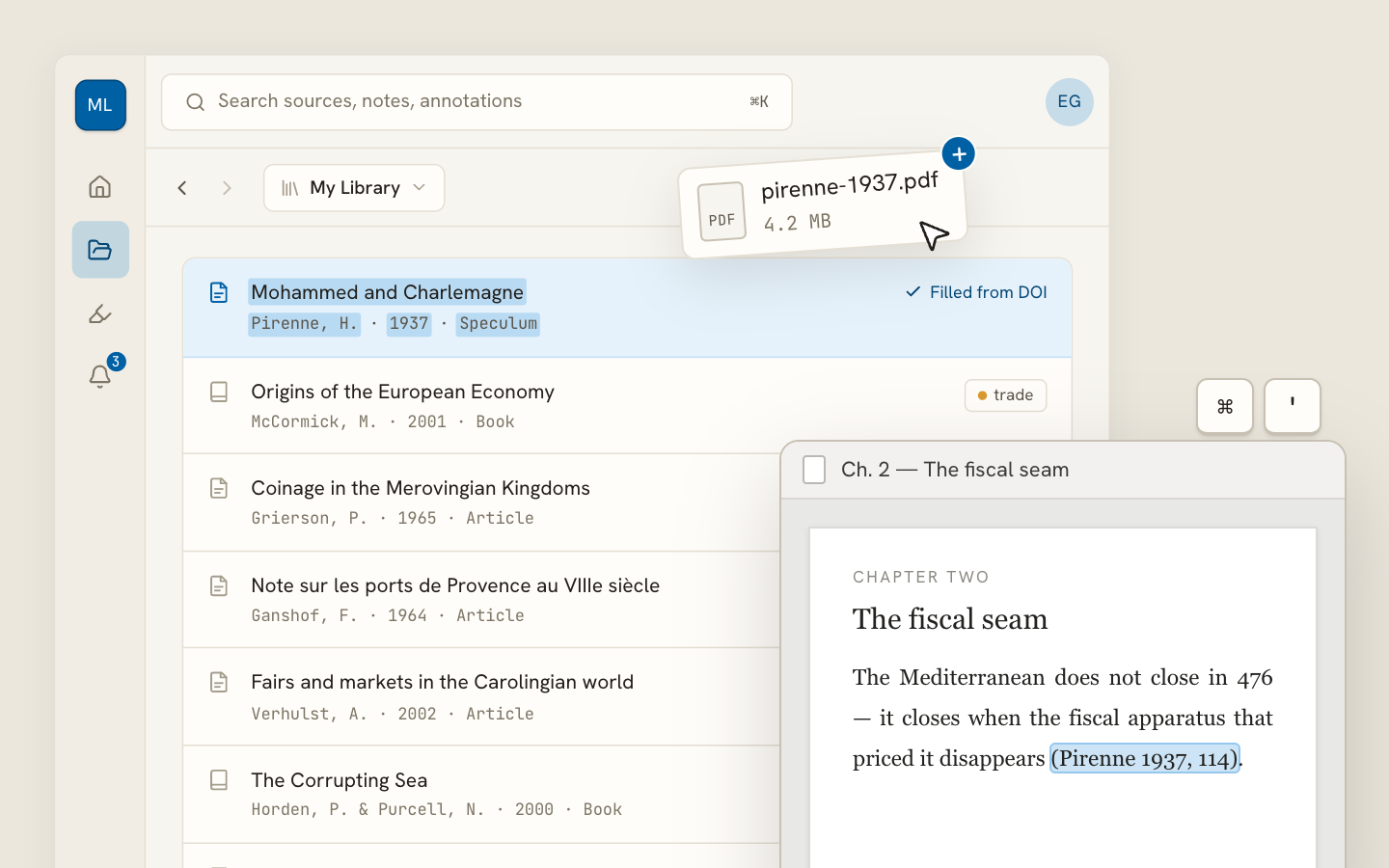
  • Import a Zotero, Mendeley or EndNote library — or a folder of PDFs
  • Highlight and annotate without leaving the source
  • Cite in any CSL style as you write, with one shared library for your lab
Request early accessSee the product →
Archivero library view with a source list and an open PDF

Your weekly research workflow, in one email

One tested workflow, three links, no filler — every Tuesday.

Unsubscribe in one click. We never share your address.

Guides/Citations/MLA Citation Style

How to Cite a Journal Article in MLA Format

MLA 9th edition formats for journal articles accessed in print, through databases, or online — with DOI and URL guidance.

7 min readMLA

On this page

1 of 19
The Standard FormatArticle Accessed in PrintArticle From a DatabaseWhen to Include the Database NameArticle Accessed Online With a DOIHow to Find the DOIArticle Accessed Online With a URLArticle With No DOI or Stable URLReview or Editorial in a JournalTitled ReviewUntitled ReviewNewspaper and Magazine ArticlesNewspaper ArticleMagazine Article (Print)Magazine Article (Online)In-Text Citation ExamplesQuick-Reference TableCommon MistakesWhat's Next
All MLA guides →

Journal articles are essential to academic research — and in the humanities, they're where much of the serious scholarly conversation happens. Whether you're citing a literary analysis from PMLA, a cultural studies piece from Representations, or a linguistics article from Language, the basic MLA format stays the same.

MLA's container system makes journal citations particularly intuitive. The article is the source, the journal is the first container, and if you accessed it through a database, that's a second container. Let's walk through every scenario.

The Standard Format

Every journal article citation follows this structure:

Author. "Title of Article." Journal Title, vol. X, no. X, Year, pp. X–X.

Here's a complete example:

Greenblatt, Stephen. "The Eating of the Soul." Representations, vol. 48, 1994, pp. 97–116.

What to notice:

  • The author's name is inverted (last name, first name)
  • The article title goes in quotation marks and in title case — it's part of a larger work (the journal)
  • The journal title is italicized and in title case — it's the container
  • Volume and issue numbers are abbreviated as "vol." and "no."
  • Page numbers use an en dash (–), not a hyphen (-)
  • The page range uses "pp." (unlike in-text citations, which omit "pp.")

Article Accessed in Print

If you read the article in a physical print journal, the basic format is all you need:

Works Cited:

Said, Edward W. "Reflections on Exile." Granta, vol. 13, 1984, pp. 159–72.

In-text citations:

Parenthetical:(Said 162)

Signal phrase:Said argues that exile produces "an unhealable rift" between the self and its true home (162).

Include the specific page number in your in-text citation — this is one of MLA's great advantages over author-date systems, as it points the reader to the exact passage.

Article From a Database

This is the most common scenario today. You find the article through a university library database like JSTOR, EBSCOhost, Project MUSE, or ProQuest. The database becomes a second container:

Works Cited:

Greenblatt, Stephen. "The Eating of the Soul." Representations, vol. 48, 1994, pp. 97–116. JSTOR, https://www.jstor.org/stable/2928699.

In-text citations:

(Greenblatt 104)

What to notice:

  • The first container (Representations) gets volume, issue, year, and page numbers
  • The second container (JSTOR) gets a URL
  • The database name is italicized — it's a container, just like the journal
  • You don't need "Accessed" dates for stable database content

When to Include the Database Name

Include the database name when you accessed the article through that database. If you accessed the article directly from the journal's own website, the database container isn't needed — just include the URL or DOI after the page range.

Article Accessed Online With a DOI

A DOI (Digital Object Identifier) is a permanent link that always resolves to the article, regardless of which database or website you found it on. Always use the DOI when one is available — it's more reliable than a regular URL.

Works Cited:

Moretti, Franco. "Conjectures on World Literature." New Left Review, vol. 1, Jan.–Feb. 2000, pp. 54–68. https://doi.org/10.1215/01011562-12-2-1.

In-text citations:

(Moretti 57)

Format the DOI as a full URL: https://doi.org/10.xxxx/xxxxx. Don't use the older "doi:" prefix, and don't put a period after the URL.

How to Find the DOI

  • Look on the first page of the article (often near the header or footer)
  • Check the article's landing page on the journal's website
  • Search on Crossref using the article's title and author

If an article has both a DOI and a database URL, prefer the DOI.

Article Accessed Online With a URL

If the article doesn't have a DOI but is available online (either on the journal's website or through an open-access repository), include the URL:

Works Cited:

Torres, Ana. "Translation as Cultural Resistance in the Caribbean." Journal of Postcolonial Writing, vol. 58, no. 3, 2022, pp. 301–18. https://www.tandfonline.com/doi/full/10.1080/example.

In-text citations:

(Torres 310)

Use the most stable and specific URL you can find — ideally the article's landing page on the journal's website, not a search results page or a library proxy URL.

Article With No DOI or Stable URL

Some older print articles haven't been digitized or assigned DOIs. If you read the physical print version and there's no online equivalent:

Works Cited:

Brooks, Cleanth. "The Formalist Critics." The Kenyon Review, vol. 13, no. 1, 1951, pp. 72–81.

In-text citations:

(Brooks 75)

This is perfectly valid — not every source needs a URL. The volume, issue, and page numbers give the reader enough information to find the article.

Review or Editorial in a Journal

Reviews and editorials follow the same basic format, with the review title in quotation marks. If the review has a specific title, use it. If not, describe the reviewed work:

Titled Review

Works Cited:

Cusk, Rachel. "Making House: Notes on Domesticity." The New York Times Book Review, 14 May 2023, pp. 12–13.

Untitled Review

Works Cited:

Menand, Louis. Review of The Swerve: How the World Became Modern, by Stephen Greenblatt. The New Yorker, 26 Sept. 2011, https://www.newyorker.com/magazine/2011/09/26/the-swerve.

In-text citation:

(Menand)

Newspaper and Magazine Articles

Newspaper and magazine articles are similar to journal articles but with a few differences:

Newspaper Article

Works Cited:

Smith, Zadie. "On Optimism and Despair." The Guardian, 21 Nov. 2016, https://www.theguardian.com/books/2016/nov/21/zadie-smith-optimism-and-despair.

Magazine Article (Print)

Works Cited:

Kolbert, Elizabeth. "The Sixth Extinction?" The New Yorker, 25 May 2009, pp. 53–63.

Magazine Article (Online)

Works Cited:

Solnit, Rebecca. "The Myth of Bootstrapping." Harper's Magazine, Jan. 2024, https://harpers.org/archive/2024/01/the-myth-of-bootstrapping.

Key differences from journal articles:

  • Newspapers and magazines use specific dates (day-month-year) rather than volume/issue numbers
  • Page numbers may be continuous (pp. 53–63) or discontinuous (p. 15+, meaning it starts on page 15 and continues on non-consecutive pages)
  • You typically omit volume and issue numbers for newspapers and popular magazines

In-Text Citation Examples

Source TypeWorks Cited Starts WithIn-Text Citation
Print journal articleWorks Cited Starts WithGreenblatt, Stephen.In-Text Citation(Greenblatt 104)
Article from databaseWorks Cited Starts WithGreenblatt, Stephen.In-Text Citation(Greenblatt 104)
Article with DOIWorks Cited Starts WithMoretti, Franco.In-Text Citation(Moretti 57)
Article with URL onlyWorks Cited Starts WithTorres, Ana.In-Text Citation(Torres 310)
No DOI or URL (print only)Works Cited Starts WithBrooks, Cleanth.In-Text Citation(Brooks 75)
ReviewWorks Cited Starts WithMenand, Louis.In-Text Citation(Menand)
Newspaper articleWorks Cited Starts WithSmith, Zadie.In-Text Citation(Smith)
Magazine articleWorks Cited Starts WithKolbert, Elizabeth.In-Text Citation(Kolbert 55)

Remember: MLA in-text citations use author and page number. Include the page number whenever the source has one — it points the reader to the exact passage you're referencing.

Quick-Reference Table

ScenarioWorks Cited Entry
Print journalAuthor. "Article Title." Journal, vol. X, no. X, Year, pp. X–X.
Journal via databaseAuthor. "Article Title." Journal, vol. X, no. X, Year, pp. X–X. Database, URL.
Journal with DOIAuthor. "Article Title." Journal, vol. X, no. X, Year, pp. X–X. DOI.
Journal with URLAuthor. "Article Title." Journal, vol. X, no. X, Year, pp. X–X. URL.
NewspaperAuthor. "Article Title." Newspaper, Day Month Year, pp. X–X. or URL.
Magazine (print)Author. "Article Title." Magazine, Day Month Year, pp. X–X.
Magazine (online)Author. "Article Title." Magazine, Day Month Year, URL.

Common Mistakes

These are the errors we see most often with journal article citations:

  1. Italicizing the article title. The article title goes in quotation marks, not italics. Only the journal title (the container) is italicized.
  2. Using sentence case for the article title. MLA uses title case — capitalize all principal words. (Sentence case is APA's convention.)
  3. Forgetting the second container for database articles. If you found the article through JSTOR, EBSCOhost, or another database, include the database name (italicized) and URL.
  4. Including the database for an article accessed directly from the journal website. If you went to the journal's own site, the database isn't involved — just include the DOI or URL after the page range.
  5. Using "p." or "pp." in in-text citations. In your Works Cited entry, use "pp." for page ranges. But in in-text citations, MLA uses just the number: (Greenblatt 104), not (Greenblatt p. 104).
  6. Putting a period after the URL or DOI. Don't — the URL or DOI is the last element, and a trailing period could be mistaken as part of the link.
  7. Omitting page numbers when they're available. Both in the Works Cited entry and in your in-text citations, include page numbers whenever the source provides them.

What's Next

Now that you know how to cite journal articles, you might want to explore:

  • How to Cite a Website in MLA Format — the other source type students cite most often
  • How to Cite a Book in MLA Format — essential for humanities research
  • MLA Works Cited Page — the complete guide to the container system and formatting

If you're tired of tracking down volume numbers, issue numbers, and DOIs, Archivero can automatically generate MLA Works Cited entries for journal articles — just save the article to your library and the citation is ready to copy.

All MLA guides →
← PreviousHow to Cite a Book in MLA FormatNext →MLA Format Example Paper

More on MLA style

The standard in literature, the humanities and cultural studies. The author–page system, Works Cited entries and the 9th edition's container model.

View all 27 guides →
7 sections·7 min readMLAMLA Format Example Paper8 sections·9 min readMLAHow to Use Block Quotes in MLA Format9 sections·6 min readMLAMLA Citation With Multiple Authors11 sections·8 min readMLAHow to Cite ChatGPT & AI-Generated Content in MLA

Your sources, PDFs and citations in one library

  • Import a Zotero, Mendeley or EndNote library — or a folder of PDFs
  • Highlight and annotate without leaving the source
  • Cite in any CSL style as you write, with one shared library for your lab
Request early accessSee the product →
Archivero library view with a source list and an open PDF

Your weekly research workflow, in one email

One tested workflow, three links, no filler — every Tuesday.

Unsubscribe in one click. We never share your address.