Archivero is in early access — your sources, PDFs and citations in one library.Request early access →
Archivero/guides/
APAMLAHarvardThesis writing
Subscribe
Archivero/guides/Request early access →

Guides

APA styleMLA styleHarvard referencingThesis writing

Compare

APA 6th vs 7thMLA 8th vs 9thHarvard vs APAThesis vs dissertation

Product

FeaturesEarly access

Resources

DocsCheat sheetsNewsletter

Company

ContactStatus ↗
© 2025–2026 Ernesto F. GonzálezGuidesDocsContactPrivacyTerms
Guides/Citations/MLA Citation Style

Common MLA Format Mistakes (and How to Fix Them)

The most frequent MLA formatting errors students make — with clear explanations and corrected examples for each one.

10 min readMLA

On this page

1 of 33
Formatting MistakesWrong MarginsWrong Font or Font SizeWrong Line SpacingMissing Paragraph IndentationFirst-Page Heading MistakesWrong Order in the Heading BlockWrong Date FormatCenter-Aligning the Heading BlockTitle Formatting MistakesBolding, Underlining, or Enlarging the TitleWrong CapitalizationPutting the Title in Quotation MarksIn-Text Citation MistakesPeriod in the Wrong PlaceUsing a Comma Between Author and Page NumberUsing "p." or "pp." Before Page NumbersMissing Page Number for a Print SourceCiting the Same Author Multiple Times Without Page NumbersWorks Cited MistakesCalling It "Bibliography" or "References"Wrong Hanging IndentWrong Alphabetical OrderUsing Sentence Case Instead of Title CaseMissing or Wrong Punctuation Between ElementsForgetting the ContainerPre-Submission ChecklistPage FormattingFirst PageRunning HeaderIn-Text CitationsWorks Cited PageWhat's Next
All MLA guides →

MLA formatting is built on consistent rules — but those rules have enough small details that even careful writers slip up. The mistakes listed here are the ones we see over and over in student papers: wrong margins, misplaced periods, mangled Works Cited entries, and formatting choices that silently cost points.

This page catalogs the most common errors organized by category, shows you exactly what's wrong, and gives you the corrected version. Think of it as a pre-submission checklist you can run through before turning in your paper.

Formatting Mistakes

These are the errors in overall page setup that instructors notice before they even start reading your argument.

Wrong Margins

The mistake: Using default margins wider than 1 inch, or adjusting margins to make the paper look longer.

The rule: MLA requires 1-inch margins on all four sides — top, bottom, left, and right. Most word processors default to 1 inch, but if you (or a template) changed them, reset them before submitting.

❌ Wrong✅ Right
1.25-inch left and right margins1-inch margins on all sides
0.75-inch top margin to fit more text1-inch top margin

Wrong Font or Font Size

The mistake: Using a decorative font, a font that's too large, or mixing font sizes throughout the paper.

The rule: MLA recommends a legible font in 12-point size throughout the paper — including headers, body text, and Works Cited entries. Times New Roman is the traditional choice, but MLA 9th edition also accepts other legible fonts like Arial, Calibri, or Cambria. Whatever you choose, use it consistently.

Wrong Line Spacing

The mistake: Using single spacing, 1.5 spacing, or adding extra space between paragraphs.

The rule: Double-space everything — body text, block quotations, the Works Cited page, the heading block on the first page. No extra space before or after paragraphs. In Word, go to Paragraph settings and set "Before" and "After" spacing to 0 pt, with line spacing at "Double."

Missing Paragraph Indentation

The mistake: Starting every paragraph flush with the left margin, or using a tab that's too wide.

The rule: Indent the first line of every body paragraph by 0.5 inches (one standard tab stop). Don't use the spacebar to indent — set a proper first-line indent in your paragraph settings.

First-Page Heading Mistakes

MLA papers don't use a separate title page (unless your instructor requires one). Instead, your identifying information goes in a heading block at the top of the first page. Getting this wrong is surprisingly common.

Wrong Order in the Heading Block

The mistake: Putting the elements in the wrong order — for example, starting with the date instead of your name.

The rule: The heading block goes in the upper-left corner of the first page, double-spaced, in this exact order:

  1. Your full name
  2. Instructor's name
  3. Course name and number
  4. Date

❌ Wrong:

English 101

Professor Whitman

14 March 2026

Ana Castillo

✅ Right:

Ana Castillo

Professor Whitman

English 101

14 March 2026

Wrong Date Format

The mistake: Using American date format (March 14, 2026) instead of MLA's preferred day-month-year format.

The rule: MLA uses the day-month-year format: 14 March 2026. No comma. Months longer than four letters are abbreviated in Works Cited entries (Sept., Oct., Nov., Dec., Jan., Feb.), but in the heading block you can write them out fully.

Center-Aligning the Heading Block

The mistake: Centering the name, instructor, course, and date.

The rule: The heading block is left-aligned. Only the title is centered.

Title Formatting Mistakes

The title sits on its own line, centered, directly after the heading block. It seems simple, but there are several ways to get it wrong.

Bolding, Underlining, or Enlarging the Title

The mistake: Making the title bold, underlined, in a larger font, or in ALL CAPS.

The rule: The title is in regular font — same size and style as the rest of the paper. No bold, no underline, no italics (unless part of the title is the name of another work, like a book title). Centered, but otherwise unremarkable.

❌ Wrong✅ Right
The Role of Memory in BelovedThe Role of Memory in Beloved
THE ROLE OF MEMORY IN BELOVEDThe Role of Memory in Beloved

Wrong Capitalization

The mistake: Using sentence case ("The role of memory in beloved") or capitalizing every word including articles and prepositions ("The Role Of Memory In Beloved").

The rule: Use MLA title case — capitalize the first word, the last word, and all principal words (nouns, verbs, adjectives, adverbs). Don't capitalize articles (a, an, the), prepositions (in, of, to, for), or coordinating conjunctions (and, but, or) unless they're the first or last word.

❌ "The role of memory in beloved"

❌ "The Role Of Memory In Beloved"

✅ "The Role of Memory in Beloved"

Putting the Title in Quotation Marks

The mistake: Wrapping your own paper's title in quotation marks.

The rule: Don't put quotation marks around your paper's title. Quotation marks are only used for titles of shorter works within your title — for example, if your paper title references a short story or poem.

In-Text Citation Mistakes

In-text citations are where most point deductions happen. The errors are small but frequent.

Period in the Wrong Place

The mistake: Putting the period before the parenthetical citation for short quotations, or after the parenthetical for block quotations.

The rule: For short quotations, the period goes after the parenthetical citation. For block quotations, the period goes before the parenthetical citation. This is the single most common MLA error.

Type❌ Wrong✅ Right
Short quote❌ Wrong…"spiteful." (Morrison 3)✅ Right…"spiteful" (Morrison 3).
Block quote❌ Wrong…walked (102).✅ Right…walked. (102)

For more on quotation formatting, see How to Use Block Quotes in MLA Format.

Using a Comma Between Author and Page Number

The mistake: Writing (Morrison, 3) with a comma between author and page.

The rule: MLA in-text citations use no comma between the author's name and the page number: (Morrison 3). This is one of the clearest differences between MLA and APA — APA uses a comma; MLA does not.

❌ Wrong✅ Right
(Morrison, 3)(Morrison 3)
(Gilbert and Gubar, 73)(Gilbert and Gubar 73)

Using "p." or "pp." Before Page Numbers

The mistake: Writing (Morrison p. 3) or (Morrison pp. 3–5).

The rule: MLA does not use "p." or "pp." before page numbers in parenthetical citations. Just the number: (Morrison 3) or (Morrison 3–5). The "p." and "pp." abbreviations are an APA convention.

Missing Page Number for a Print Source

The mistake: Citing (Morrison) when you took a specific quotation from a print source with page numbers.

The rule: If the source has page numbers and you're quoting or referencing a specific passage, include the page number: (Morrison 3). You only omit it when the source genuinely doesn't have page numbers (like most web pages).

Citing the Same Author Multiple Times Without Page Numbers

The mistake: Including the author's name in the parenthetical citation even though the signal phrase already names them.

The rule: If you use a signal phrase that names the author, the parenthetical should contain only the page number: Morrison writes that "124 was spiteful" (3). Don't repeat the name: Morrison writes that "124 was spiteful" (Morrison 3).

For a complete guide to in-text citation formatting, see MLA In-Text Citations.

Works Cited Mistakes

The Works Cited page is where all the elements come together — and where small formatting details compound into significant errors.

Calling It "Bibliography" or "References"

The mistake: Titling the page "Bibliography," "References," or "Works Cited Page."

The rule: The page title is simply Works Cited — centered, in the same font as the rest of the paper, not bold, not in quotation marks. "References" is APA; "Bibliography" implies you listed sources you didn't cite.

Wrong Hanging Indent

The mistake: Indenting the first line of each entry, or using no indentation at all.

The rule: Use a hanging indent — the first line of each entry is flush with the left margin, and subsequent lines are indented 0.5 inches. This is the opposite of a normal paragraph indent. In Word: Paragraph → Special → Hanging.

Wrong Alphabetical Order

The mistake: Ordering entries by the type of source, by the order they appear in the paper, or randomly.

The rule: Alphabetize entries by the first element of the entry — usually the author's last name. If there's no author, alphabetize by the first significant word of the title (ignoring A, An, The).

Using Sentence Case Instead of Title Case

The mistake: Writing titles in sentence case ("The rise of autofiction in contemporary literature") instead of title case.

The rule: MLA Works Cited entries use title case for all titles — capitalize all principal words: "The Rise of Autofiction in Contemporary Literature."

Note:This is different from APA, which uses sentence case for article titles. In MLA, every title gets title case.

Missing or Wrong Punctuation Between Elements

The mistake: Using commas where periods belong, or vice versa.

The rule: Each core element in a Works Cited entry is separated by specific punctuation. The most common pattern:

Author**.** Title**.** Container**,** Other contributors**,** Version**,** Number**,** Publisher**,** Date**,** Location**.**

  • Periods after the author, the source title (before the container), and at the very end of the entry
  • Commas between elements within the same container
  • URLs at the end with no period after them (the URL is the location element)

Forgetting the Container

The mistake: Listing a journal article or web page without its container — the larger work it's part of.

The rule: The container is essential. A journal article's container is the journal. A web page's container is the website. A chapter's container is the book. If you forget to include the container, the citation is incomplete.

❌ Missing container✅ With container
Kolbert, Elizabeth. "Why Facts Don't Change Our Minds." 27 Feb. 2017.Kolbert, Elizabeth. "Why Facts Don't Change Our Minds." The New Yorker, 27 Feb. 2017, URL.

For a detailed guide to the Works Cited page and the container system, see MLA Works Cited Page.

Pre-Submission Checklist

Run through this before you turn in any MLA paper:

Page Formatting

  • 1-inch margins on all sides
  • 12-point legible font (consistent throughout)
  • Double-spaced everywhere (body, block quotes, Works Cited)
  • No extra space between paragraphs
  • 0.5-inch first-line indent on every body paragraph

First Page

  • Heading block: Name, Instructor, Course, Date — left-aligned, double-spaced
  • Date in day-month-year format (14 March 2026)
  • Title centered on the line after the heading block
  • Title in regular font — no bold, no underline, no quotation marks
  • Title in title case

Running Header

  • Last name and page number in the upper-right corner of every page
  • Starts on the first page
  • Appears on the Works Cited page too

In-Text Citations

  • Author-page format with no comma: (Author Page)
  • No "p." or "pp." before page numbers
  • Period after the parenthetical for short quotes
  • Period before the parenthetical for block quotes
  • No repeated author name when using a signal phrase
  • Every citation corresponds to a Works Cited entry

Works Cited Page

  • Title: "Works Cited" — centered, not bold
  • Hanging indent (0.5 inches)
  • Alphabetical order by first element
  • Title case for all titles
  • Correct punctuation between elements
  • Every entry includes the container (when applicable)
  • No period after URLs
  • Every entry corresponds to at least one in-text citation

What's Next

Now that you know what to watch for, dig deeper into the specific areas:

  • MLA General Format — complete page layout and formatting rules
  • MLA In-Text Citations — the full guide to parenthetical and signal-phrase citations
  • MLA Works Cited Page — the container system and entry formatting

If you're using Archivero to manage your sources, your Works Cited entries are generated automatically — so you can focus on checking the formatting details that matter most: margins, spacing, and the way you integrate your citations into your prose.
All MLA guides →
← PreviousMLA Annotated BibliographyNext →How to Paraphrase in MLA

More on MLA style

The standard in literature, the humanities and cultural studies. The author–page system, Works Cited entries and the 9th edition's container model.

View all 27 guides →
8 sections·8 min readMLAHow to Paraphrase in MLA9 sections·6 min readMLAHow to Cite a Source With No Author in MLA12 sections·8 min readMLAMLA 8th vs. 9th Edition — What Changed11 sections·7 min readMLAHow to Cite a Video in MLA Format

Your sources, PDFs and citations in one library

  • Import a Zotero, Mendeley or EndNote library — or a folder of PDFs
  • Highlight and annotate without leaving the source
  • Cite in any CSL style as you write, with one shared library for your lab
Request early accessSee the product →
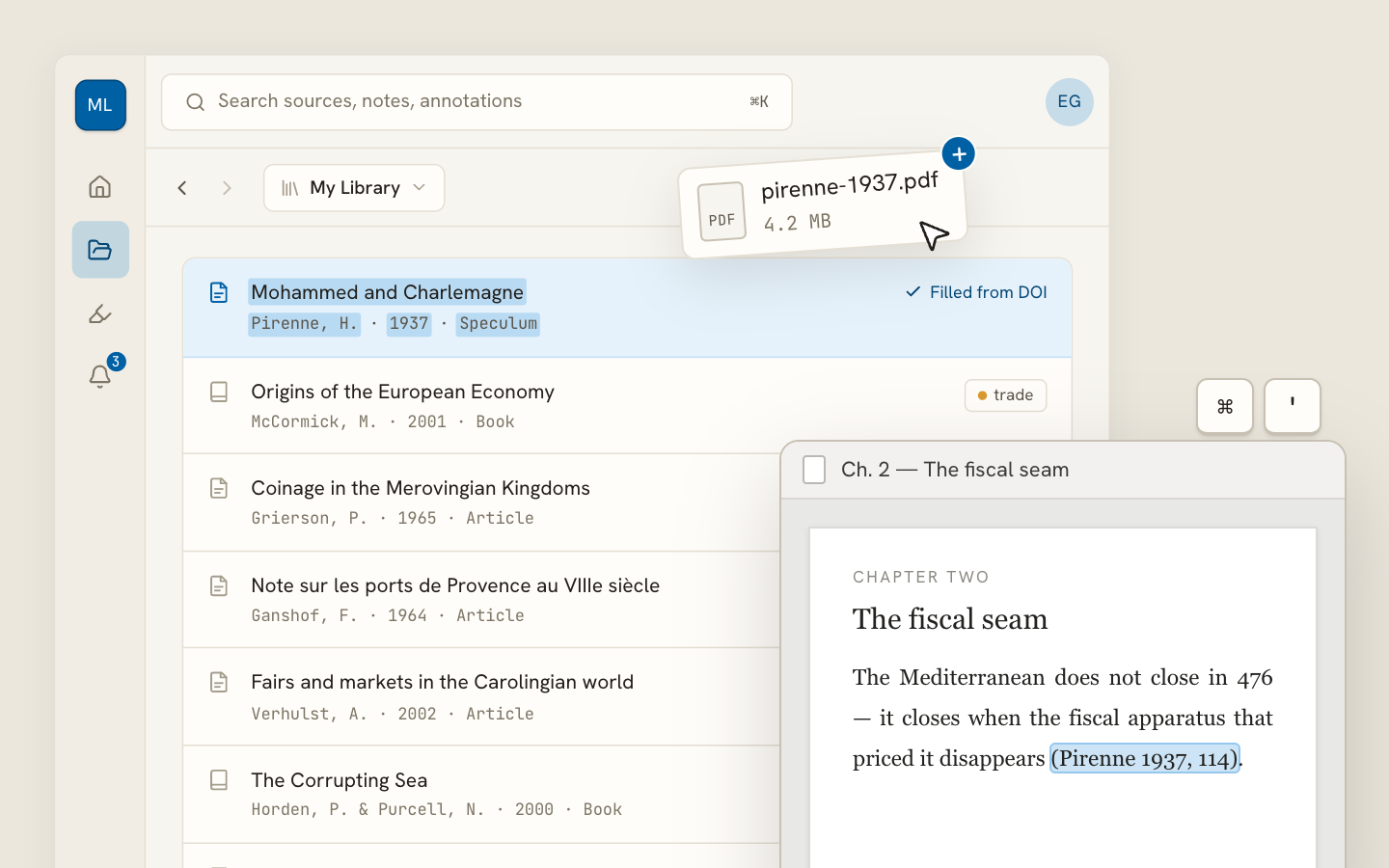
Archivero library view with a source list and an open PDF

Your weekly research workflow, in one email

One tested workflow, three links, no filler — every Tuesday.

Unsubscribe in one click. We never share your address.

Guides/Citations/MLA Citation Style

Common MLA Format Mistakes (and How to Fix Them)

The most frequent MLA formatting errors students make — with clear explanations and corrected examples for each one.

10 min readMLA

On this page

1 of 33
Formatting MistakesWrong MarginsWrong Font or Font SizeWrong Line SpacingMissing Paragraph IndentationFirst-Page Heading MistakesWrong Order in the Heading BlockWrong Date FormatCenter-Aligning the Heading BlockTitle Formatting MistakesBolding, Underlining, or Enlarging the TitleWrong CapitalizationPutting the Title in Quotation MarksIn-Text Citation MistakesPeriod in the Wrong PlaceUsing a Comma Between Author and Page NumberUsing "p." or "pp." Before Page NumbersMissing Page Number for a Print SourceCiting the Same Author Multiple Times Without Page NumbersWorks Cited MistakesCalling It "Bibliography" or "References"Wrong Hanging IndentWrong Alphabetical OrderUsing Sentence Case Instead of Title CaseMissing or Wrong Punctuation Between ElementsForgetting the ContainerPre-Submission ChecklistPage FormattingFirst PageRunning HeaderIn-Text CitationsWorks Cited PageWhat's Next
All MLA guides →

MLA formatting is built on consistent rules — but those rules have enough small details that even careful writers slip up. The mistakes listed here are the ones we see over and over in student papers: wrong margins, misplaced periods, mangled Works Cited entries, and formatting choices that silently cost points.

This page catalogs the most common errors organized by category, shows you exactly what's wrong, and gives you the corrected version. Think of it as a pre-submission checklist you can run through before turning in your paper.

Formatting Mistakes

These are the errors in overall page setup that instructors notice before they even start reading your argument.

Wrong Margins

The mistake: Using default margins wider than 1 inch, or adjusting margins to make the paper look longer.

The rule: MLA requires 1-inch margins on all four sides — top, bottom, left, and right. Most word processors default to 1 inch, but if you (or a template) changed them, reset them before submitting.

❌ Wrong✅ Right
1.25-inch left and right margins1-inch margins on all sides
0.75-inch top margin to fit more text1-inch top margin

Wrong Font or Font Size

The mistake: Using a decorative font, a font that's too large, or mixing font sizes throughout the paper.

The rule: MLA recommends a legible font in 12-point size throughout the paper — including headers, body text, and Works Cited entries. Times New Roman is the traditional choice, but MLA 9th edition also accepts other legible fonts like Arial, Calibri, or Cambria. Whatever you choose, use it consistently.

Wrong Line Spacing

The mistake: Using single spacing, 1.5 spacing, or adding extra space between paragraphs.

The rule: Double-space everything — body text, block quotations, the Works Cited page, the heading block on the first page. No extra space before or after paragraphs. In Word, go to Paragraph settings and set "Before" and "After" spacing to 0 pt, with line spacing at "Double."

Missing Paragraph Indentation

The mistake: Starting every paragraph flush with the left margin, or using a tab that's too wide.

The rule: Indent the first line of every body paragraph by 0.5 inches (one standard tab stop). Don't use the spacebar to indent — set a proper first-line indent in your paragraph settings.

First-Page Heading Mistakes

MLA papers don't use a separate title page (unless your instructor requires one). Instead, your identifying information goes in a heading block at the top of the first page. Getting this wrong is surprisingly common.

Wrong Order in the Heading Block

The mistake: Putting the elements in the wrong order — for example, starting with the date instead of your name.

The rule: The heading block goes in the upper-left corner of the first page, double-spaced, in this exact order:

  1. Your full name
  2. Instructor's name
  3. Course name and number
  4. Date

❌ Wrong:

English 101

Professor Whitman

14 March 2026

Ana Castillo

✅ Right:

Ana Castillo

Professor Whitman

English 101

14 March 2026

Wrong Date Format

The mistake: Using American date format (March 14, 2026) instead of MLA's preferred day-month-year format.

The rule: MLA uses the day-month-year format: 14 March 2026. No comma. Months longer than four letters are abbreviated in Works Cited entries (Sept., Oct., Nov., Dec., Jan., Feb.), but in the heading block you can write them out fully.

Center-Aligning the Heading Block

The mistake: Centering the name, instructor, course, and date.

The rule: The heading block is left-aligned. Only the title is centered.

Title Formatting Mistakes

The title sits on its own line, centered, directly after the heading block. It seems simple, but there are several ways to get it wrong.

Bolding, Underlining, or Enlarging the Title

The mistake: Making the title bold, underlined, in a larger font, or in ALL CAPS.

The rule: The title is in regular font — same size and style as the rest of the paper. No bold, no underline, no italics (unless part of the title is the name of another work, like a book title). Centered, but otherwise unremarkable.

❌ Wrong✅ Right
The Role of Memory in BelovedThe Role of Memory in Beloved
THE ROLE OF MEMORY IN BELOVEDThe Role of Memory in Beloved

Wrong Capitalization

The mistake: Using sentence case ("The role of memory in beloved") or capitalizing every word including articles and prepositions ("The Role Of Memory In Beloved").

The rule: Use MLA title case — capitalize the first word, the last word, and all principal words (nouns, verbs, adjectives, adverbs). Don't capitalize articles (a, an, the), prepositions (in, of, to, for), or coordinating conjunctions (and, but, or) unless they're the first or last word.

❌ "The role of memory in beloved"

❌ "The Role Of Memory In Beloved"

✅ "The Role of Memory in Beloved"

Putting the Title in Quotation Marks

The mistake: Wrapping your own paper's title in quotation marks.

The rule: Don't put quotation marks around your paper's title. Quotation marks are only used for titles of shorter works within your title — for example, if your paper title references a short story or poem.

In-Text Citation Mistakes

In-text citations are where most point deductions happen. The errors are small but frequent.

Period in the Wrong Place

The mistake: Putting the period before the parenthetical citation for short quotations, or after the parenthetical for block quotations.

The rule: For short quotations, the period goes after the parenthetical citation. For block quotations, the period goes before the parenthetical citation. This is the single most common MLA error.

Type❌ Wrong✅ Right
Short quote❌ Wrong…"spiteful." (Morrison 3)✅ Right…"spiteful" (Morrison 3).
Block quote❌ Wrong…walked (102).✅ Right…walked. (102)

For more on quotation formatting, see How to Use Block Quotes in MLA Format.

Using a Comma Between Author and Page Number

The mistake: Writing (Morrison, 3) with a comma between author and page.

The rule: MLA in-text citations use no comma between the author's name and the page number: (Morrison 3). This is one of the clearest differences between MLA and APA — APA uses a comma; MLA does not.

❌ Wrong✅ Right
(Morrison, 3)(Morrison 3)
(Gilbert and Gubar, 73)(Gilbert and Gubar 73)

Using "p." or "pp." Before Page Numbers

The mistake: Writing (Morrison p. 3) or (Morrison pp. 3–5).

The rule: MLA does not use "p." or "pp." before page numbers in parenthetical citations. Just the number: (Morrison 3) or (Morrison 3–5). The "p." and "pp." abbreviations are an APA convention.

Missing Page Number for a Print Source

The mistake: Citing (Morrison) when you took a specific quotation from a print source with page numbers.

The rule: If the source has page numbers and you're quoting or referencing a specific passage, include the page number: (Morrison 3). You only omit it when the source genuinely doesn't have page numbers (like most web pages).

Citing the Same Author Multiple Times Without Page Numbers

The mistake: Including the author's name in the parenthetical citation even though the signal phrase already names them.

The rule: If you use a signal phrase that names the author, the parenthetical should contain only the page number: Morrison writes that "124 was spiteful" (3). Don't repeat the name: Morrison writes that "124 was spiteful" (Morrison 3).

For a complete guide to in-text citation formatting, see MLA In-Text Citations.

Works Cited Mistakes

The Works Cited page is where all the elements come together — and where small formatting details compound into significant errors.

Calling It "Bibliography" or "References"

The mistake: Titling the page "Bibliography," "References," or "Works Cited Page."

The rule: The page title is simply Works Cited — centered, in the same font as the rest of the paper, not bold, not in quotation marks. "References" is APA; "Bibliography" implies you listed sources you didn't cite.

Wrong Hanging Indent

The mistake: Indenting the first line of each entry, or using no indentation at all.

The rule: Use a hanging indent — the first line of each entry is flush with the left margin, and subsequent lines are indented 0.5 inches. This is the opposite of a normal paragraph indent. In Word: Paragraph → Special → Hanging.

Wrong Alphabetical Order

The mistake: Ordering entries by the type of source, by the order they appear in the paper, or randomly.

The rule: Alphabetize entries by the first element of the entry — usually the author's last name. If there's no author, alphabetize by the first significant word of the title (ignoring A, An, The).

Using Sentence Case Instead of Title Case

The mistake: Writing titles in sentence case ("The rise of autofiction in contemporary literature") instead of title case.

The rule: MLA Works Cited entries use title case for all titles — capitalize all principal words: "The Rise of Autofiction in Contemporary Literature."

Note:This is different from APA, which uses sentence case for article titles. In MLA, every title gets title case.

Missing or Wrong Punctuation Between Elements

The mistake: Using commas where periods belong, or vice versa.

The rule: Each core element in a Works Cited entry is separated by specific punctuation. The most common pattern:

Author**.** Title**.** Container**,** Other contributors**,** Version**,** Number**,** Publisher**,** Date**,** Location**.**

  • Periods after the author, the source title (before the container), and at the very end of the entry
  • Commas between elements within the same container
  • URLs at the end with no period after them (the URL is the location element)

Forgetting the Container

The mistake: Listing a journal article or web page without its container — the larger work it's part of.

The rule: The container is essential. A journal article's container is the journal. A web page's container is the website. A chapter's container is the book. If you forget to include the container, the citation is incomplete.

❌ Missing container✅ With container
Kolbert, Elizabeth. "Why Facts Don't Change Our Minds." 27 Feb. 2017.Kolbert, Elizabeth. "Why Facts Don't Change Our Minds." The New Yorker, 27 Feb. 2017, URL.

For a detailed guide to the Works Cited page and the container system, see MLA Works Cited Page.

Pre-Submission Checklist

Run through this before you turn in any MLA paper:

Page Formatting

  • 1-inch margins on all sides
  • 12-point legible font (consistent throughout)
  • Double-spaced everywhere (body, block quotes, Works Cited)
  • No extra space between paragraphs
  • 0.5-inch first-line indent on every body paragraph

First Page

  • Heading block: Name, Instructor, Course, Date — left-aligned, double-spaced
  • Date in day-month-year format (14 March 2026)
  • Title centered on the line after the heading block
  • Title in regular font — no bold, no underline, no quotation marks
  • Title in title case

Running Header

  • Last name and page number in the upper-right corner of every page
  • Starts on the first page
  • Appears on the Works Cited page too

In-Text Citations

  • Author-page format with no comma: (Author Page)
  • No "p." or "pp." before page numbers
  • Period after the parenthetical for short quotes
  • Period before the parenthetical for block quotes
  • No repeated author name when using a signal phrase
  • Every citation corresponds to a Works Cited entry

Works Cited Page

  • Title: "Works Cited" — centered, not bold
  • Hanging indent (0.5 inches)
  • Alphabetical order by first element
  • Title case for all titles
  • Correct punctuation between elements
  • Every entry includes the container (when applicable)
  • No period after URLs
  • Every entry corresponds to at least one in-text citation

What's Next

Now that you know what to watch for, dig deeper into the specific areas:

  • MLA General Format — complete page layout and formatting rules
  • MLA In-Text Citations — the full guide to parenthetical and signal-phrase citations
  • MLA Works Cited Page — the container system and entry formatting

If you're using Archivero to manage your sources, your Works Cited entries are generated automatically — so you can focus on checking the formatting details that matter most: margins, spacing, and the way you integrate your citations into your prose.

All MLA guides →
← PreviousMLA Annotated BibliographyNext →How to Paraphrase in MLA

More on MLA style

The standard in literature, the humanities and cultural studies. The author–page system, Works Cited entries and the 9th edition's container model.

View all 27 guides →
8 sections·8 min readMLAHow to Paraphrase in MLA9 sections·6 min readMLAHow to Cite a Source With No Author in MLA12 sections·8 min readMLAMLA 8th vs. 9th Edition — What Changed11 sections·7 min readMLAHow to Cite a Video in MLA Format

Your sources, PDFs and citations in one library

  • Import a Zotero, Mendeley or EndNote library — or a folder of PDFs
  • Highlight and annotate without leaving the source
  • Cite in any CSL style as you write, with one shared library for your lab
Request early accessSee the product →
Archivero library view with a source list and an open PDF

Your weekly research workflow, in one email

One tested workflow, three links, no filler — every Tuesday.

Unsubscribe in one click. We never share your address.