Archivero is in early access — your sources, PDFs and citations in one library.Request early access →
Archivero/guides/
APAMLAHarvardThesis writing
Subscribe
Archivero/guides/Request early access →

Guides

APA styleMLA styleHarvard referencingThesis writing

Compare

APA 6th vs 7thMLA 8th vs 9thHarvard vs APAThesis vs dissertation

Product

FeaturesEarly access

Resources

DocsCheat sheetsNewsletter

Company

ContactStatus ↗
© 2025–2026 Ernesto F. GonzálezGuidesDocsContactPrivacyTerms
Guides/Citations/APA Citation Style

Common APA Format Mistakes (and How to Fix Them)

The most frequent APA formatting errors students make — with clear explanations and corrected examples.

8 min readAPA

On this page

1 of 23
Formatting Mistakes1. Wrong Line Spacing2. Missing or Incorrect Margins3. Wrong Font or Inconsistent Fonts4. No First-Line Indent (or Using Tab Inconsistently)Title Page Mistakes5. Using the Wrong Title Page Format6. Title Too Long or Incorrectly FormattedIn-Text Citation Mistakes7. Period Before the Citation Instead of After8. Using "et al." Incorrectly9. Using "&" in Narrative Citations (or "and" in Parenthetical)10. Forgetting the Year in a Narrative Citation11. Missing Page Numbers for Direct QuotesReference List Mistakes12. Using Title Case Instead of Sentence Case13. Missing DOIs14. Putting a Period After the URL or DOI15. Using "et al." in the Reference List16. No Hanging Indent17. Including Sources You Didn't Cite (or Vice Versa)Pre-Submission ChecklistWhat's Next
All APA guides →

Even careful writers make APA mistakes. The style has dozens of rules, and many of them are counterintuitive — putting the period after the citation instead of inside the quotes, using sentence case in the reference list but title case in text, knowing when "et al." gets a period and when it doesn't. It's a lot to keep straight.

The good news is that most APA errors fall into a handful of predictable categories. Fix these, and you'll catch 90% of the problems before your instructor does.

Formatting Mistakes

These are the errors that affect how your paper looks — the stuff your instructor notices before reading a single sentence.

1. Wrong Line Spacing

The mistake: Using single spacing, 1.5 spacing, or adding extra space between paragraphs.

The rule: Double-space everything — title page, abstract, body text, block quotes, reference list, appendices. No exceptions. Don't add extra blank lines before or after headings.

How to fix it:Set your word processor's line spacing to 2.0 and set "before" and "after" paragraph spacing to 0 pt. Then don't touch it again.

2. Missing or Incorrect Margins

The mistake: Using narrow margins, asymmetric margins, or default margins that aren't 1 inch.

The rule: Use 1-inch (2.54 cm) margins on all four sides — top, bottom, left, right.

3. Wrong Font or Inconsistent Fonts

The mistake: Using a decorative font, switching between fonts in different sections, or using the wrong size.

The rule: APA 7th edition allows several fonts — Times New Roman (12 pt), Calibri (11 pt), Arial (11 pt), or Georgia (11 pt) — but you must use the same font throughout your entire paper. The only exception is figures and tables, which may use a slightly smaller font (no less than 8 pt).

4. No First-Line Indent (or Using Tab Inconsistently)

The mistake: Starting every paragraph flush left, or manually pressing Tab and ending up with inconsistent indentation.

The rule: Indent the first line of every paragraph by 0.5 inches (1.27 cm). Set this as a first-line indent in your paragraph settings so it's automatic.

Not indented: The abstract, block quotes (which use a different indent), headings, table/figure notes, and reference entries (which use a hanging indent).

Title Page Mistakes

5. Using the Wrong Title Page Format

The mistake: Using a professional title page format when you're a student (or vice versa), or combining elements from both.

The rule: APA 7th edition has two title page formats — one for student papers and one for professional papers. The most common differences:

ElementStudent PaperProfessional Paper
Running headStudent PaperNot requiredProfessional PaperRequired
Course informationStudent PaperRequired (course name, instructor, date)Professional PaperNot included
Author noteStudent PaperNot includedProfessional PaperRequired
AffiliationStudent PaperDepartment and universityProfessional PaperDepartment, university, and sometimes ORCID

If you're writing a class assignment, use the student format unless your instructor says otherwise.

6. Title Too Long or Incorrectly Formatted

The mistake: Writing a title that's 25 words long, or forgetting to bold and center it.

The rule: Your title should be concise and specific — APA recommends keeping it under about 12 words. It should be bold, centered, and in title case on the title page. Place it 3–4 lines below the top margin.

For details, see APA Title Page Format.

In-Text Citation Mistakes

These are the errors that show up in the body of your paper.

7. Period Before the Citation Instead of After

The mistake:

❌ Sleep deprivation affects cognitive performance. (Walker, 2017)

The fix:

✅ Sleep deprivation affects cognitive performance (Walker, 2017).

The period goes after the closing parenthesis, not before it. The citation is part of the sentence — so the sentence doesn't end until after the citation.

The exception: Block quotes. In block quotes (40+ words), the period goes before the parenthetical citation.

8. Using "et al." Incorrectly

The mistake: Using "et al." for two-author sources, or putting a period after "et" instead of after "al."

The fix:

  • Two authors → always list both names: (Patel & Nakamura, 2021)
  • Three or more authors → use et al. from the first citation: (Henrich et al., 2010)
  • "et" has no period (it's a complete Latin word). "al." has a period (it's an abbreviation of alia).

For every multi-author scenario, see APA Citation With Multiple Authors.

9. Using "&" in Narrative Citations (or "and" in Parenthetical)

The mistake:

❌ Patel & Nakamura (2021) found that…

❌ (Patel and Nakamura, 2021)

The fix:

✅ Patel and Nakamura (2021) found that…

✅ (Patel & Nakamura, 2021)

Inside parentheses → ampersand (&). Outside parentheses (narrative) → "and."

10. Forgetting the Year in a Narrative Citation

The mistake:

❌ According to Walker, sleep deprivation impairs cognition.

The fix:

✅ According to Walker (2017), sleep deprivation impairs cognition.

The year is never optional in APA. Every narrative citation needs the year in parentheses immediately after the author's name.

11. Missing Page Numbers for Direct Quotes

The mistake: Including a direct quote but forgetting to provide a page number or alternative locator.

❌ Walker (2017) stated that "sleep deprivation impairs the prefrontal cortex."

The fix:

✅ Walker (2017) stated that "sleep deprivation impairs the prefrontal cortex" (p. 194).

Page numbers are required for all direct quotes. For sources without page numbers, use an alternative locator — paragraph number (para. 4), heading name, slide number, or timestamp. See How to Quote in APA Format for the full list of locator options.

Reference List Mistakes

12. Using Title Case Instead of Sentence Case

The mistake:

❌ Garcia, M. L. (2022). Decision-Making Under Uncertainty: A Cognitive Approach. Oxford University Press.

The fix:

✅ Garcia, M. L. (2022). Decision-making under uncertainty: A cognitive approach. Oxford University Press.

In the reference list, book titles and article titles use sentence case — capitalize only the first word, the first word after a colon, and proper nouns. This is one of the most common APA errors because it feels unnatural.

Journal titles, on the other hand, keep their title case: Journal of Experimental Psychology.

13. Missing DOIs

The mistake: Omitting the DOI when one is available, or using an outdated DOI format.

The fix: If a DOI exists, always include it. Format it as a URL:

✅ https://doi.org/10.1037/dev0001148

Not as "DOI: 10.1037/…" or "doi:10.1037/…" — those are old formats. The 7th edition standardized DOIs as full HTTPS links.

Tip:If you're not sure whether a DOI exists, search the article title at https://doi.org.

14. Putting a Period After the URL or DOI

The mistake:

❌ https://doi.org/10.1037/dev0001148.

The fix:

✅ https://doi.org/10.1037/dev0001148

No period after URLs or DOIs. Ever. A trailing period could break the link if someone clicks or copies it.

15. Using "et al." in the Reference List

The mistake:

❌ Henrich, J., et al. (2010). The weirdest people in the world? Behavioral and Brain Sciences, 33(2–3), 61–83.

The fix: Spell out every author's name in the reference list — up to 20 authors. "Et al." is only for in-text citations.

✅ Henrich, J., Heine, S. J., & Norenzayan, A. (2010). The weirdest people in the world? Behavioral and Brain Sciences, 33(2–3), 61–83. https://doi.org/10.1017/S0140525X0999152X

For 21 or more authors, list the first 19, then an ellipsis (…), then the last author.

16. No Hanging Indent

The mistake: Formatting reference entries with no indent, or with a first-line indent instead of a hanging indent.

The fix: Each reference entry should have the first line flush left and every subsequent line indented 0.5 inches. This is a hanging indent — the opposite of a paragraph indent. Set it in your word processor's paragraph settings.

17. Including Sources You Didn't Cite (or Vice Versa)

The mistake: Adding sources to your reference list that you read but never actually cited in the paper, or citing a source in text without a matching reference entry.

The rule: There must be a one-to-one match between in-text citations and reference list entries. Every in-text citation should have a reference, and every reference should have at least one in-text citation.

Pre-Submission Checklist

Walk through this list before turning in your paper to catch the most common issues:

Formatting:

  • 1-inch margins on all sides
  • Consistent font throughout (and correct size)
  • Double-spaced everywhere — no extra spacing before/after headings
  • 0.5-inch first-line indent for body paragraphs
  • Page numbers in the top-right corner

Title Page:

  • Correct format for your paper type (student or professional)
  • Title is bold, centered, and in title case
  • All required information is present (course, instructor, date for student papers)

In-Text Citations:

  • Period goes after the closing parenthesis, not before it
  • Year is included in every citation
  • "et al." used only for 3+ authors (never for 2)
  • "&" in parentheses, "and" in narrative text
  • Page numbers included for every direct quote

Reference List:

  • Starts on a new page with "References" centered and bold
  • Hanging indent on every entry
  • Entries alphabetized by first author's last name
  • Titles in sentence case (except journal names)
  • DOIs included as full HTTPS links
  • No period after URLs or DOIs
  • No "et al." — all authors spelled out (up to 20)
  • Every in-text citation has a matching reference (and vice versa)

What's Next

Now that you know the most common pitfalls, explore these guides to master specific areas of APA formatting:

  • APA General Format — page layout, fonts, spacing, and overall paper structure
  • APA In-Text Citations — the complete guide to citing sources in the body of your paper
  • APA Reference List — how to format your reference entries correctly

If you're tired of catching formatting errors by hand, Archivero automatically generates properly formatted APA citations — so you can focus on your ideas instead of counting indent widths and memorizing capitalization rules.
All APA guides →
← PreviousAPA 6th vs. 7th Edition — What ChangedNext →How to Cite a Chart or Graph in APA Format

More on APA style

The standard in psychology, education and the social sciences. The author–date system, reference-list formatting and what the 7th edition changed.

View all 34 guides →
8 sections·5 min readAPAHow to Cite a Chart or Graph in APA Format7 sections·5 min readAPAHow to Cite a Drawing or Illustration in APA Format11 sections·5 min readAPAHow to Format Figures in APA7 sections·5 min readAPAHow to Cite an Image in APA Format

Your sources, PDFs and citations in one library

  • Import a Zotero, Mendeley or EndNote library — or a folder of PDFs
  • Highlight and annotate without leaving the source
  • Cite in any CSL style as you write, with one shared library for your lab
Request early accessSee the product →
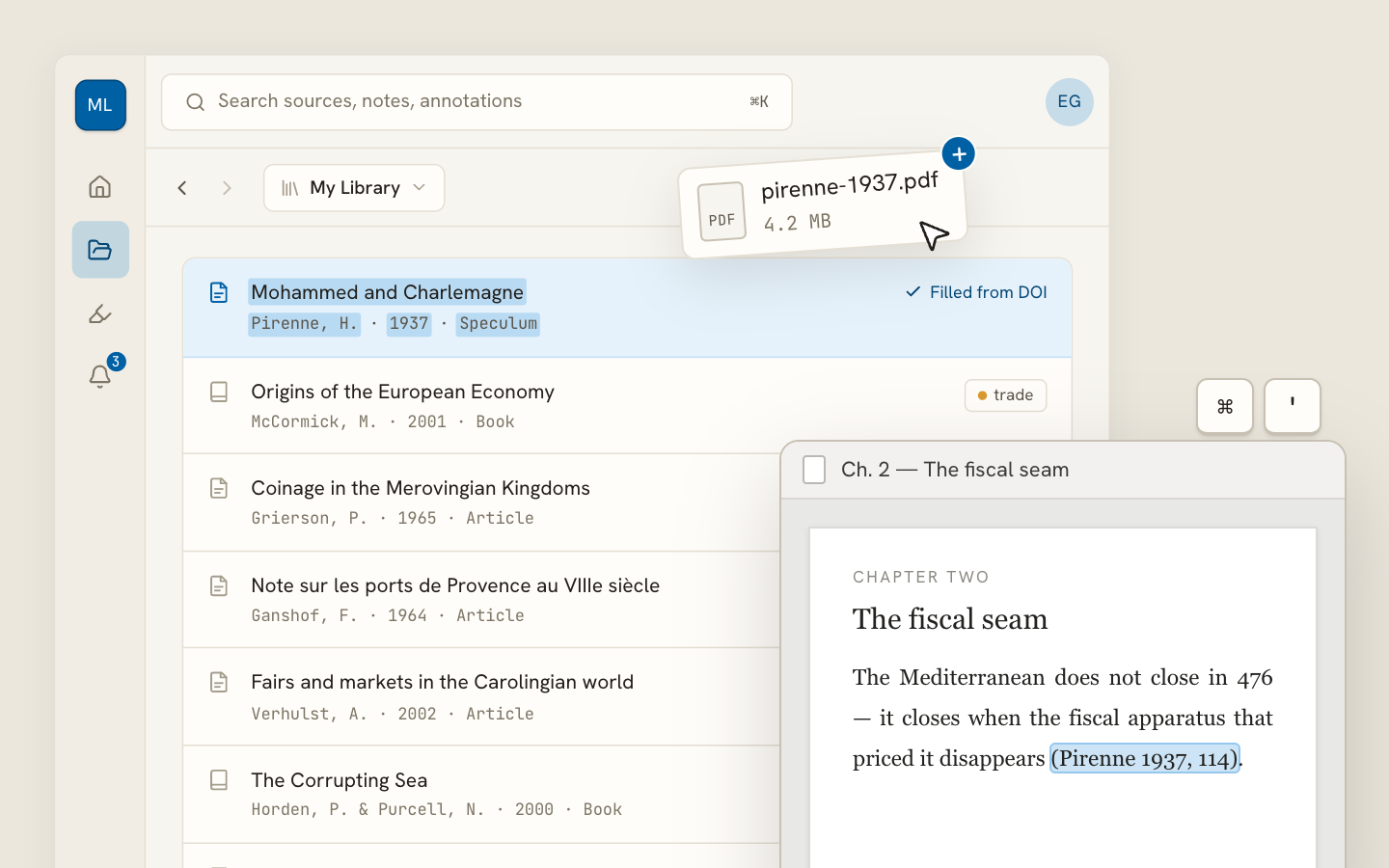
Archivero library view with a source list and an open PDF

Your weekly research workflow, in one email

One tested workflow, three links, no filler — every Tuesday.

Unsubscribe in one click. We never share your address.

Guides/Citations/APA Citation Style

Common APA Format Mistakes (and How to Fix Them)

The most frequent APA formatting errors students make — with clear explanations and corrected examples.

8 min readAPA

On this page

1 of 23
Formatting Mistakes1. Wrong Line Spacing2. Missing or Incorrect Margins3. Wrong Font or Inconsistent Fonts4. No First-Line Indent (or Using Tab Inconsistently)Title Page Mistakes5. Using the Wrong Title Page Format6. Title Too Long or Incorrectly FormattedIn-Text Citation Mistakes7. Period Before the Citation Instead of After8. Using "et al." Incorrectly9. Using "&" in Narrative Citations (or "and" in Parenthetical)10. Forgetting the Year in a Narrative Citation11. Missing Page Numbers for Direct QuotesReference List Mistakes12. Using Title Case Instead of Sentence Case13. Missing DOIs14. Putting a Period After the URL or DOI15. Using "et al." in the Reference List16. No Hanging Indent17. Including Sources You Didn't Cite (or Vice Versa)Pre-Submission ChecklistWhat's Next
All APA guides →

Even careful writers make APA mistakes. The style has dozens of rules, and many of them are counterintuitive — putting the period after the citation instead of inside the quotes, using sentence case in the reference list but title case in text, knowing when "et al." gets a period and when it doesn't. It's a lot to keep straight.

The good news is that most APA errors fall into a handful of predictable categories. Fix these, and you'll catch 90% of the problems before your instructor does.

Formatting Mistakes

These are the errors that affect how your paper looks — the stuff your instructor notices before reading a single sentence.

1. Wrong Line Spacing

The mistake: Using single spacing, 1.5 spacing, or adding extra space between paragraphs.

The rule: Double-space everything — title page, abstract, body text, block quotes, reference list, appendices. No exceptions. Don't add extra blank lines before or after headings.

How to fix it:Set your word processor's line spacing to 2.0 and set "before" and "after" paragraph spacing to 0 pt. Then don't touch it again.

2. Missing or Incorrect Margins

The mistake: Using narrow margins, asymmetric margins, or default margins that aren't 1 inch.

The rule: Use 1-inch (2.54 cm) margins on all four sides — top, bottom, left, right.

3. Wrong Font or Inconsistent Fonts

The mistake: Using a decorative font, switching between fonts in different sections, or using the wrong size.

The rule: APA 7th edition allows several fonts — Times New Roman (12 pt), Calibri (11 pt), Arial (11 pt), or Georgia (11 pt) — but you must use the same font throughout your entire paper. The only exception is figures and tables, which may use a slightly smaller font (no less than 8 pt).

4. No First-Line Indent (or Using Tab Inconsistently)

The mistake: Starting every paragraph flush left, or manually pressing Tab and ending up with inconsistent indentation.

The rule: Indent the first line of every paragraph by 0.5 inches (1.27 cm). Set this as a first-line indent in your paragraph settings so it's automatic.

Not indented: The abstract, block quotes (which use a different indent), headings, table/figure notes, and reference entries (which use a hanging indent).

Title Page Mistakes

5. Using the Wrong Title Page Format

The mistake: Using a professional title page format when you're a student (or vice versa), or combining elements from both.

The rule: APA 7th edition has two title page formats — one for student papers and one for professional papers. The most common differences:

ElementStudent PaperProfessional Paper
Running headStudent PaperNot requiredProfessional PaperRequired
Course informationStudent PaperRequired (course name, instructor, date)Professional PaperNot included
Author noteStudent PaperNot includedProfessional PaperRequired
AffiliationStudent PaperDepartment and universityProfessional PaperDepartment, university, and sometimes ORCID

If you're writing a class assignment, use the student format unless your instructor says otherwise.

6. Title Too Long or Incorrectly Formatted

The mistake: Writing a title that's 25 words long, or forgetting to bold and center it.

The rule: Your title should be concise and specific — APA recommends keeping it under about 12 words. It should be bold, centered, and in title case on the title page. Place it 3–4 lines below the top margin.

For details, see APA Title Page Format.

In-Text Citation Mistakes

These are the errors that show up in the body of your paper.

7. Period Before the Citation Instead of After

The mistake:

❌ Sleep deprivation affects cognitive performance. (Walker, 2017)

The fix:

✅ Sleep deprivation affects cognitive performance (Walker, 2017).

The period goes after the closing parenthesis, not before it. The citation is part of the sentence — so the sentence doesn't end until after the citation.

The exception: Block quotes. In block quotes (40+ words), the period goes before the parenthetical citation.

8. Using "et al." Incorrectly

The mistake: Using "et al." for two-author sources, or putting a period after "et" instead of after "al."

The fix:

  • Two authors → always list both names: (Patel & Nakamura, 2021)
  • Three or more authors → use et al. from the first citation: (Henrich et al., 2010)
  • "et" has no period (it's a complete Latin word). "al." has a period (it's an abbreviation of alia).

For every multi-author scenario, see APA Citation With Multiple Authors.

9. Using "&" in Narrative Citations (or "and" in Parenthetical)

The mistake:

❌ Patel & Nakamura (2021) found that…

❌ (Patel and Nakamura, 2021)

The fix:

✅ Patel and Nakamura (2021) found that…

✅ (Patel & Nakamura, 2021)

Inside parentheses → ampersand (&). Outside parentheses (narrative) → "and."

10. Forgetting the Year in a Narrative Citation

The mistake:

❌ According to Walker, sleep deprivation impairs cognition.

The fix:

✅ According to Walker (2017), sleep deprivation impairs cognition.

The year is never optional in APA. Every narrative citation needs the year in parentheses immediately after the author's name.

11. Missing Page Numbers for Direct Quotes

The mistake: Including a direct quote but forgetting to provide a page number or alternative locator.

❌ Walker (2017) stated that "sleep deprivation impairs the prefrontal cortex."

The fix:

✅ Walker (2017) stated that "sleep deprivation impairs the prefrontal cortex" (p. 194).

Page numbers are required for all direct quotes. For sources without page numbers, use an alternative locator — paragraph number (para. 4), heading name, slide number, or timestamp. See How to Quote in APA Format for the full list of locator options.

Reference List Mistakes

12. Using Title Case Instead of Sentence Case

The mistake:

❌ Garcia, M. L. (2022). Decision-Making Under Uncertainty: A Cognitive Approach. Oxford University Press.

The fix:

✅ Garcia, M. L. (2022). Decision-making under uncertainty: A cognitive approach. Oxford University Press.

In the reference list, book titles and article titles use sentence case — capitalize only the first word, the first word after a colon, and proper nouns. This is one of the most common APA errors because it feels unnatural.

Journal titles, on the other hand, keep their title case: Journal of Experimental Psychology.

13. Missing DOIs

The mistake: Omitting the DOI when one is available, or using an outdated DOI format.

The fix: If a DOI exists, always include it. Format it as a URL:

✅ https://doi.org/10.1037/dev0001148

Not as "DOI: 10.1037/…" or "doi:10.1037/…" — those are old formats. The 7th edition standardized DOIs as full HTTPS links.

Tip:If you're not sure whether a DOI exists, search the article title at https://doi.org.

14. Putting a Period After the URL or DOI

The mistake:

❌ https://doi.org/10.1037/dev0001148.

The fix:

✅ https://doi.org/10.1037/dev0001148

No period after URLs or DOIs. Ever. A trailing period could break the link if someone clicks or copies it.

15. Using "et al." in the Reference List

The mistake:

❌ Henrich, J., et al. (2010). The weirdest people in the world? Behavioral and Brain Sciences, 33(2–3), 61–83.

The fix: Spell out every author's name in the reference list — up to 20 authors. "Et al." is only for in-text citations.

✅ Henrich, J., Heine, S. J., & Norenzayan, A. (2010). The weirdest people in the world? Behavioral and Brain Sciences, 33(2–3), 61–83. https://doi.org/10.1017/S0140525X0999152X

For 21 or more authors, list the first 19, then an ellipsis (…), then the last author.

16. No Hanging Indent

The mistake: Formatting reference entries with no indent, or with a first-line indent instead of a hanging indent.

The fix: Each reference entry should have the first line flush left and every subsequent line indented 0.5 inches. This is a hanging indent — the opposite of a paragraph indent. Set it in your word processor's paragraph settings.

17. Including Sources You Didn't Cite (or Vice Versa)

The mistake: Adding sources to your reference list that you read but never actually cited in the paper, or citing a source in text without a matching reference entry.

The rule: There must be a one-to-one match between in-text citations and reference list entries. Every in-text citation should have a reference, and every reference should have at least one in-text citation.

Pre-Submission Checklist

Walk through this list before turning in your paper to catch the most common issues:

Formatting:

  • 1-inch margins on all sides
  • Consistent font throughout (and correct size)
  • Double-spaced everywhere — no extra spacing before/after headings
  • 0.5-inch first-line indent for body paragraphs
  • Page numbers in the top-right corner

Title Page:

  • Correct format for your paper type (student or professional)
  • Title is bold, centered, and in title case
  • All required information is present (course, instructor, date for student papers)

In-Text Citations:

  • Period goes after the closing parenthesis, not before it
  • Year is included in every citation
  • "et al." used only for 3+ authors (never for 2)
  • "&" in parentheses, "and" in narrative text
  • Page numbers included for every direct quote

Reference List:

  • Starts on a new page with "References" centered and bold
  • Hanging indent on every entry
  • Entries alphabetized by first author's last name
  • Titles in sentence case (except journal names)
  • DOIs included as full HTTPS links
  • No period after URLs or DOIs
  • No "et al." — all authors spelled out (up to 20)
  • Every in-text citation has a matching reference (and vice versa)

What's Next

Now that you know the most common pitfalls, explore these guides to master specific areas of APA formatting:

  • APA General Format — page layout, fonts, spacing, and overall paper structure
  • APA In-Text Citations — the complete guide to citing sources in the body of your paper
  • APA Reference List — how to format your reference entries correctly

If you're tired of catching formatting errors by hand, Archivero automatically generates properly formatted APA citations — so you can focus on your ideas instead of counting indent widths and memorizing capitalization rules.

All APA guides →
← PreviousAPA 6th vs. 7th Edition — What ChangedNext →How to Cite a Chart or Graph in APA Format

More on APA style

The standard in psychology, education and the social sciences. The author–date system, reference-list formatting and what the 7th edition changed.

View all 34 guides →
8 sections·5 min readAPAHow to Cite a Chart or Graph in APA Format7 sections·5 min readAPAHow to Cite a Drawing or Illustration in APA Format11 sections·5 min readAPAHow to Format Figures in APA7 sections·5 min readAPAHow to Cite an Image in APA Format

Your sources, PDFs and citations in one library

  • Import a Zotero, Mendeley or EndNote library — or a folder of PDFs
  • Highlight and annotate without leaving the source
  • Cite in any CSL style as you write, with one shared library for your lab
Request early accessSee the product →
Archivero library view with a source list and an open PDF

Your weekly research workflow, in one email

One tested workflow, three links, no filler — every Tuesday.

Unsubscribe in one click. We never share your address.