Archivero is in early access — your sources, PDFs and citations in one library.Request early access →
Archivero/guides/
APAMLAHarvardThesis writing
Subscribe
Archivero/guides/Request early access →

Guides

APA styleMLA styleHarvard referencingThesis writing

Compare

APA 6th vs 7thMLA 8th vs 9thHarvard vs APAThesis vs dissertation

Product

FeaturesEarly access

Resources

DocsCheat sheetsNewsletter

Company

ContactStatus ↗
© 2025–2026 Ernesto F. GonzálezGuidesDocsContactPrivacyTerms
Guides/How to Write a Thesis

Thesis Formatting

Standard thesis formatting guidelines — margins, font, spacing, page numbers, headings, and front matter layout for university submissions.

9 min readThesis writing

Key Takeaways

  • Thesis formatting follows institutional rules — always check your university's thesis handbook or template before applying general guidelines.
  • Standard formatting uses 1-inch margins on all sides (sometimes 1.5 inches on the left for binding), 12pt Times New Roman or similar serif font, and double spacing.
  • Page numbers typically use Roman numerals (i, ii, iii) for front matter and Arabic numerals (1, 2, 3) for the body, starting from the Introduction.
  • Front matter follows a fixed order: title page, abstract, acknowledgements, table of contents, list of figures/tables.
  • Headings follow a consistent hierarchy (Chapter title → Section → Subsection) using the formatting prescribed by your citation style (APA, Chicago, etc.).
  • The title page must include the thesis title, your name, the degree, the department, the institution, and the submission date — formatted exactly per your university's template.
  • Back matter includes references/bibliography and appendices, each starting on a new page.
  • Run a final formatting check after all content is complete — revision cycles often introduce inconsistencies.

On this page

1 of 21
Key TakeawaysGeneral Formatting RulesMarginsFont and SizeLine SpacingPage NumbersHeadings and SubheadingsFront MatterTitle PageAbstract PageAcknowledgementsTable of ContentsList of Figures / TablesBody TextBack MatterReferences / BibliographyAppendicesFormatting by Style (APA, MLA, Chicago)University-Specific RequirementsCommon MistakesNext Steps
All Thesis writing guides →

Thesis formatting refers to the visual and structural rules that govern how a thesis or dissertation is laid out — margins, font, line spacing, page numbers, heading hierarchy, and the order of front and back matter. Most universities enforce strict formatting requirements, and a thesis that doesn't comply may be returned for revision before it is accepted, regardless of the quality of the research.

General Formatting Rules

These are the most widely used defaults. Your institution may override any of them — always check your program's specific guidelines.

Margins

EdgeStandard Margin
Top1 inch (2.54 cm)
Bottom1 inch (2.54 cm)
Left1.25–1.5 inches (for binding)
Right1 inch (2.54 cm)

The left margin is often wider to accommodate binding (physical or digital). Some universities specify 1 inch on all sides; others require 1.5 inches on the left. Title pages may have a larger top margin (2 inches is common).

Font and Size

  • Body text: 12pt Times New Roman, or an equivalent serif font (some programs accept Arial or Calibri)
  • Headings: Follow the heading hierarchy of your citation style — APA, for example, has five heading levels with specific formatting for each
  • Footnotes / endnotes: Typically 10pt
  • Captions (figures and tables): Typically 10–11pt

Consistency is key. Choose one font and use it throughout. Do not mix fonts except where the citation style explicitly requires it (e.g., italics for titles).

Line Spacing

  • Body text: Double-spaced (2.0 line spacing)
  • Block quotations: Single-spaced or double-spaced depending on the style guide
  • Footnotes / endnotes: Single-spaced within each note, double-spaced between notes
  • References / bibliography: Double-spaced, with hanging indent (0.5 inches)
  • Table of contents: Single-spaced or 1.5-spaced (varies by institution)

Some universities require consistent double-spacing throughout, including block quotes and references. Others allow single spacing in specific elements. Check your handbook.

Page Numbers

Page numbering is one of the most commonly misformatted elements. The standard convention:

  • Front matter (everything before Chapter 1): Roman numerals — ii, iii, iv, v…
  • Body (Chapter 1 onward): Arabic numerals — 1, 2, 3, 4…
  • Title page: Counted as page i but the number is not displayed
  • Position: Bottom center or top right (check your institution's preference)

The switchover from Roman to Arabic numerals happens at the start of Chapter 1 (the Introduction). Everything before it — abstract, acknowledgements, table of contents, lists of figures — uses Roman numerals.

Headings and Subheadings

Headings create the structural hierarchy of the thesis. The most common system follows APA Style (7th edition) heading levels:

LevelFormat
Level 1Centered, Bold, Title Case
Level 2Flush Left, Bold, Title Case
Level 3Flush Left, Bold Italic, Title Case
Level 4Indented, Bold, Title Case, ending with a period. Text follows on the same line.
Level 5Indented, Bold Italic, Title Case, ending with a period. Text follows on the same line.

If your program uses a different citation style (MLA, Chicago/Turabian), follow that style's heading conventions instead.

Whichever system you use, apply it consistently throughout the thesis. Inconsistent heading formatting is one of the most common reasons theses are returned for correction.

Front Matter

Front matter includes everything that comes before Chapter 1. Each element starts on a new page.

Title Page

The title page is the first page of the thesis and must include:

  • Thesis title — centered, bold, often in a larger font size
  • Author's full name
  • Degree (e.g., "Master of Arts in Education")
  • Department and institution (e.g., "Department of Psychology, University of Michigan")
  • Submission date (month and year)
  • Committee members (some institutions list them on the title page; others use a separate approval page)

Most universities provide an official title page template. Use it exactly — title pages are the most institution-specific element of thesis formatting.

Abstract Page

The abstract appears on its own page immediately after the title page (or after an approval/signature page, if required).

  • The word "Abstract" is centered at the top (bold or not, as specified)
  • The abstract text follows, typically as a single paragraph, double-spaced
  • Keywords appear on the line below the abstract, introduced with "Keywords:" in italics, followed by the keyword list

For guidance on writing the abstract content, see Thesis Abstract.

Acknowledgements

The acknowledgements page is optional but nearly universal. It follows the abstract and thanks the people who supported the research — advisor, committee, participants, funding bodies, family.

Keep it professional. Personal thanks are fine, but this is an academic document.

Table of Contents

The table of contents lists all chapters, sections, and subsections with their corresponding page numbers.

  • Chapter titles are bold or capitalized
  • Section headings are indented
  • Subsections are further indented
  • Page numbers are right-aligned, often connected to the heading by dot leaders (…………)
  • Front matter items (abstract, acknowledgements, list of figures) are listed before Chapter 1

Most word processors can generate a table of contents automatically from your heading styles. Use this feature — manual tables of contents almost always have page number errors.

List of Figures / Tables

If your thesis includes figures or tables, include a separate list for each after the table of contents.

  • Each entry includes the figure/table number, the caption or title, and the page number
  • Format mirrors the table of contents (dot leaders, right-aligned page numbers)

A "List of Figures" and "List of Tables" are separate lists, each on their own page. If your thesis has only one or two figures, some programs may not require these lists — check your guidelines.

Body Text

The body of the thesis — Chapters 1 through the final chapter — follows the formatting rules established above. Additional body-specific guidelines:

  • Paragraphs should be indented (0.5-inch first-line indent) with no extra space between paragraphs (this is the APA and Turabian convention; check your style)
  • Block quotations (40+ words in APA, 4+ lines in MLA/Chicago) are indented 0.5 inches from the left margin, with no quotation marks
  • Figures and tables are numbered sequentially (Figure 1, Figure 2… or Table 3.1, Table 3.2… depending on the system), with captions placed above tables and below figures in APA style
  • Chapter openings may require a new page with a larger top margin (often 2 inches)

Ensure that figures and tables are referenced in the text before they appear — don't include a figure that the text never discusses.

Back Matter

References / Bibliography

The references section lists all sources cited in the thesis, formatted according to the required citation style.

  • Start on a new page with the heading "References" (APA), "Works Cited" (MLA), or "Bibliography" (Chicago)
  • Use a hanging indent — the first line of each entry is flush left, subsequent lines are indented 0.5 inches
  • Double-space all entries
  • Alphabetize by author last name (APA, MLA) or by footnote order (Chicago notes-bibliography)

For detailed citation formatting, see the relevant guide:

  • APA Format
  • MLA Format

Appendices

Appendices contain supplementary material that supports the thesis but would disrupt the flow of the main text — survey instruments, interview protocols, raw data tables, IRB approval letters, coding schemes, etc.

  • Each appendix starts on a new page
  • Label them Appendix A, Appendix B, etc. (or simply "Appendix" if there's only one)
  • Reference each appendix in the body text (e.g., "see Appendix A for the complete survey instrument")
  • Appendices appear after the references section

Formatting by Style (APA, MLA, Chicago)

While institutional requirements take precedence, your citation style guide provides the baseline formatting standards.

ElementAPA (7th ed.)MLA (9th ed.)Chicago / Turabian
FontAPA (7th ed.)12pt, readable (Times New Roman, Calibri, etc.)MLA (9th ed.)12pt, readableChicago / Turabian12pt, Times New Roman preferred
SpacingAPA (7th ed.)Double-spaced throughoutMLA (9th ed.)Double-spaced throughoutChicago / TurabianDouble-spaced body; single-spaced notes
MarginsAPA (7th ed.)1 inch all sidesMLA (9th ed.)1 inch all sidesChicago / Turabian1 inch all sides (may vary for binding)
Page numbersAPA (7th ed.)Top right, starting from title pageMLA (9th ed.)Top right, with author's last nameChicago / TurabianBottom center or top right
Heading levelsAPA (7th ed.)5 levels with specific formattingMLA (9th ed.)No prescribed heading levelsChicago / TurabianSection headings vary; Turabian has specific rules
References headingAPA (7th ed.)"References"MLA (9th ed.)"Works Cited"Chicago / Turabian"Bibliography" or "References"
Figure captionsAPA (7th ed.)Below the figureMLA (9th ed.)Below the figureChicago / TurabianBelow the figure
Table captionsAPA (7th ed.)Above the tableMLA (9th ed.)Above the tableChicago / TurabianAbove the table

Your university's formatting guide supersedes the citation style guide where they conflict. If APA says top-right page numbers but your university says bottom-center, follow the university.

University-Specific Requirements

Every university has its own thesis formatting handbook, template, or style guide. These documents specify local rules that override general guidelines. Common university-specific requirements include:

  • Title page layout — exact placement, wording, and formatting of each element
  • Approval/signature page — format and order of committee signatures
  • Copyright page — whether it's required and how to format it
  • Binding specifications — paper size, weight, and margin adjustments for physical binding
  • Electronic submission format — PDF requirements, file naming conventions, metadata fields
  • Front matter ordering — some programs add required elements like a dedication page, preface, or list of abbreviations

Obtain your institution's thesis formatting guide at the start of the writing process — not the end. Retroactively reformatting a 200-page document is significantly more painful than formatting correctly from the start.

Common Mistakes

  1. Inconsistent heading formatting. Mixing heading styles, skipping levels, or formatting the same level differently in different chapters. Use your word processor's heading styles to enforce consistency.

  2. Wrong page number format. Using Arabic numerals in the front matter, displaying a number on the title page, or placing numbers in the wrong position. Set up page numbering correctly before you start writing.

  3. Manual table of contents. Typing out the table of contents by hand almost guarantees errors. Use automatic generation from heading styles — it updates page numbers when content changes.

  4. Inconsistent spacing. Switching between single and double spacing without a consistent rule. Set your document to double-spaced and only deviate where your style guide explicitly allows it.

  5. Missing or misformatted references. Entries that don't match the required citation style, missing hanging indents, inconsistent capitalization. Use a reference manager to maintain consistency.

  6. Figures and tables without captions. Every figure and table needs a numbered caption. Place captions above tables and below figures (in APA style).

  7. Not following the university template. Generic formatting guides (including this one) provide defaults, but your institution's template is the final authority. Ignoring it leads to rejection at the submission stage.

Next Steps

With formatting in place, finalize the remaining elements of your thesis:

  • Thesis Structure — ensure all chapters are in the correct order
  • Thesis Abstract — format the abstract page according to your institution's requirements
  • Thesis Defense — prepare for the oral defense
  • Common Thesis Mistakes — check your thesis against the most frequent errors

If your institution requires a specific citation style, check our formatting guides for APA, MLA, and Harvard to make sure your references match.

Archivero helps you keep your thesis organized from first draft to final submission — manage your sources, track your citations, and focus on the research while the formatting details stay under control.
All Thesis writing guides →
← PreviousThesis ProposalNext →Thesis vs. Dissertation

More on Thesis writing

From crafting a thesis statement to structuring chapters, writing the proposal and preparing for the defence.

View all 19 guides →
7 sections·7 min readThesis writingThesis vs. Dissertation7 sections·10 min readThesis writingThesis Defense6 sections·9 min readThesis writingCommon Thesis Mistakes9 sections·7 min readThesis writingWhat Is a Thesis Statement?

Your sources, PDFs and citations in one library

  • Import a Zotero, Mendeley or EndNote library — or a folder of PDFs
  • Highlight and annotate without leaving the source
  • Cite in any CSL style as you write, with one shared library for your lab
Request early accessSee the product →
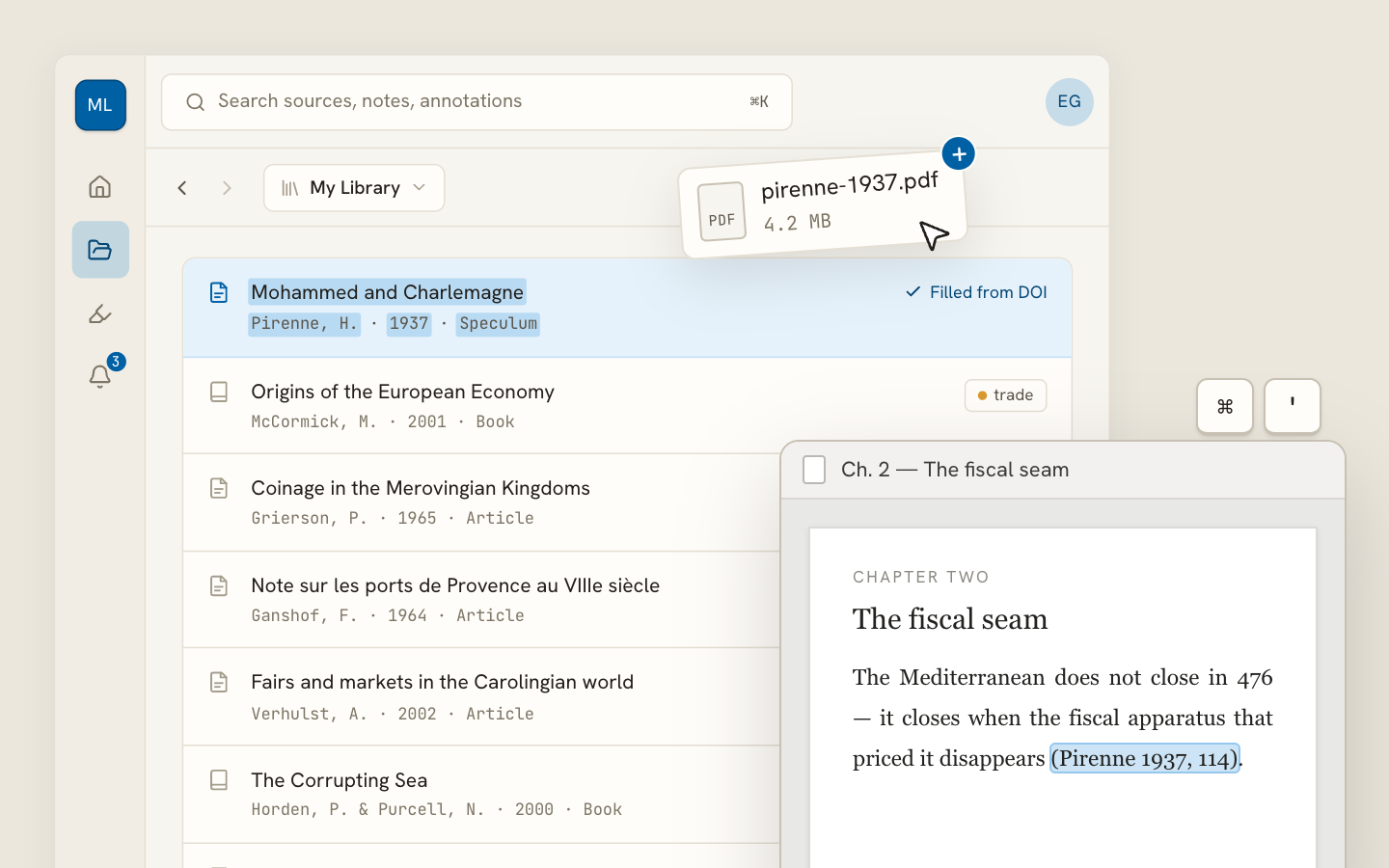
Archivero library view with a source list and an open PDF

Your weekly research workflow, in one email

One tested workflow, three links, no filler — every Tuesday.

Unsubscribe in one click. We never share your address.

Guides/How to Write a Thesis

Thesis Formatting

Standard thesis formatting guidelines — margins, font, spacing, page numbers, headings, and front matter layout for university submissions.

9 min readThesis writing

Key Takeaways

  • Thesis formatting follows institutional rules — always check your university's thesis handbook or template before applying general guidelines.
  • Standard formatting uses 1-inch margins on all sides (sometimes 1.5 inches on the left for binding), 12pt Times New Roman or similar serif font, and double spacing.
  • Page numbers typically use Roman numerals (i, ii, iii) for front matter and Arabic numerals (1, 2, 3) for the body, starting from the Introduction.
  • Front matter follows a fixed order: title page, abstract, acknowledgements, table of contents, list of figures/tables.
  • Headings follow a consistent hierarchy (Chapter title → Section → Subsection) using the formatting prescribed by your citation style (APA, Chicago, etc.).
  • The title page must include the thesis title, your name, the degree, the department, the institution, and the submission date — formatted exactly per your university's template.
  • Back matter includes references/bibliography and appendices, each starting on a new page.
  • Run a final formatting check after all content is complete — revision cycles often introduce inconsistencies.

On this page

1 of 21
Key TakeawaysGeneral Formatting RulesMarginsFont and SizeLine SpacingPage NumbersHeadings and SubheadingsFront MatterTitle PageAbstract PageAcknowledgementsTable of ContentsList of Figures / TablesBody TextBack MatterReferences / BibliographyAppendicesFormatting by Style (APA, MLA, Chicago)University-Specific RequirementsCommon MistakesNext Steps
All Thesis writing guides →

Thesis formatting refers to the visual and structural rules that govern how a thesis or dissertation is laid out — margins, font, line spacing, page numbers, heading hierarchy, and the order of front and back matter. Most universities enforce strict formatting requirements, and a thesis that doesn't comply may be returned for revision before it is accepted, regardless of the quality of the research.

General Formatting Rules

These are the most widely used defaults. Your institution may override any of them — always check your program's specific guidelines.

Margins

EdgeStandard Margin
Top1 inch (2.54 cm)
Bottom1 inch (2.54 cm)
Left1.25–1.5 inches (for binding)
Right1 inch (2.54 cm)

The left margin is often wider to accommodate binding (physical or digital). Some universities specify 1 inch on all sides; others require 1.5 inches on the left. Title pages may have a larger top margin (2 inches is common).

Font and Size

  • Body text: 12pt Times New Roman, or an equivalent serif font (some programs accept Arial or Calibri)
  • Headings: Follow the heading hierarchy of your citation style — APA, for example, has five heading levels with specific formatting for each
  • Footnotes / endnotes: Typically 10pt
  • Captions (figures and tables): Typically 10–11pt

Consistency is key. Choose one font and use it throughout. Do not mix fonts except where the citation style explicitly requires it (e.g., italics for titles).

Line Spacing

  • Body text: Double-spaced (2.0 line spacing)
  • Block quotations: Single-spaced or double-spaced depending on the style guide
  • Footnotes / endnotes: Single-spaced within each note, double-spaced between notes
  • References / bibliography: Double-spaced, with hanging indent (0.5 inches)
  • Table of contents: Single-spaced or 1.5-spaced (varies by institution)

Some universities require consistent double-spacing throughout, including block quotes and references. Others allow single spacing in specific elements. Check your handbook.

Page Numbers

Page numbering is one of the most commonly misformatted elements. The standard convention:

  • Front matter (everything before Chapter 1): Roman numerals — ii, iii, iv, v…
  • Body (Chapter 1 onward): Arabic numerals — 1, 2, 3, 4…
  • Title page: Counted as page i but the number is not displayed
  • Position: Bottom center or top right (check your institution's preference)

The switchover from Roman to Arabic numerals happens at the start of Chapter 1 (the Introduction). Everything before it — abstract, acknowledgements, table of contents, lists of figures — uses Roman numerals.

Headings and Subheadings

Headings create the structural hierarchy of the thesis. The most common system follows APA Style (7th edition) heading levels:

LevelFormat
Level 1Centered, Bold, Title Case
Level 2Flush Left, Bold, Title Case
Level 3Flush Left, Bold Italic, Title Case
Level 4Indented, Bold, Title Case, ending with a period. Text follows on the same line.
Level 5Indented, Bold Italic, Title Case, ending with a period. Text follows on the same line.

If your program uses a different citation style (MLA, Chicago/Turabian), follow that style's heading conventions instead.

Whichever system you use, apply it consistently throughout the thesis. Inconsistent heading formatting is one of the most common reasons theses are returned for correction.

Front Matter

Front matter includes everything that comes before Chapter 1. Each element starts on a new page.

Title Page

The title page is the first page of the thesis and must include:

  • Thesis title — centered, bold, often in a larger font size
  • Author's full name
  • Degree (e.g., "Master of Arts in Education")
  • Department and institution (e.g., "Department of Psychology, University of Michigan")
  • Submission date (month and year)
  • Committee members (some institutions list them on the title page; others use a separate approval page)

Most universities provide an official title page template. Use it exactly — title pages are the most institution-specific element of thesis formatting.

Abstract Page

The abstract appears on its own page immediately after the title page (or after an approval/signature page, if required).

  • The word "Abstract" is centered at the top (bold or not, as specified)
  • The abstract text follows, typically as a single paragraph, double-spaced
  • Keywords appear on the line below the abstract, introduced with "Keywords:" in italics, followed by the keyword list

For guidance on writing the abstract content, see Thesis Abstract.

Acknowledgements

The acknowledgements page is optional but nearly universal. It follows the abstract and thanks the people who supported the research — advisor, committee, participants, funding bodies, family.

Keep it professional. Personal thanks are fine, but this is an academic document.

Table of Contents

The table of contents lists all chapters, sections, and subsections with their corresponding page numbers.

  • Chapter titles are bold or capitalized
  • Section headings are indented
  • Subsections are further indented
  • Page numbers are right-aligned, often connected to the heading by dot leaders (…………)
  • Front matter items (abstract, acknowledgements, list of figures) are listed before Chapter 1

Most word processors can generate a table of contents automatically from your heading styles. Use this feature — manual tables of contents almost always have page number errors.

List of Figures / Tables

If your thesis includes figures or tables, include a separate list for each after the table of contents.

  • Each entry includes the figure/table number, the caption or title, and the page number
  • Format mirrors the table of contents (dot leaders, right-aligned page numbers)

A "List of Figures" and "List of Tables" are separate lists, each on their own page. If your thesis has only one or two figures, some programs may not require these lists — check your guidelines.

Body Text

The body of the thesis — Chapters 1 through the final chapter — follows the formatting rules established above. Additional body-specific guidelines:

  • Paragraphs should be indented (0.5-inch first-line indent) with no extra space between paragraphs (this is the APA and Turabian convention; check your style)
  • Block quotations (40+ words in APA, 4+ lines in MLA/Chicago) are indented 0.5 inches from the left margin, with no quotation marks
  • Figures and tables are numbered sequentially (Figure 1, Figure 2… or Table 3.1, Table 3.2… depending on the system), with captions placed above tables and below figures in APA style
  • Chapter openings may require a new page with a larger top margin (often 2 inches)

Ensure that figures and tables are referenced in the text before they appear — don't include a figure that the text never discusses.

Back Matter

References / Bibliography

The references section lists all sources cited in the thesis, formatted according to the required citation style.

  • Start on a new page with the heading "References" (APA), "Works Cited" (MLA), or "Bibliography" (Chicago)
  • Use a hanging indent — the first line of each entry is flush left, subsequent lines are indented 0.5 inches
  • Double-space all entries
  • Alphabetize by author last name (APA, MLA) or by footnote order (Chicago notes-bibliography)

For detailed citation formatting, see the relevant guide:

  • APA Format
  • MLA Format

Appendices

Appendices contain supplementary material that supports the thesis but would disrupt the flow of the main text — survey instruments, interview protocols, raw data tables, IRB approval letters, coding schemes, etc.

  • Each appendix starts on a new page
  • Label them Appendix A, Appendix B, etc. (or simply "Appendix" if there's only one)
  • Reference each appendix in the body text (e.g., "see Appendix A for the complete survey instrument")
  • Appendices appear after the references section

Formatting by Style (APA, MLA, Chicago)

While institutional requirements take precedence, your citation style guide provides the baseline formatting standards.

ElementAPA (7th ed.)MLA (9th ed.)Chicago / Turabian
FontAPA (7th ed.)12pt, readable (Times New Roman, Calibri, etc.)MLA (9th ed.)12pt, readableChicago / Turabian12pt, Times New Roman preferred
SpacingAPA (7th ed.)Double-spaced throughoutMLA (9th ed.)Double-spaced throughoutChicago / TurabianDouble-spaced body; single-spaced notes
MarginsAPA (7th ed.)1 inch all sidesMLA (9th ed.)1 inch all sidesChicago / Turabian1 inch all sides (may vary for binding)
Page numbersAPA (7th ed.)Top right, starting from title pageMLA (9th ed.)Top right, with author's last nameChicago / TurabianBottom center or top right
Heading levelsAPA (7th ed.)5 levels with specific formattingMLA (9th ed.)No prescribed heading levelsChicago / TurabianSection headings vary; Turabian has specific rules
References headingAPA (7th ed.)"References"MLA (9th ed.)"Works Cited"Chicago / Turabian"Bibliography" or "References"
Figure captionsAPA (7th ed.)Below the figureMLA (9th ed.)Below the figureChicago / TurabianBelow the figure
Table captionsAPA (7th ed.)Above the tableMLA (9th ed.)Above the tableChicago / TurabianAbove the table

Your university's formatting guide supersedes the citation style guide where they conflict. If APA says top-right page numbers but your university says bottom-center, follow the university.

University-Specific Requirements

Every university has its own thesis formatting handbook, template, or style guide. These documents specify local rules that override general guidelines. Common university-specific requirements include:

  • Title page layout — exact placement, wording, and formatting of each element
  • Approval/signature page — format and order of committee signatures
  • Copyright page — whether it's required and how to format it
  • Binding specifications — paper size, weight, and margin adjustments for physical binding
  • Electronic submission format — PDF requirements, file naming conventions, metadata fields
  • Front matter ordering — some programs add required elements like a dedication page, preface, or list of abbreviations

Obtain your institution's thesis formatting guide at the start of the writing process — not the end. Retroactively reformatting a 200-page document is significantly more painful than formatting correctly from the start.

Common Mistakes

  1. Inconsistent heading formatting. Mixing heading styles, skipping levels, or formatting the same level differently in different chapters. Use your word processor's heading styles to enforce consistency.

  2. Wrong page number format. Using Arabic numerals in the front matter, displaying a number on the title page, or placing numbers in the wrong position. Set up page numbering correctly before you start writing.

  3. Manual table of contents. Typing out the table of contents by hand almost guarantees errors. Use automatic generation from heading styles — it updates page numbers when content changes.

  4. Inconsistent spacing. Switching between single and double spacing without a consistent rule. Set your document to double-spaced and only deviate where your style guide explicitly allows it.

  5. Missing or misformatted references. Entries that don't match the required citation style, missing hanging indents, inconsistent capitalization. Use a reference manager to maintain consistency.

  6. Figures and tables without captions. Every figure and table needs a numbered caption. Place captions above tables and below figures (in APA style).

  7. Not following the university template. Generic formatting guides (including this one) provide defaults, but your institution's template is the final authority. Ignoring it leads to rejection at the submission stage.

Next Steps

With formatting in place, finalize the remaining elements of your thesis:

  • Thesis Structure — ensure all chapters are in the correct order
  • Thesis Abstract — format the abstract page according to your institution's requirements
  • Thesis Defense — prepare for the oral defense
  • Common Thesis Mistakes — check your thesis against the most frequent errors

If your institution requires a specific citation style, check our formatting guides for APA, MLA, and Harvard to make sure your references match.

Archivero helps you keep your thesis organized from first draft to final submission — manage your sources, track your citations, and focus on the research while the formatting details stay under control.

All Thesis writing guides →
← PreviousThesis ProposalNext →Thesis vs. Dissertation

More on Thesis writing

From crafting a thesis statement to structuring chapters, writing the proposal and preparing for the defence.

View all 19 guides →
7 sections·7 min readThesis writingThesis vs. Dissertation7 sections·10 min readThesis writingThesis Defense6 sections·9 min readThesis writingCommon Thesis Mistakes9 sections·7 min readThesis writingWhat Is a Thesis Statement?

Your sources, PDFs and citations in one library

  • Import a Zotero, Mendeley or EndNote library — or a folder of PDFs
  • Highlight and annotate without leaving the source
  • Cite in any CSL style as you write, with one shared library for your lab
Request early accessSee the product →
Archivero library view with a source list and an open PDF

Your weekly research workflow, in one email

One tested workflow, three links, no filler — every Tuesday.

Unsubscribe in one click. We never share your address.